Events such as on_click in charts/figures with multiple traces only receive point ids for one trace
未关闭
还没有人认领这个 Issue。
bug
P3
- 主要语言
- Python
- 星标
- 18.8k
- 派生
- 2.8k
- 平均合并
- 16 小时 26 分钟
- 30 天内合并 PR
- 21
描述
For figures that have multiple traces it is not possible to get the id of the clicked trace points for all traces, only one. This is a problem when trying to display details for clicked points of multiple traces.
The example below shows how to reproduce the behaviour with plotly 4.9.0 in a Jupyter notebook. When clicking on the green points, the text below the chart shows the id of the clicked point but when clicking on one of the purple points, the id is empty.
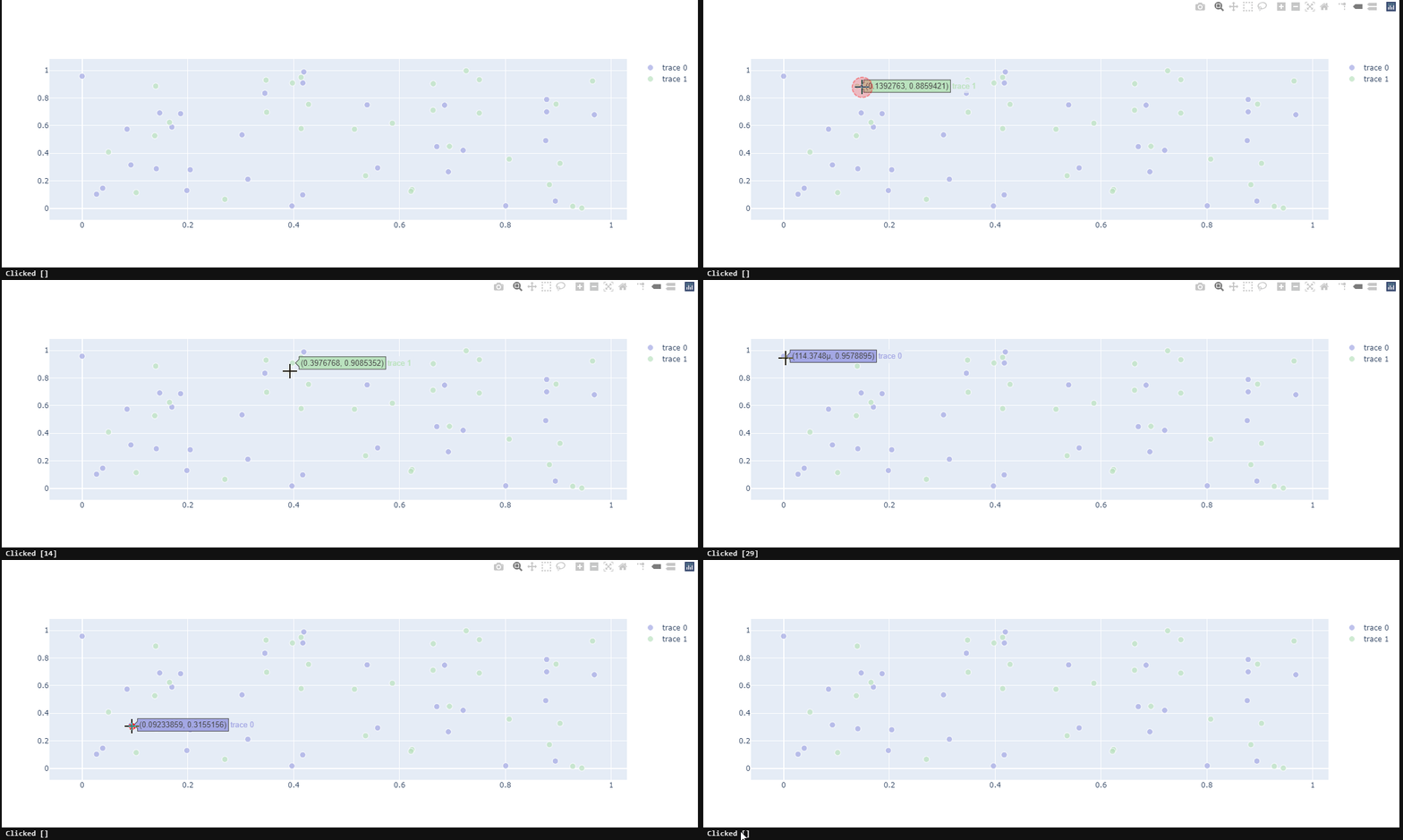
Could you kindly take a look?
import plotly.graph_objects as go
from ipywidgets import Output, VBox

import numpy as np
np.random.seed(1)
out = Output()

# create our callback function
@out.capture(clear_output=True)
def update_point(trace, points, selector):
    print(f'Clicked {points.point_inds}')

def create_scatter(colour):
    scatter = go.Scatter(x=np.random.rand(30), y=np.random.rand(30), mode='markers')
    colors =  [colour] * 30
    scatter.marker.color = colors
    scatter.marker.size = [10] * 30
    return scatter

scatter1 = create_scatter(colour='#a3a7e4')
scatter2 = create_scatter(colour='#bae2be')
fig = go.FigureWidget([scatter1, scatter2])
fig.data[0].on_click(update_point)
fig.data[1].on_click(update_point)
fig.layout.hovermode = 'closest'

VBox([fig, out])
贡献指南
从这里开始
- 先读完整个 Issue,再读项目的贡献指南。
- 在 Issue 下留言说明你要接手 —— 这能避免两个人做同样的事。
- Fork 仓库,在一个分支上完成修改。
- 提交 Pull Request,并在描述里引用这个 Issue 编号。
调研方向
在提供的 Jupyter notebook 中使用 FigureWidget、两个 Scatter 轨迹和单独的 on_click 回调来复现该问题。从 FigureWidget 的轨迹回调路径开始,检查每个轨迹的 points.point_inds 是如何填充的。当点击任一轨迹中的点时能够报告所点击点的 ID,而不是空值,即表示完成。
由索引模型根据 Issue 内容生成。
评估
- 技术栈
- jupyter-notebook, python
- 领域
- data-visualization
- Issue 类型
- 缺陷
- 难度
- 4/5
- 预计耗时
- 3-5 天
- 活跃度
- 停滞
- 描述清晰度
- 基本清楚
- 新手友好度
- 35/100