MaterialDesignInXAML / MaterialDesignInXAML/MaterialDesignInXamlToolkit
INotifyDataErrorInfo Error Message is overflowing the TextBox inside a DataGrid
Chưa có ai nhận issue này.
- Ngôn ngữ chính
- C#
- Star
- 16.3k
- Fork
- 3.5k
- Merge trung bình
- 1 ngày 22 giờ
- Pull request đã merge (30 ngày)
- 8
Mô tả
Bug explanation
Is anyone here having the same problem when using INotifyDataErrorInfo where the Error Message of the TextBox is overflowing? No issue when using ValidationRules at all.
I have a DataGrid with 100 items, each item has a TextBox. In my ViewModel, I implemented the INotifyDataErrorInfo. For some reason, if all of the Error Message is shown below the TextBox, some of them are overflowing. I tried using ValidationRules but everything is fine, the problem occurs only when using INotifyDataErrorInfo.
Here is an example of the issue when all of the error is being shown.
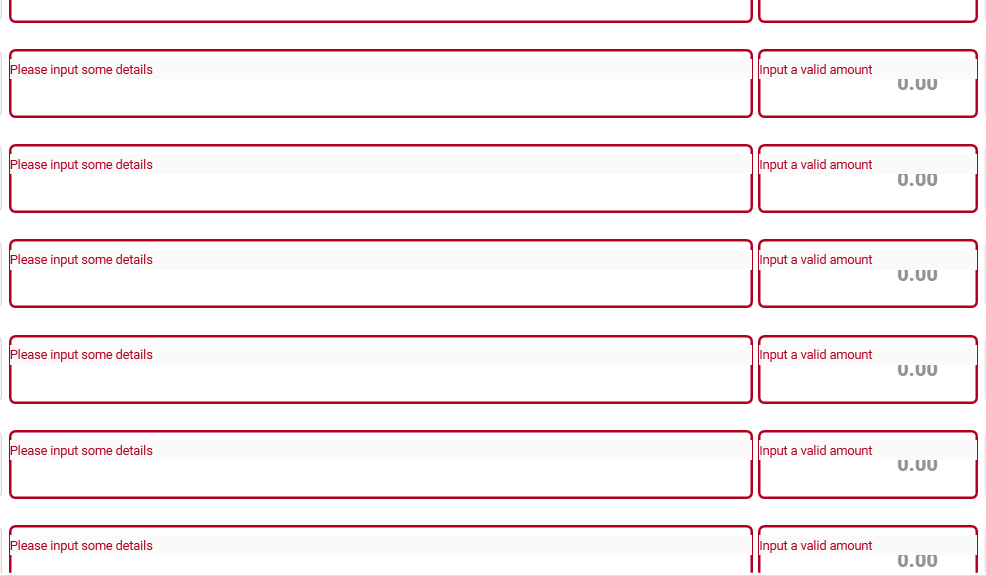
Could this be an issue with the DataGrid? The first 20 items are showing the error message in the correct position, but after that until the end of the items is not.
UPDATE: I tried to input the correct entry in the TextBox, then remove the text by clicking the clear icon of the TextBox. After that, the position of the Error Message is corrected, but then I tried to scroll and the problem occur again.
-
I tried typing some text.
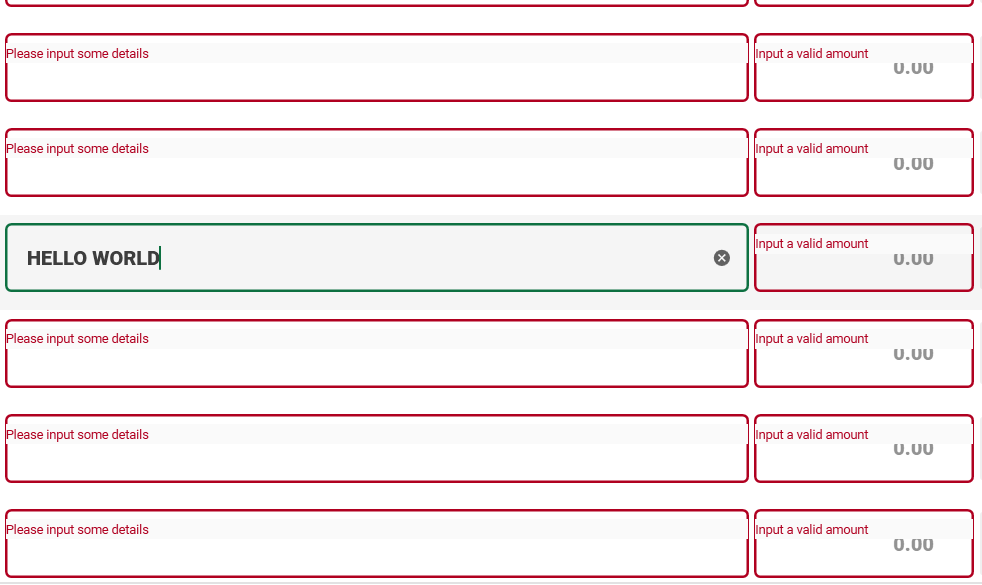
-
Then cleared the text by clicking the
clearicon. (Noticed that the position of the error message is corrected)
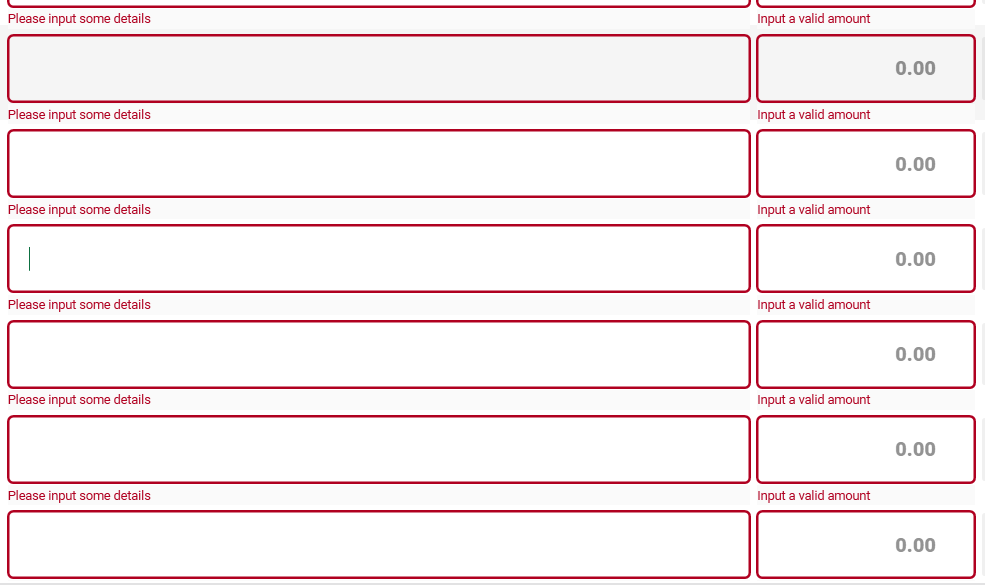
-
Retype some text. (Everything is fine as of now)
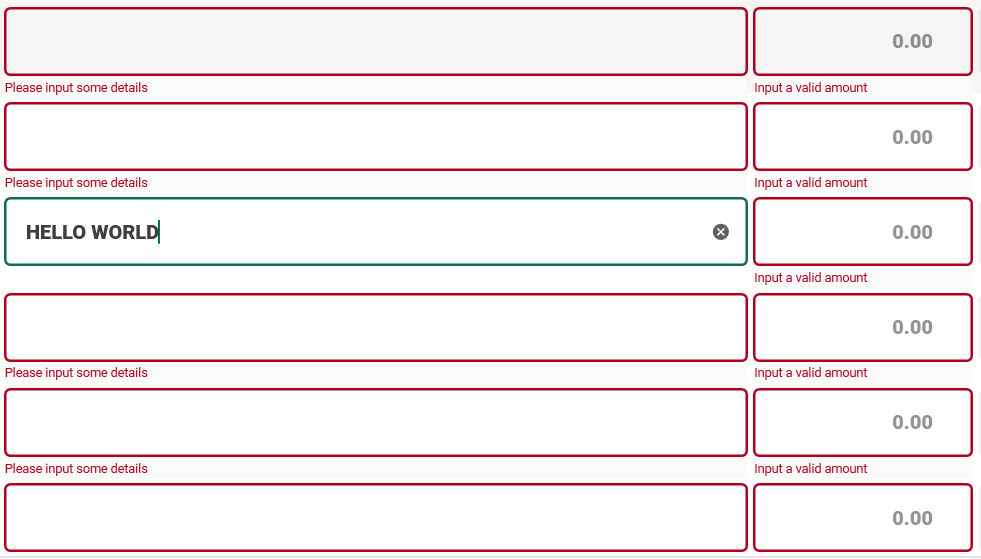
-
I tried to scroll, going down. (Problem occurred again)
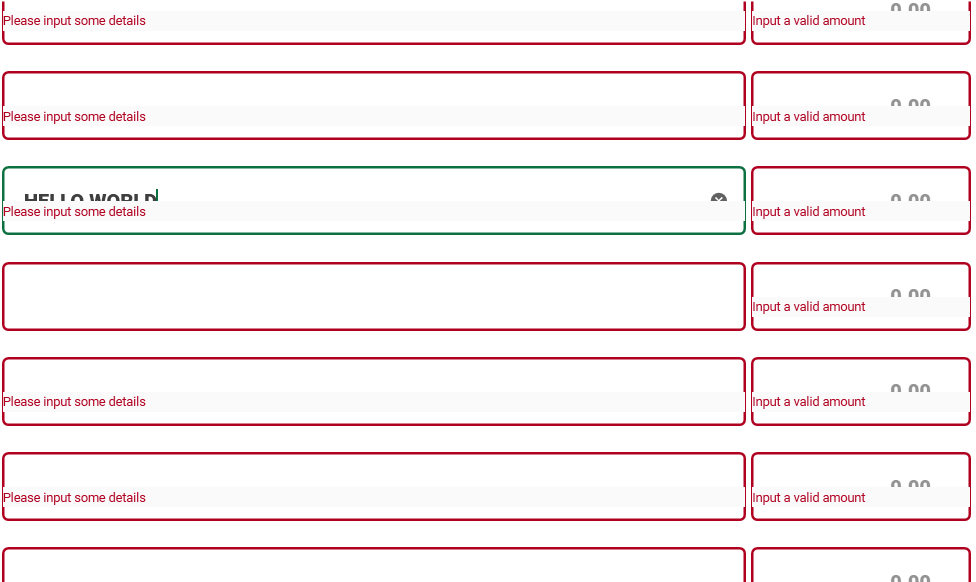
-
Then scroll again, going up. (Still the same problem)
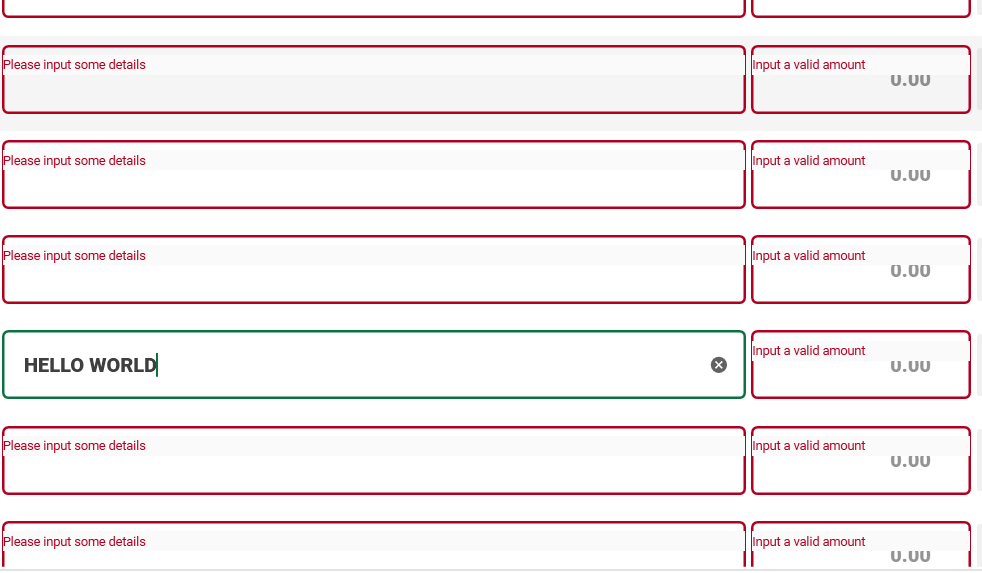
Version
using version 4.5.0
Hướng dẫn đóng góp
Bắt đầu từ đâu
- Đọc hết issue, rồi đọc hướng dẫn đóng góp của dự án.
- Bình luận trên issue rằng bạn sẽ nhận — tránh hai người làm cùng một việc.
- Fork repository và làm thay đổi trên một nhánh.
- Mở pull request có tham chiếu số hiệu của issue.
Hướng nghiên cứu
Bắt đầu bằng cách tái hiện vấn đề trong một WPF DataGrid với 100 mục TextBox, xác thực INotifyDataErrorInfo và phiên bản 4.5.0 được báo cáo của MaterialDesignInXamlToolkit. So sánh hành vi với ValidationRules, việc xóa văn bản và thao tác cuộn. Được xem là hoàn tất khi các thông báo xác thực vẫn được định vị chính xác cho tất cả các hàng trong quá trình chỉnh sửa và cuộn.
Do mô hình lập chỉ mục viết ra từ nội dung của issue.
Đánh giá
- Công nghệ
- csharp
- Lĩnh vực
- desktop
- Loại issue
- Lỗi
- Độ khó
- 4/5
- Thời gian dự kiến
- 3-5 ngày
- Mức độ hoạt động
- Đình trệ
- Độ rõ ràng
- Cần làm rõ
- Mức phù hợp với người mới
- 25/100