MaterialDesignInXAML / MaterialDesignInXAML/MaterialDesignInXamlToolkit
INotifyDataErrorInfo Error Message is overflowing the TextBox inside a DataGrid
Personne n'a encore pris cette issue.
- Langage dominant
- C#
- Étoiles
- 16.3k
- Forks
- 3.5k
- Merge moyen
- 1 j 22 h
- PR mergées (30 j)
- 8
Description
Bug explanation
Is anyone here having the same problem when using INotifyDataErrorInfo where the Error Message of the TextBox is overflowing? No issue when using ValidationRules at all.
I have a DataGrid with 100 items, each item has a TextBox. In my ViewModel, I implemented the INotifyDataErrorInfo. For some reason, if all of the Error Message is shown below the TextBox, some of them are overflowing. I tried using ValidationRules but everything is fine, the problem occurs only when using INotifyDataErrorInfo.
Here is an example of the issue when all of the error is being shown.
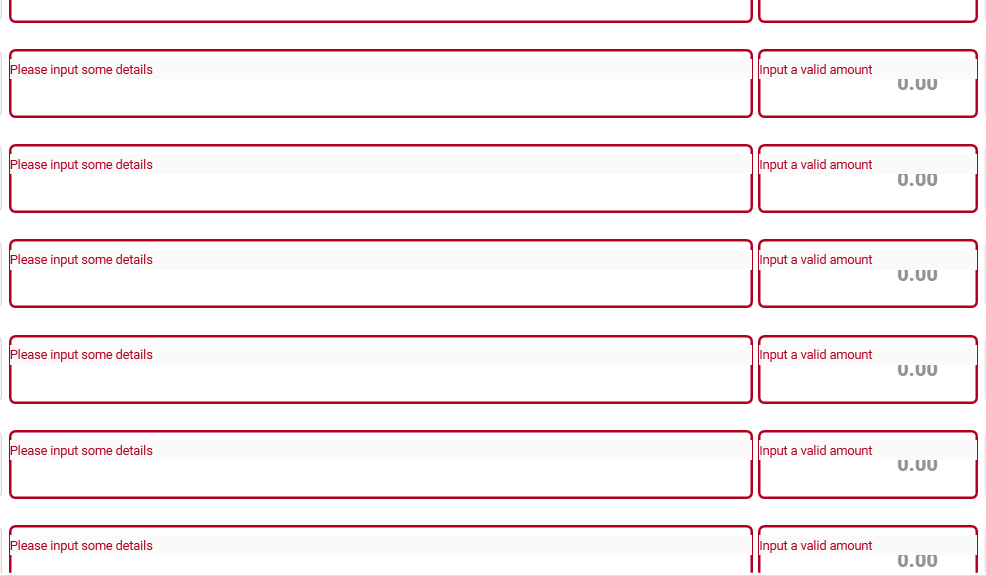
Could this be an issue with the DataGrid? The first 20 items are showing the error message in the correct position, but after that until the end of the items is not.
UPDATE: I tried to input the correct entry in the TextBox, then remove the text by clicking the clear icon of the TextBox. After that, the position of the Error Message is corrected, but then I tried to scroll and the problem occur again.
-
I tried typing some text.
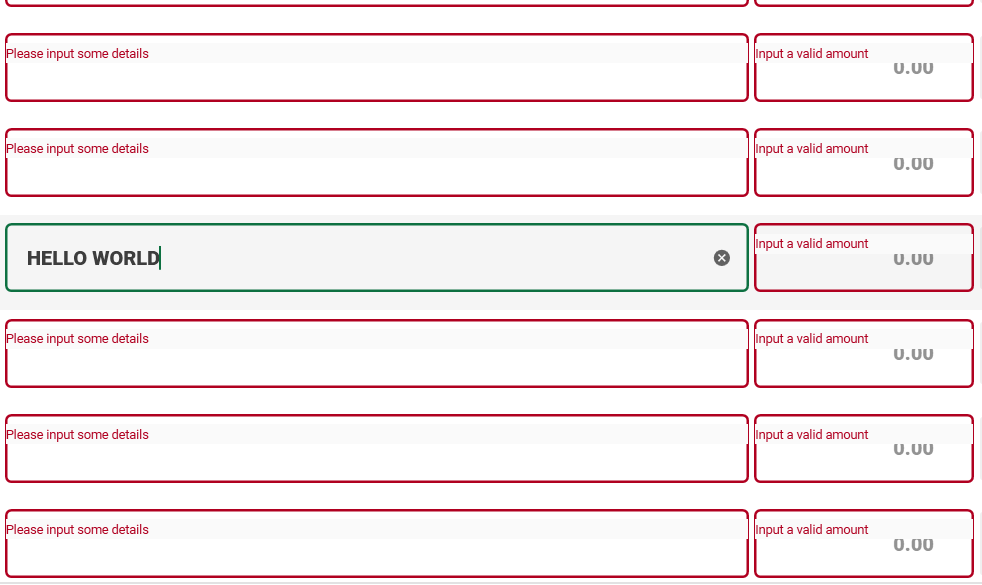
-
Then cleared the text by clicking the
clearicon. (Noticed that the position of the error message is corrected)
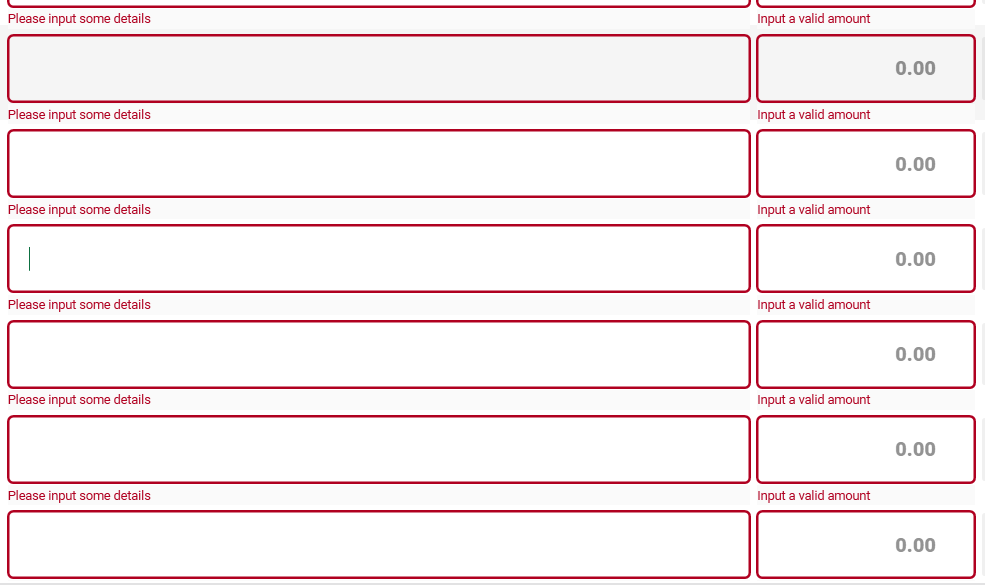
-
Retype some text. (Everything is fine as of now)
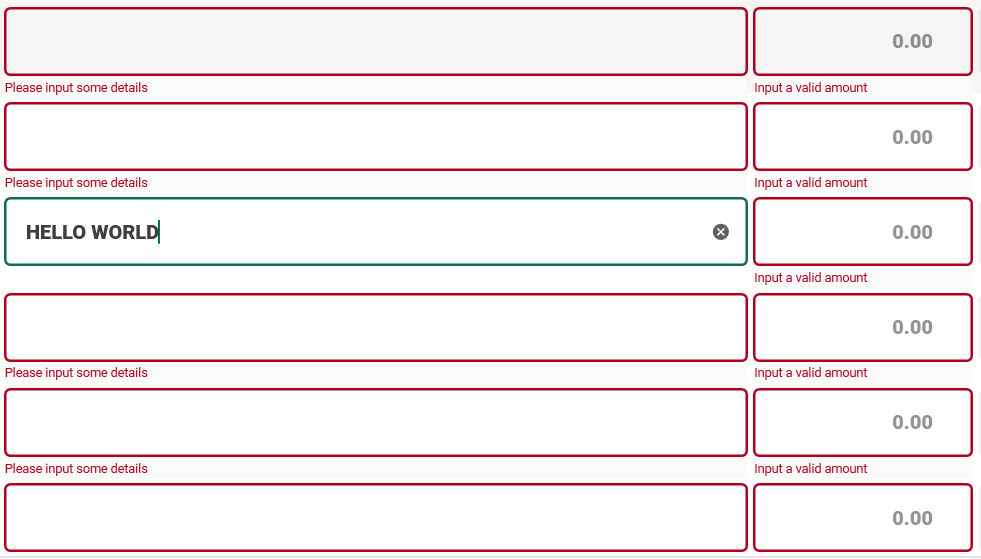
-
I tried to scroll, going down. (Problem occurred again)
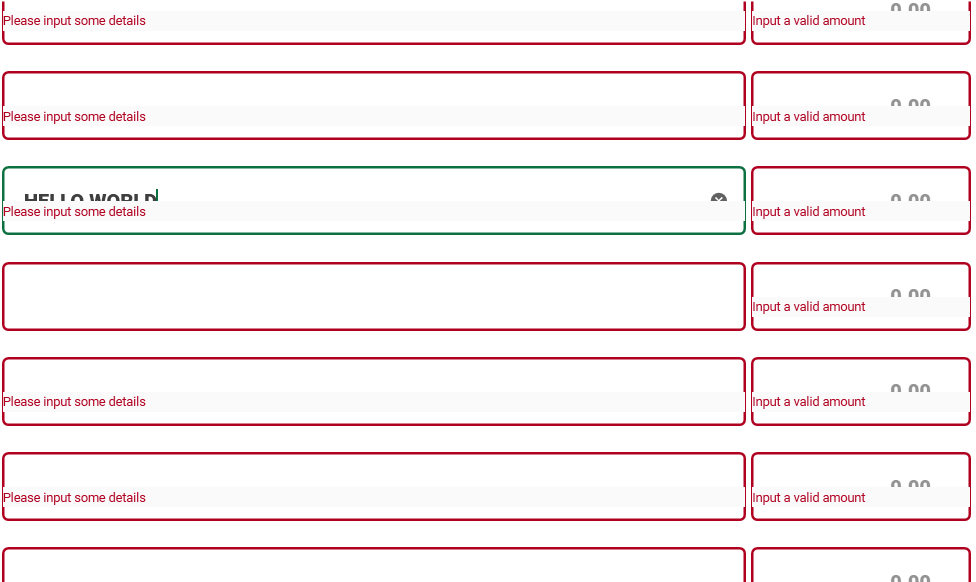
-
Then scroll again, going up. (Still the same problem)
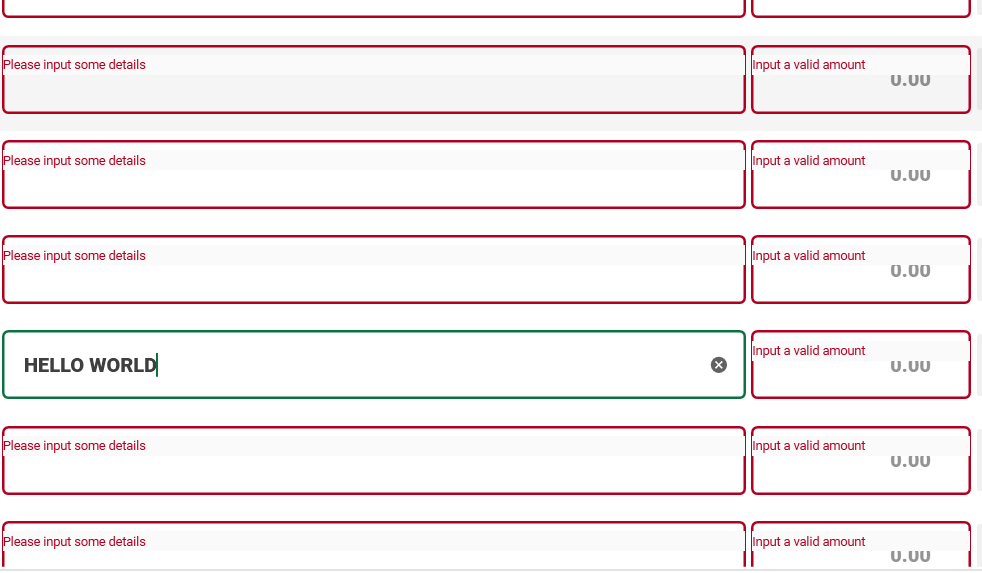
Version
using version 4.5.0
Guide de contribution
Ouvrir le guide de contribution
Par où commencer
- Lisez l'issue en entier, puis le guide de contribution du projet.
- Signalez en commentaire que vous la prenez — cela évite que deux personnes fassent le même travail.
- Forkez le dépôt et travaillez sur une branche.
- Ouvrez une pull request qui référence le numéro de l'issue.
Piste de recherche
Commencez par reproduire le problème dans un WPF DataGrid avec 100 éléments TextBox, la validation INotifyDataErrorInfo et la version 4.5.0 signalée de MaterialDesignInXamlToolkit. Comparez le comportement avec ValidationRules, l’effacement du texte et le défilement. Le travail est terminé lorsque les messages de validation restent correctement positionnés pour toutes les lignes pendant l’édition et le défilement.
Rédigé par le modèle d'indexation à partir du texte de l'issue.
Évaluation
- Stack technique
- csharp
- Domaine
- desktop
- Type d'issue
- Bug
- Difficulté
- 4/5
- Temps estimé
- 3-5 jours
- Activité
- À l'abandon
- Clarté
- À clarifier
- Accessibilité débutants
- 25/100