MaterialDesignInXAML / MaterialDesignInXAML/MaterialDesignInXamlToolkit
INotifyDataErrorInfo Error Message is overflowing the TextBox inside a DataGrid
Nessuno ha ancora preso questa issue.
- Lingua principale
- C#
- Stelle
- 16.3k
- Fork
- 3.5k
- Merge medio
- 1g 22h
- PR unite (30g)
- 8
Descrizione
Bug explanation
Is anyone here having the same problem when using INotifyDataErrorInfo where the Error Message of the TextBox is overflowing? No issue when using ValidationRules at all.
I have a DataGrid with 100 items, each item has a TextBox. In my ViewModel, I implemented the INotifyDataErrorInfo. For some reason, if all of the Error Message is shown below the TextBox, some of them are overflowing. I tried using ValidationRules but everything is fine, the problem occurs only when using INotifyDataErrorInfo.
Here is an example of the issue when all of the error is being shown.
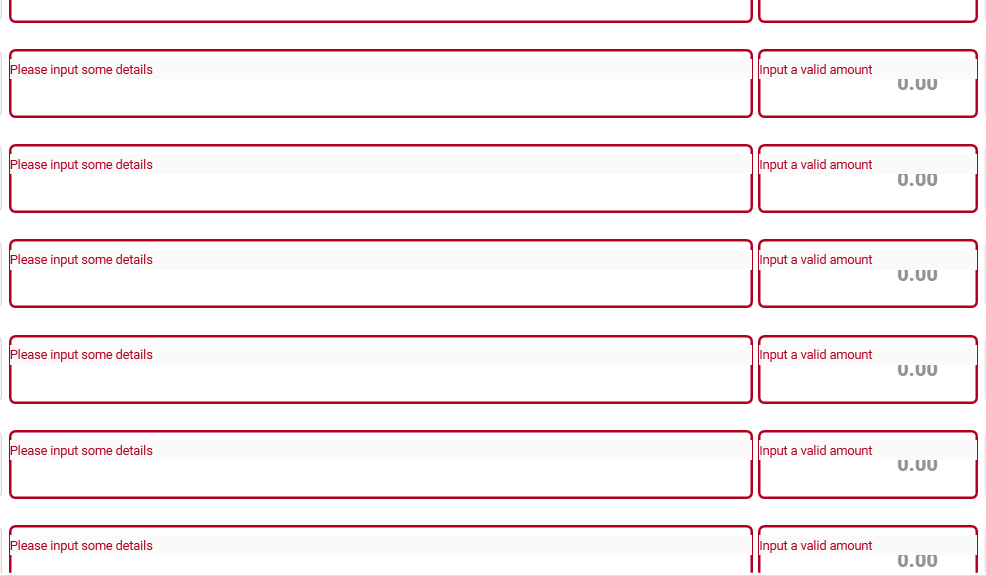
Could this be an issue with the DataGrid? The first 20 items are showing the error message in the correct position, but after that until the end of the items is not.
UPDATE: I tried to input the correct entry in the TextBox, then remove the text by clicking the clear icon of the TextBox. After that, the position of the Error Message is corrected, but then I tried to scroll and the problem occur again.
-
I tried typing some text.
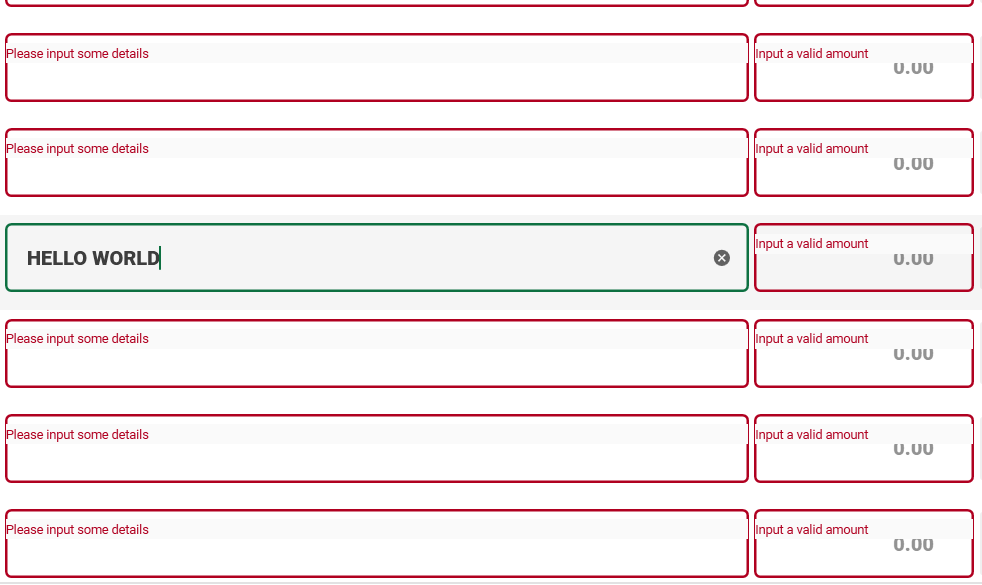
-
Then cleared the text by clicking the
clearicon. (Noticed that the position of the error message is corrected)
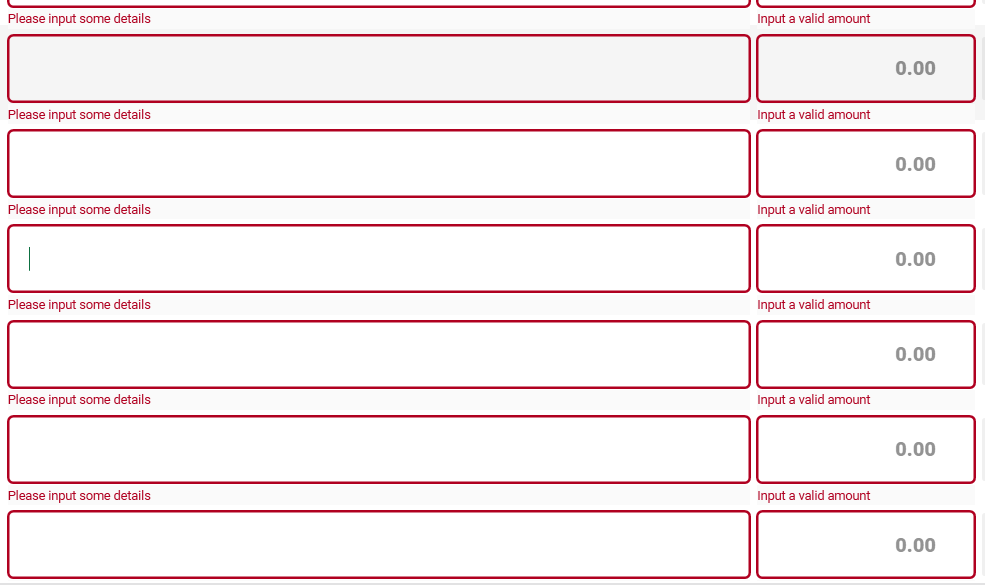
-
Retype some text. (Everything is fine as of now)
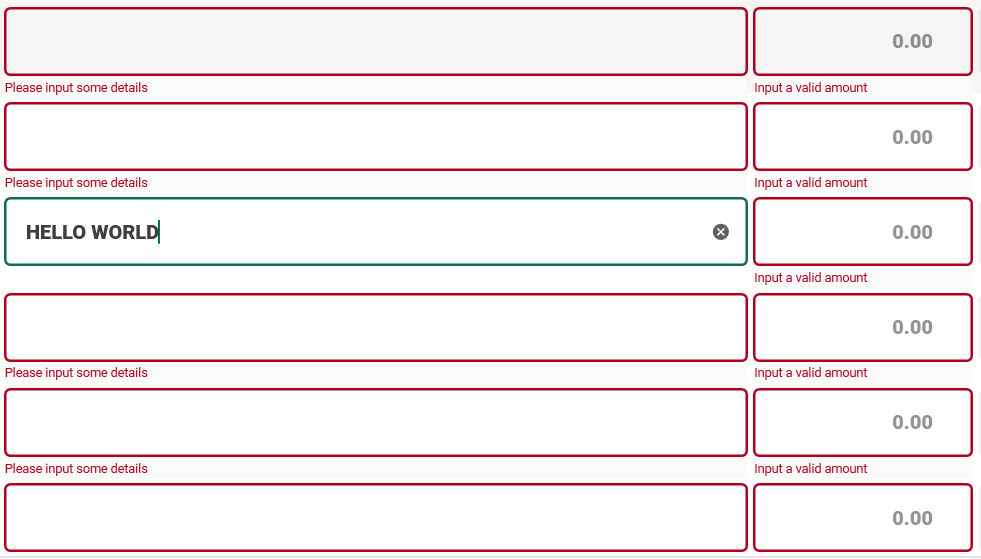
-
I tried to scroll, going down. (Problem occurred again)
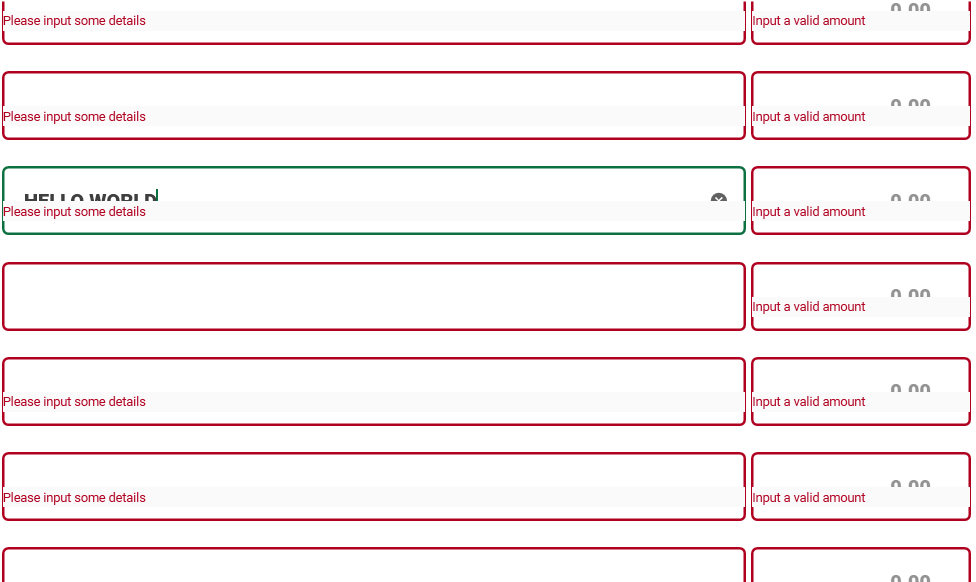
-
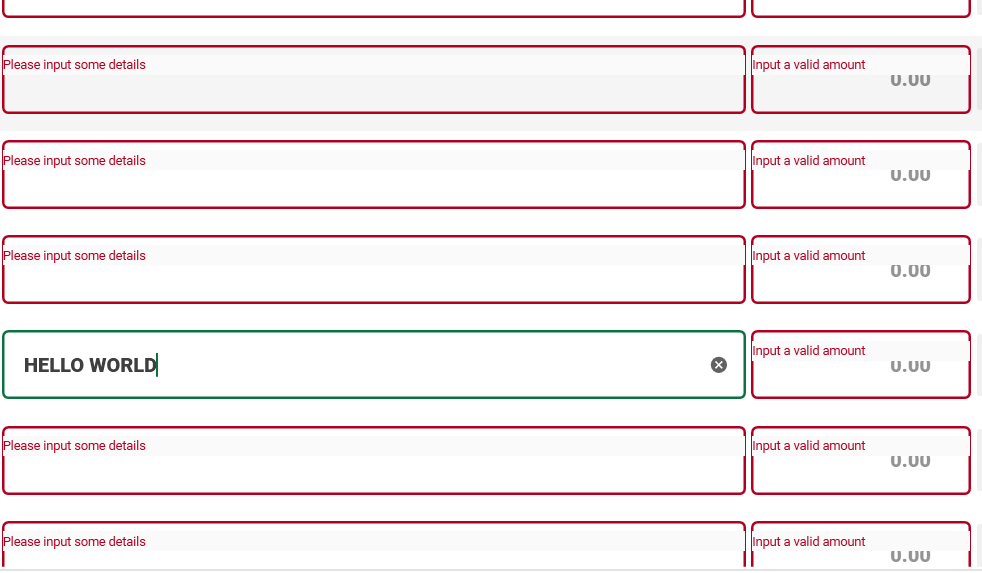
Then scroll again, going up. (Still the same problem)
Version
using version 4.5.0
Guida per i contributori
Apri la guida per i contributori
Come iniziare
- Leggi tutta la issue e poi la guida ai contributi del progetto.
- Commenta sulla issue per dire che te ne occupi tu — evita che due persone facciano lo stesso lavoro.
- Fai un fork del repository e lavora su un branch.
- Apri una pull request che faccia riferimento al numero della issue.
Direzione di ricerca
Inizia riproducendo il problema in un WPF DataGrid con 100 elementi TextBox, la convalida INotifyDataErrorInfo e la versione 4.5.0 indicata di MaterialDesignInXamlToolkit. Confronta il comportamento con ValidationRules, la cancellazione del testo e lo scorrimento. Il lavoro è completato quando i messaggi di convalida rimangono posizionati correttamente per tutte le righe durante la modifica e lo scorrimento.
Scritto dal modello di indicizzazione a partire dal testo della issue.
Valutazione
- Stack tecnologico
- csharp
- Ambito
- desktop
- Tipo di issue
- Bug
- Difficoltà
- 4/5
- Tempo stimato
- 3-5 giorni
- Stato di attività
- Ferma
- Chiarezza
- Da chiarire
- Idoneità per principianti
- 25/100