MaterialDesignInXAML / MaterialDesignInXAML/MaterialDesignInXamlToolkit
INotifyDataErrorInfo Error Message is overflowing the TextBox inside a DataGrid
Dieses Issue hat noch niemand übernommen.
- Vorherrschende Sprache
- C#
- Sterne
- 16.3k
- Forks
- 3.5k
- Ø Merge
- 1 T. 22 Std.
- Gemergte PRs (30 T.)
- 8
Beschreibung
Bug explanation
Is anyone here having the same problem when using INotifyDataErrorInfo where the Error Message of the TextBox is overflowing? No issue when using ValidationRules at all.
I have a DataGrid with 100 items, each item has a TextBox. In my ViewModel, I implemented the INotifyDataErrorInfo. For some reason, if all of the Error Message is shown below the TextBox, some of them are overflowing. I tried using ValidationRules but everything is fine, the problem occurs only when using INotifyDataErrorInfo.
Here is an example of the issue when all of the error is being shown.
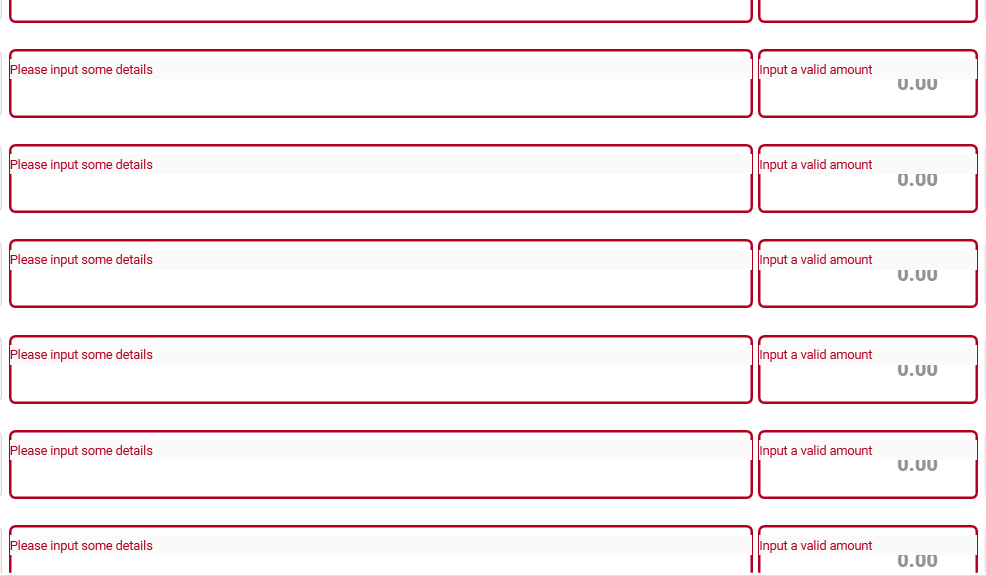
Could this be an issue with the DataGrid? The first 20 items are showing the error message in the correct position, but after that until the end of the items is not.
UPDATE: I tried to input the correct entry in the TextBox, then remove the text by clicking the clear icon of the TextBox. After that, the position of the Error Message is corrected, but then I tried to scroll and the problem occur again.
-
I tried typing some text.
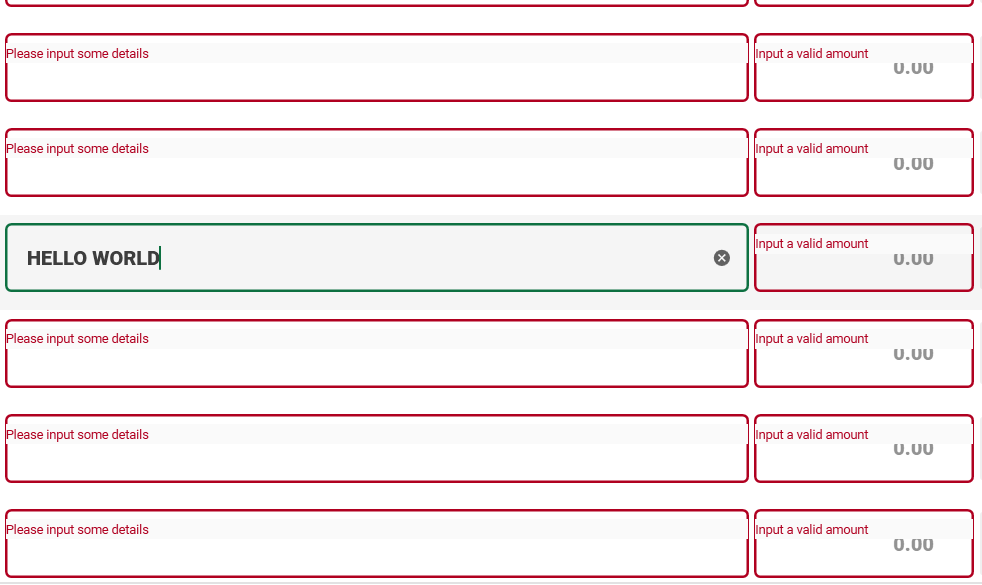
-
Then cleared the text by clicking the
clearicon. (Noticed that the position of the error message is corrected)
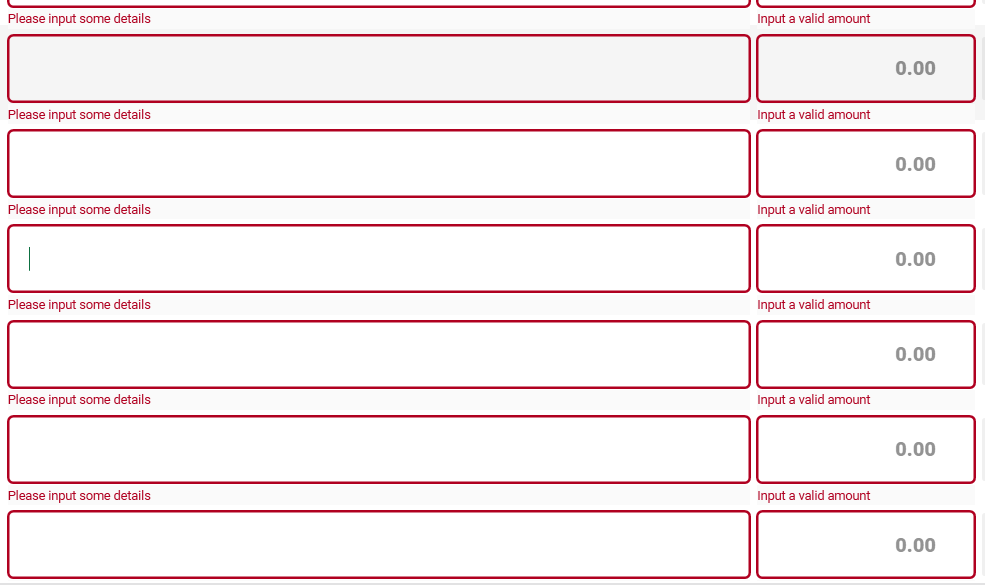
-
Retype some text. (Everything is fine as of now)
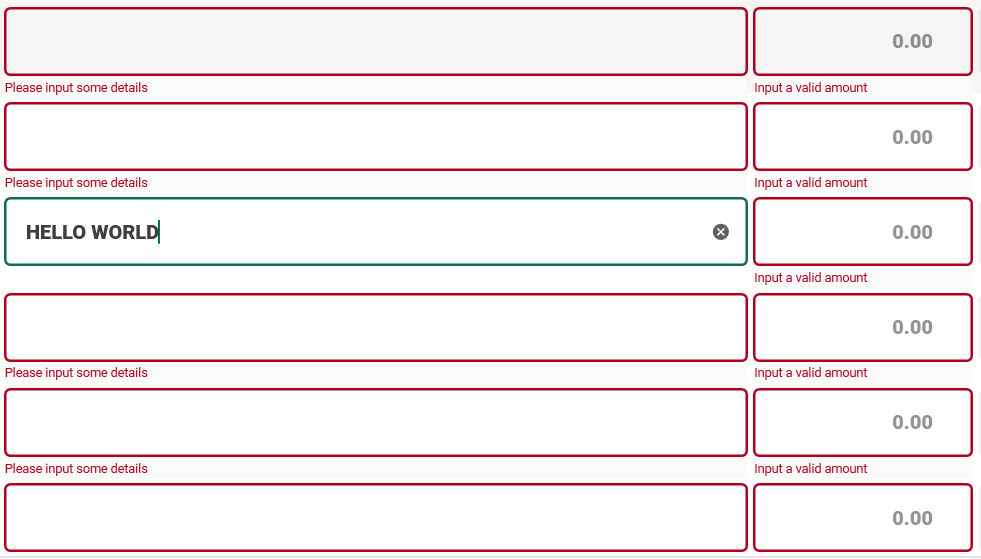
-
I tried to scroll, going down. (Problem occurred again)
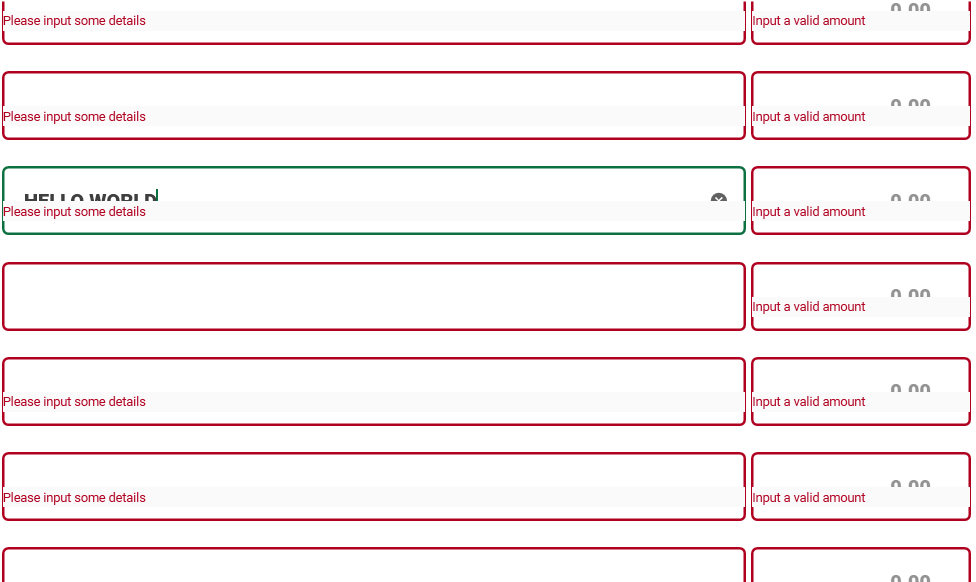
-
Then scroll again, going up. (Still the same problem)
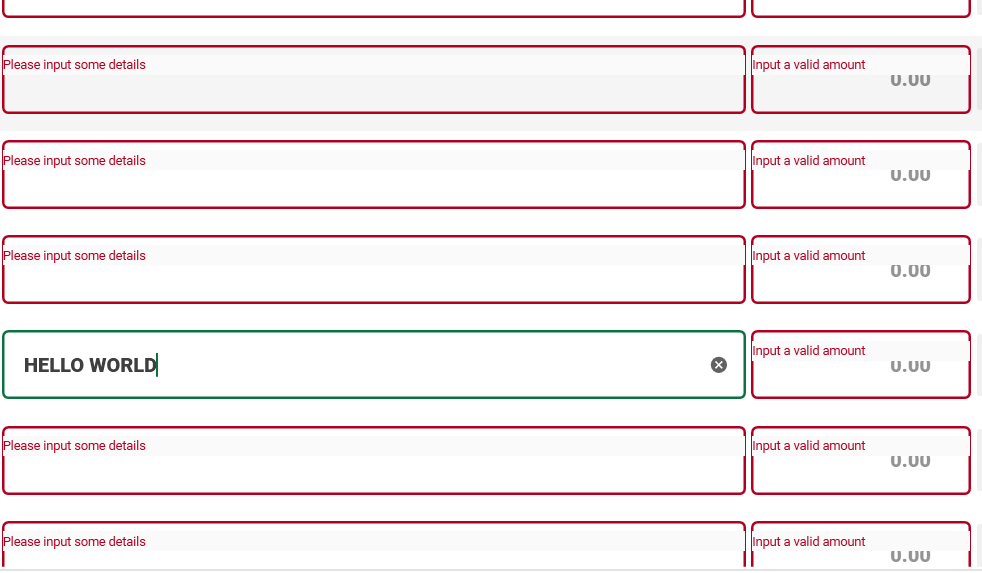
Version
using version 4.5.0
Beitragsleitfaden
Erste Schritte
- Lies das ganze Issue und danach den Beitragsleitfaden des Projekts.
- Schreib ins Issue, dass du es übernimmst — das erspart doppelte Arbeit.
- Forke das Repository und arbeite in einem Branch.
- Öffne einen Pull Request, der die Issue-Nummer nennt.
Rechercherichtung
Beginne damit, das Problem in einem WPF DataGrid mit 100 TextBox-Elementen, INotifyDataErrorInfo-Validierung und der gemeldeten Version 4.5.0 von MaterialDesignInXamlToolkit zu reproduzieren. Vergleiche das Verhalten mit ValidationRules, dem Leeren von Text und dem Scrollen. Als erledigt gilt die Aufgabe, wenn Validierungsmeldungen während der Bearbeitung und des Scrollens für alle Zeilen korrekt positioniert bleiben.
Vom Indexierungsmodell aus dem Issue-Text verfasst.
Bewertung
- Tech-Stack
- csharp
- Bereich
- desktop
- Issue-Typ
- Bug
- Schwierigkeit
- 4/5
- Geschätzter Aufwand
- 3-5 Tage
- Aktivitätsstatus
- Veraltet
- Klarheit
- Muss geklärt werden
- Anfängerfreundlichkeit
- 25/100