Memory leak of TString.tensorOf(Shape shape, DataBuffer<String> data)
Dieses Issue hat noch niemand übernommen.
- Vorherrschende Sprache
- Java
- Sterne
- 928
- Forks
- 227
- PR-Merge-Kennzahlen
- Keine gemergten PRs in 30 T.
Beschreibung
Please make sure that this is a bug. As per our GitHub Policy, we only address code/doc bugs, performance issues, feature requests and build/installation issues on GitHub. tag:bug_template
System information
- Have I written custom code (as opposed to using a stock example script provided in TensorFlow):
Yes - OS Platform and Distribution (e.g., Linux Ubuntu 16.04 x86_64):
macOS 11.5.2 - TensorFlow installed from (source or binary):
Binary - TensorFlow version (use command below):
2.5 - Java version (i.e., the output of
java -version):Java HotSpot(TM) 64-Bit Server VM (build 25.261-b12, mixed mode) - Java command line flags (e.g., GC parameters):
-ea - Python version (if transferring a model trained in Python):
3.7 - Bazel version (if compiling from source): N/A
- GCC/Compiler version (if compiling from source): N/A
- CUDA/cuDNN version: N/A
- GPU model and memory: N/A
- Tensorflow Java version:
0.3.2
Describe the current behavior
When I create and destroy TString instances repeatedly in a for loop, memory usage grows. In my production environment, where a TF model is served by a java service, it would cause memory usage alert after processing certain amount of requests.
Describe the expected behavior
Memory usage should not grow since created TString instances are closed in each iteration.
Code to reproduce the issue
    @Test
    void testPerformance() throws Exception {
        // Some code to load a model but never used it in this test case. Otherwise, the following code would exit randomly. See https://github.com/tensorflow/java/issues/370 .
        final String[] result = new String[] {"a", "b", "c", "d", "e", "f", "g", "h", "i", "c", "c", "c"};
        for (int i = 0; i < 65536; ++i) {
            try (final TString tstring = TString.tensorOf(Shape.of(1, result.length), DataBuffers.ofObjects(result))) {
               // this block is empty.
            }
        }
  }
Other info / logs
4 iterations
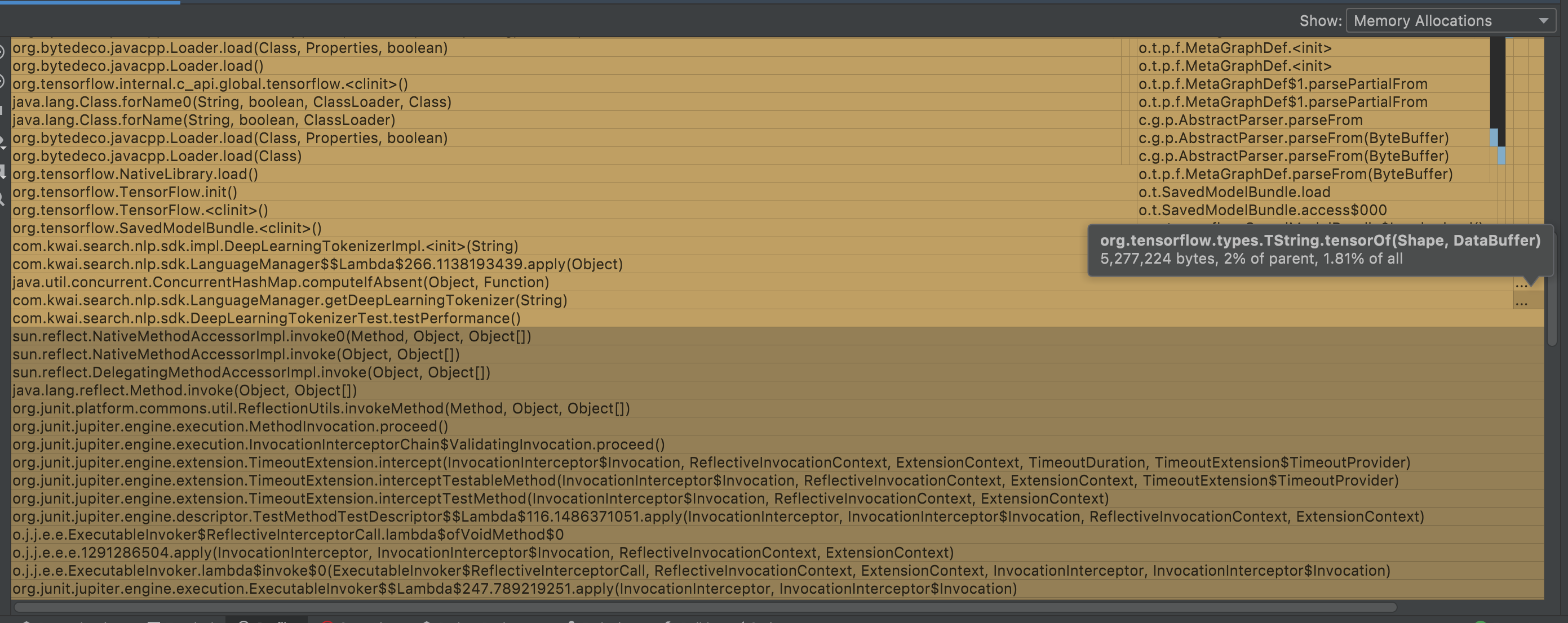
8192 iterations

65536 iterations

The above are IntelliJ IDEA's memory profiling screenshots. The differences are as following:
- The first was recorded when the
forloop runs 4 iterations (; i < 4; ...). TheTString.tensorOfcalls only use 2% memory of its parent call. - The second wass recorded when the
forloop runs 8192 iterations (; i < 8192; ...). TheTString.tensorOfcalls use 49.05% memory of its parent call. - The third was recorded when the
forloop runs 65536 iterations (; i < 65536; ...). TheTString.tensorOfcalls use up to 83.56% memory of its parent call.
Beitragsleitfaden
Erste Schritte
- Lies das ganze Issue und danach den Beitragsleitfaden des Projekts.
- Schreib ins Issue, dass du es übernimmst — das erspart doppelte Arbeit.
- Forke das Repository und arbeite in einem Branch.
- Öffne einen Pull Request, der die Issue-Nummer nennt.
Rechercherichtung
Beginne damit, die bereitgestellte Java-Reproduktion rund um TString.tensorOf(Shape, DataBuffer) und DataBuffers.ofObjects(result) auszuführen, und untersuche anschließend, wie TString.close() Ressourcen freigibt. Vergleiche das Speicherverhalten bei den Iterationsfällen 4, 8192 und 65536. Als erledigt gilt die Aufgabe, wenn wiederholt erstellte und geschlossene TString-Instanzen nicht mehr zu einem unerwarteten Anstieg der Speichernutzung führen.
Vom Indexierungsmodell aus dem Issue-Text verfasst.
Bewertung
- Tech-Stack
- java
- Bereich
- machine-learning
- Issue-Typ
- Bug
- Schwierigkeit
- 4/5
- Geschätzter Aufwand
- 3-5 Tage
- Aktivitätsstatus
- Veraltet
- Klarheit
- Größtenteils klar
- Anfängerfreundlichkeit
- 35/100