Orthographic projection prevents scene camera updates
オープン
まだ誰も着手していません。
bug
P3
- 主要言語
- Python
- スター
- 18.8k
- フォーク
- 2.8k
- 平均マージ
- 16時間 26分
- マージ済み PR(30日)
- 21
説明
(Plotting offline)
Setting the projection to orthographic seems to prevent scene_camera settings being applied. This creates difficulty in saving as non-png images that aren't the default view.
from random import random
from plotly import __version__
import plotly.graph_objects as go

print('version: ', __version__)
version: 4.7.1
x = [random() for each in range(100)]
y = [random()*0.3 for each in range(100)]
z = [random()*0.05 for each in range(100)]

fig = go.Figure()
fig.add_trace(go.Scatter3d(x=x, y=y, z=z))
fig.layout.scene.camera.projection.type = "orthographic"
fig.show()

fig.update_layout(scene_camera=dict(eye=dict(x=5, y=5, z=5)))
fig.show()
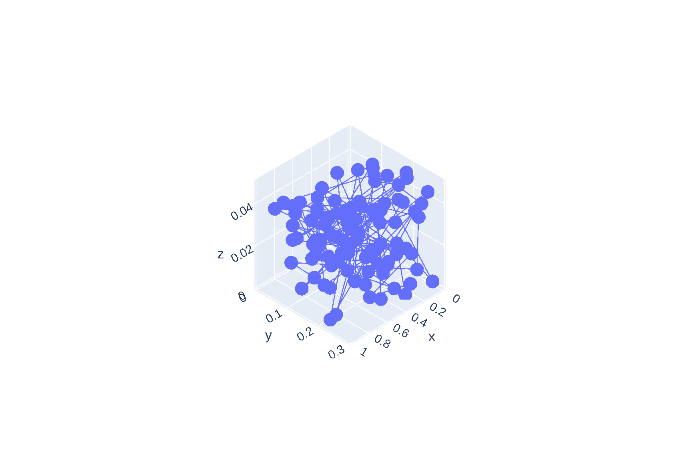
fig.update_layout(scene_camera=dict(up=dict(x=0, y=0, z=-1)))
fig.show()
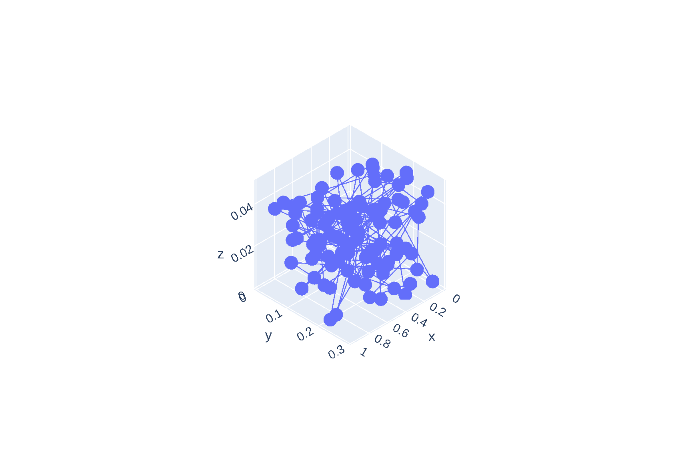
fig.update_layout(scene_camera=dict(center=dict(x=1, y=1, z=1)))
fig.show()

Also, the default view has the plot at a zoom level that crops part of the plot from view for long-shaped plots.
fig.update_layout(scene=dict(aspectmode='data'))
fig.show()
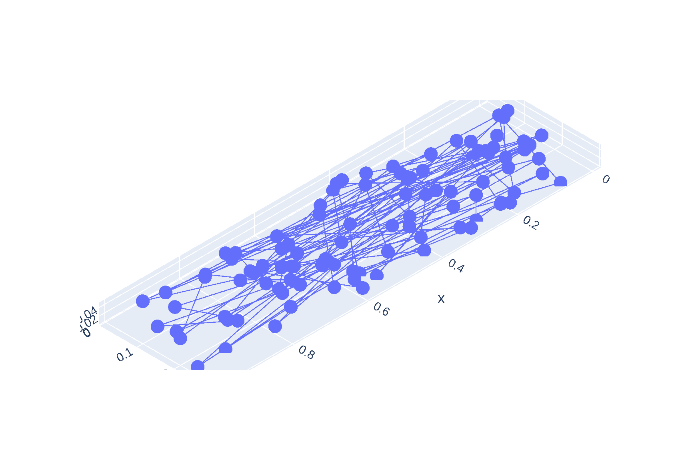
Scroll-zooming still works when plotted interactively.
コントリビューションガイド
はじめの一歩
- issue を最後まで読み、次にプロジェクトのコントリビューションガイドを読みます。
- 着手することを issue にコメントします — 二人が同じ作業をするのを防げます。
- リポジトリをフォークし、ブランチを切って変更します。
- issue 番号を参照したプルリクエストを送ります。
調査の方向性
まず、提供されている Python の再現コードを Plotly 4.7.1 で実行し、scene_camera を更新するたびに正投影カメラの挙動を比較します。次に、3D シーンのオフライン画像エクスポート経路を追跡し、投影タイプとカメラ設定を対象とする回帰テストを追加します。正投影のエクスポートで eye、up、center の設定が適用され、意図したビューが維持されれば完了です。
索引モデルが issue の本文から書いたものです。
評価
- 技術スタック
- python
- 領域
- data-visualization
- issue の種類
- バグ
- 難易度
- 3/5
- 見積もり時間
- 1〜2日
- 活発さ
- 停滞
- 明瞭さ
- おおむね明確
- 初心者へのやさしさ
- 40/100