Orthographic projection prevents scene camera updates
Nobody has claimed this yet.
- Dominant language
- Python
- Stars
- 18.8k
- Forks
- 2.8k
- Avg merge
- 16h 26m
- Merged PRs (30d)
- 21
Description
(Plotting offline)
Setting the projection to orthographic seems to prevent scene_camera settings being applied. This creates difficulty in saving as non-png images that aren't the default view.
from random import random
from plotly import __version__
import plotly.graph_objects as go

print('version: ', __version__)
version: 4.7.1
x = [random() for each in range(100)]
y = [random()*0.3 for each in range(100)]
z = [random()*0.05 for each in range(100)]

fig = go.Figure()
fig.add_trace(go.Scatter3d(x=x, y=y, z=z))
fig.layout.scene.camera.projection.type = "orthographic"
fig.show()

fig.update_layout(scene_camera=dict(eye=dict(x=5, y=5, z=5)))
fig.show()
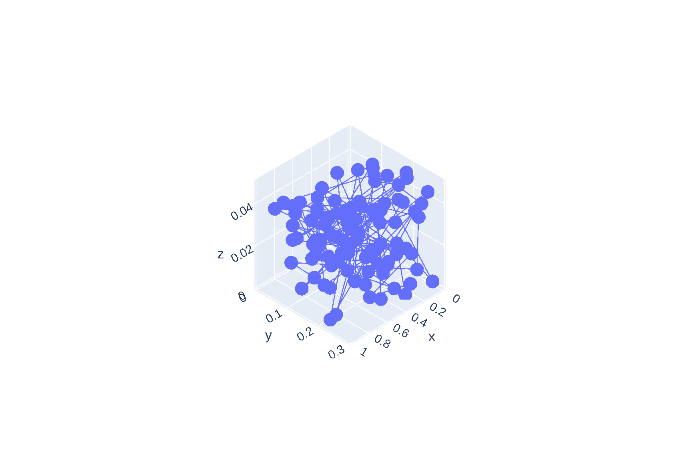
fig.update_layout(scene_camera=dict(up=dict(x=0, y=0, z=-1)))
fig.show()
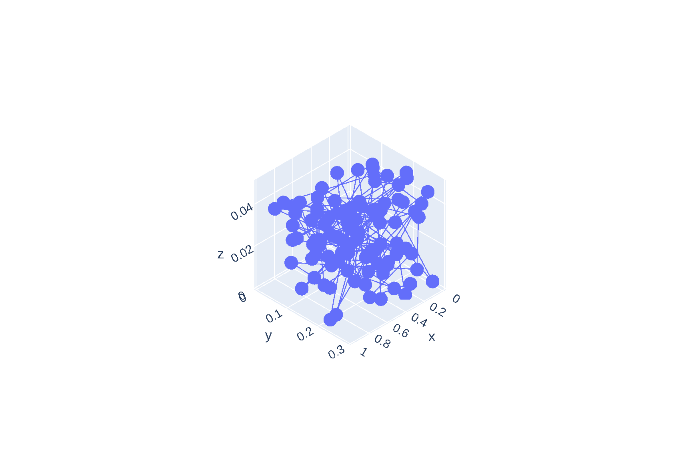
fig.update_layout(scene_camera=dict(center=dict(x=1, y=1, z=1)))
fig.show()

Also, the default view has the plot at a zoom level that crops part of the plot from view for long-shaped plots.
fig.update_layout(scene=dict(aspectmode='data'))
fig.show()
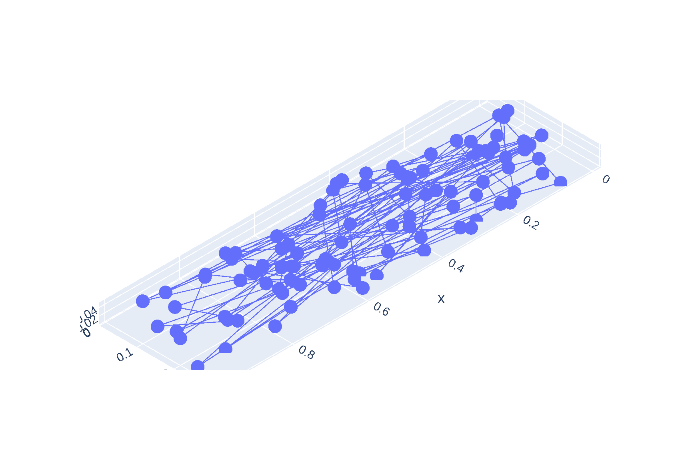
Scroll-zooming still works when plotted interactively.
Contributor guide
First steps
- Read the whole issue, then the project's contributing guide.
- Comment on the issue to say you are picking it up — it saves two people doing the same work.
- Fork the repository and make your change on a branch.
- Open a pull request that references the issue number.
Research direction
Start by running the provided Python reproduction with Plotly 4.7.1 and compare the orthographic camera behavior after each scene_camera update. Trace the offline image-export path for 3D scenes, then add a regression test covering projection type and camera settings. Done means orthographic exports apply eye, up, and center settings and preserve the intended view.
Written by the indexing model from the issue text.
Assessment
- Tech stack
- python
- Domain
- data-visualization
- Issue type
- Bug
- Difficulty
- 3/5
- Estimated time
- 1-2 days
- Activity status
- Stale
- Clarity
- Mostly clear
- Newbie friendliness
- 40/100