Orthographic projection prevents scene camera updates
未关闭
还没有人认领这个 Issue。
bug
P3
- 主要语言
- Python
- 星标
- 18.8k
- 派生
- 2.8k
- 平均合并
- 16 小时 26 分钟
- 30 天内合并 PR
- 21
描述
(Plotting offline)
Setting the projection to orthographic seems to prevent scene_camera settings being applied. This creates difficulty in saving as non-png images that aren't the default view.
from random import random
from plotly import __version__
import plotly.graph_objects as go

print('version: ', __version__)
version: 4.7.1
x = [random() for each in range(100)]
y = [random()*0.3 for each in range(100)]
z = [random()*0.05 for each in range(100)]

fig = go.Figure()
fig.add_trace(go.Scatter3d(x=x, y=y, z=z))
fig.layout.scene.camera.projection.type = "orthographic"
fig.show()

fig.update_layout(scene_camera=dict(eye=dict(x=5, y=5, z=5)))
fig.show()
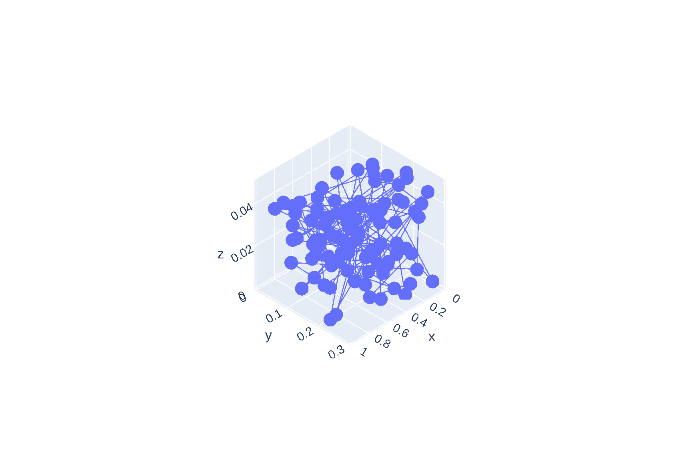
fig.update_layout(scene_camera=dict(up=dict(x=0, y=0, z=-1)))
fig.show()
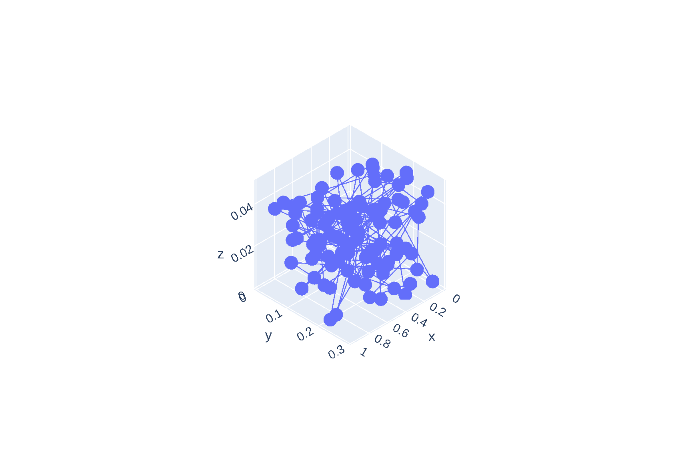
fig.update_layout(scene_camera=dict(center=dict(x=1, y=1, z=1)))
fig.show()

Also, the default view has the plot at a zoom level that crops part of the plot from view for long-shaped plots.
fig.update_layout(scene=dict(aspectmode='data'))
fig.show()
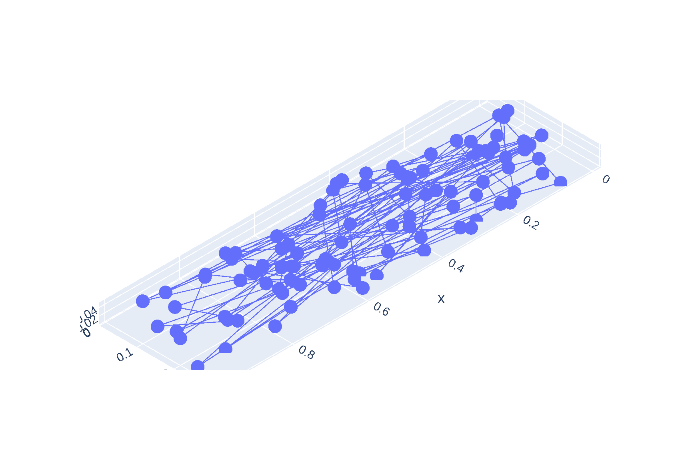
Scroll-zooming still works when plotted interactively.
贡献指南
从这里开始
- 先读完整个 Issue,再读项目的贡献指南。
- 在 Issue 下留言说明你要接手 —— 这能避免两个人做同样的事。
- Fork 仓库,在一个分支上完成修改。
- 提交 Pull Request,并在描述里引用这个 Issue 编号。
调研方向
首先使用 Plotly 4.7.1 运行提供的 Python 复现代码,并比较每次更新 scene_camera 后正交相机的行为。跟踪 3D 场景的离线图像导出路径,然后添加一个涵盖投影类型和相机设置的回归测试。当正交导出应用 eye、up 和 center 设置并保留预期视图时,即表示完成。
由索引模型根据 Issue 内容生成。
评估
- 技术栈
- python
- 领域
- data-visualization
- Issue 类型
- 缺陷
- 难度
- 3/5
- 预计耗时
- 1-2 天
- 活跃度
- 停滞
- 描述清晰度
- 基本清楚
- 新手友好度
- 40/100