beyondcode / beyondcode/devtoolsfortailwind-community
Resizing "Classes" panel only responsive one way
- 主要言語
- 言語のデータがありません
- スター
- 5
- フォーク
- 0
- PR マージ指標
- 30日以内にマージされた PR はありません
説明
When making the "Classes" panel larger horizontally classes use the created space.
But when when making the panel smaller again the classes don't return to their previous state, and there is no horizontal scroll to view or click the classes.
Example:
###### 1. Start
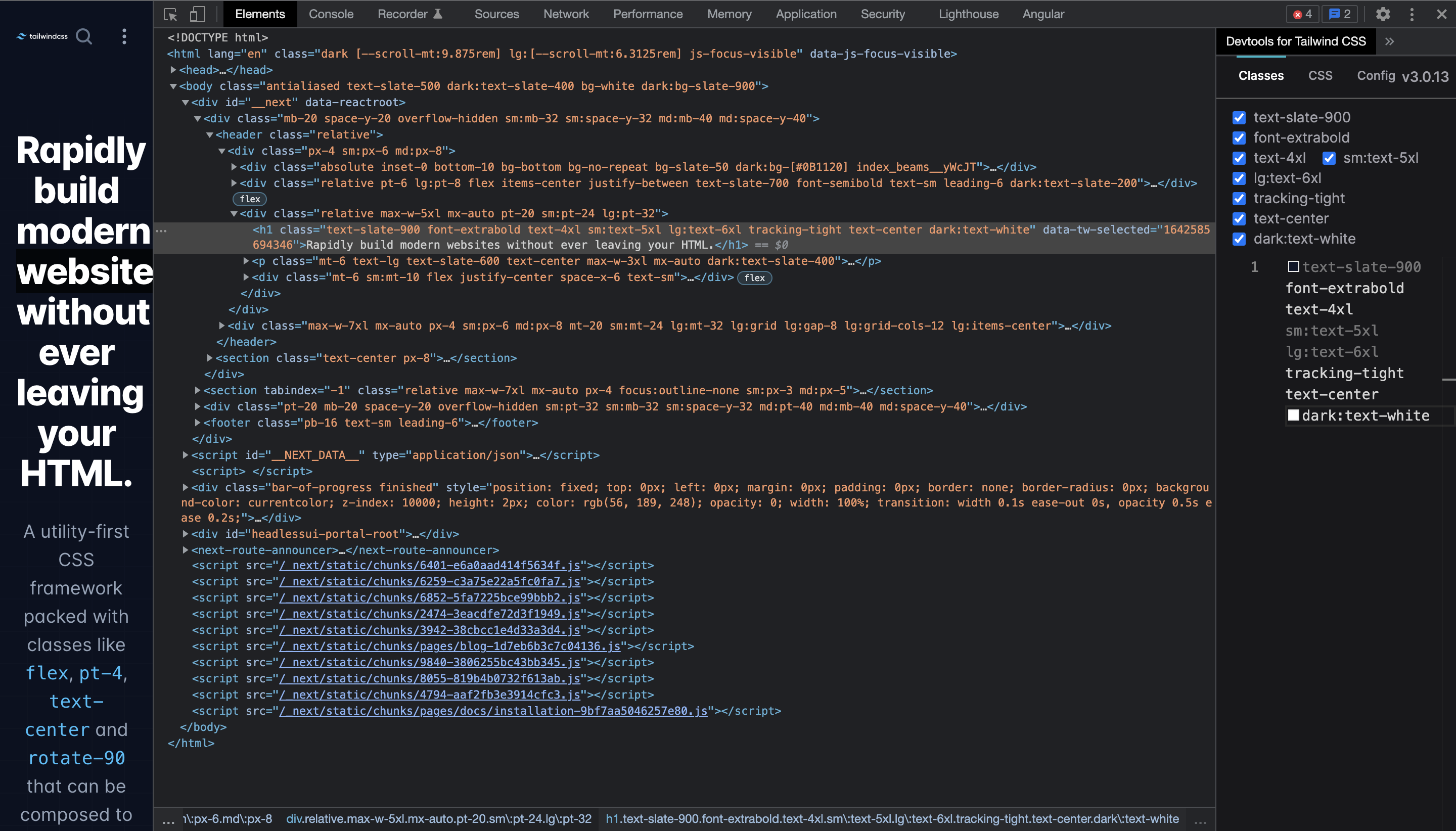
###### 2. Make the panel larger horizontally (classes nicely use the space to so it becomes one line)
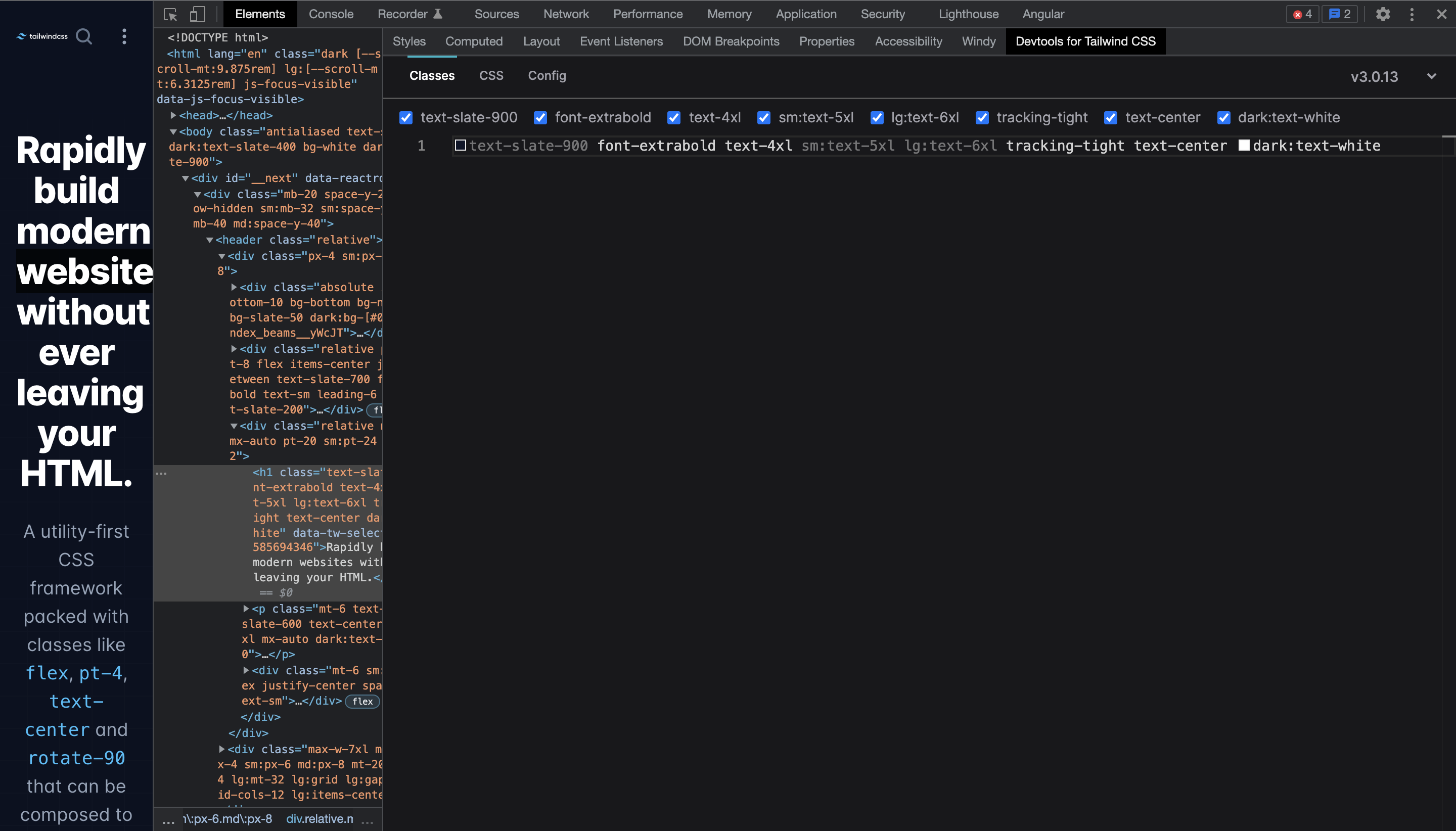
###### 3. Make the panel smaller again (classes stay in one line and don't break like in the start state)

Chrome: `Version 97.0.4692.71 (Official Build) (x86_64)`
DevTools for Tailwind CSS: `1.0.1`
コントリビューションガイド
このリポジトリのコントリビューションガイドは索引されていません
調査の方向性
Reproduce the issue in Chrome 97 with DevTools for Tailwind CSS 1.0.1 by enlarging and then shrinking the Classes panel. Inspect the Classes panel resizing behavior; done means classes wrap back to the prior layout or provide horizontal scrolling so all classes remain viewable and clickable.
索引モデルが issue の本文から書いたものです。
評価
- 技術スタック
- tailwindcss
- 領域
- frontend
- issue の種類
- バグ
- 難易度
- 3/5
- 見積もり時間
- 1〜2日
- 活発さ
- 停滞
- 明瞭さ
- おおむね明確
- 初心者へのやさしさ
- 35/100