beyondcode / beyondcode/devtoolsfortailwind-community
Resizing "Classes" panel only responsive one way
- Dominant language
- No language data
- Stars
- 5
- Forks
- 0
- PR merge metrics
- No merged PRs in 30d
Description
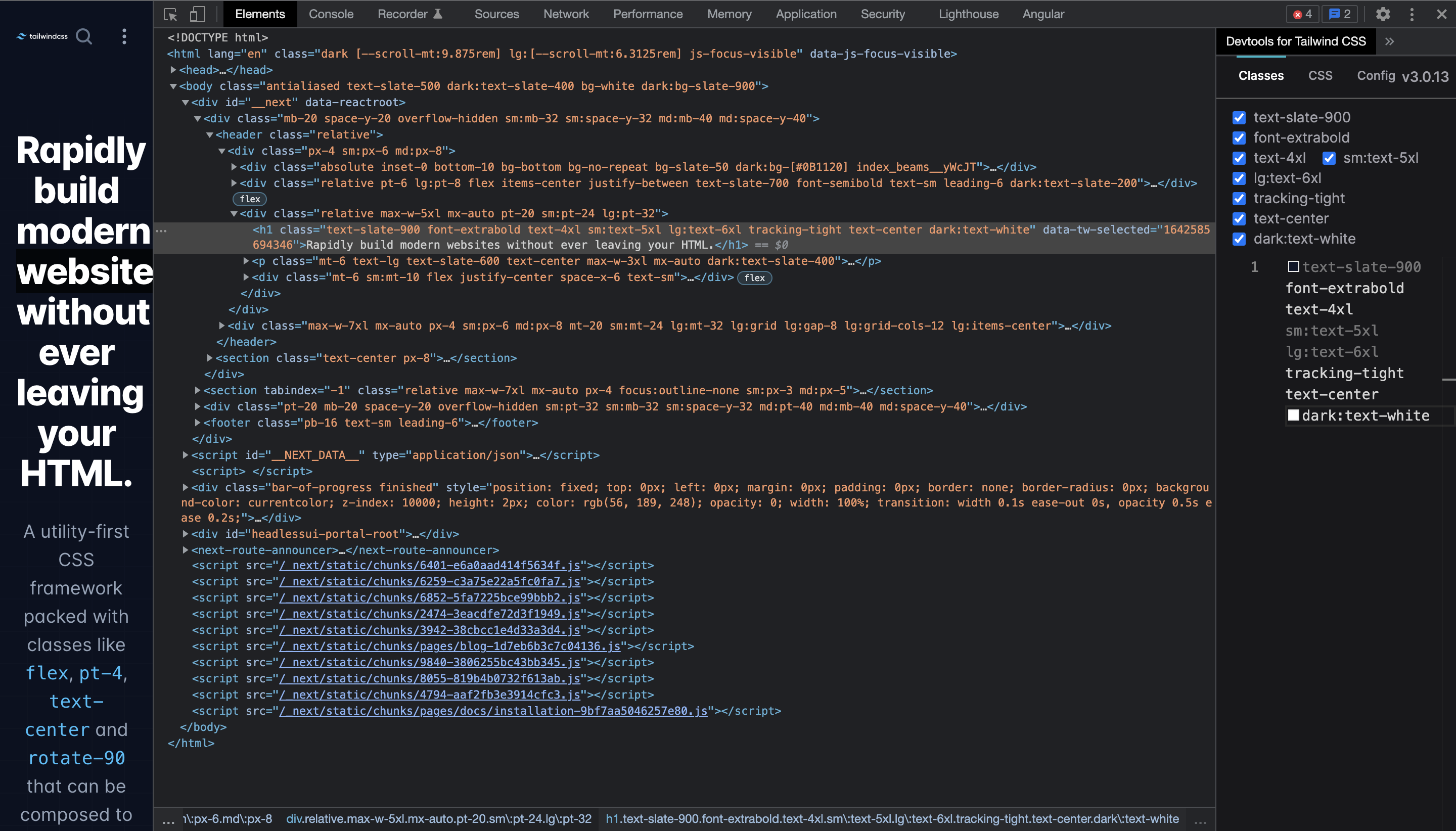
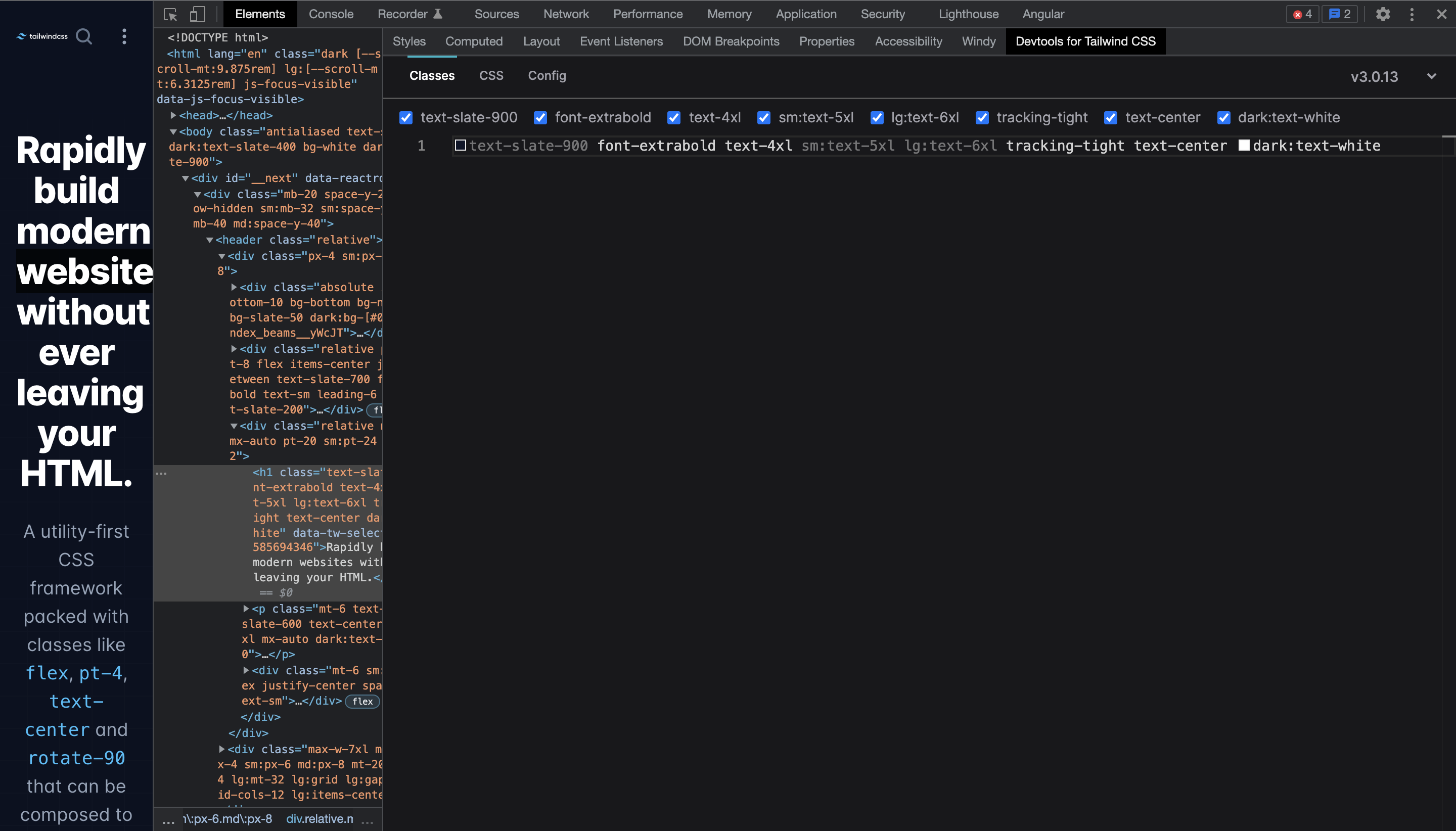
When making the "Classes" panel larger horizontally classes use the created space.
But when when making the panel smaller again the classes don't return to their previous state, and there is no horizontal scroll to view or click the classes.
Example:
###### 1. Start
###### 2. Make the panel larger horizontally (classes nicely use the space to so it becomes one line)
###### 3. Make the panel smaller again (classes stay in one line and don't break like in the start state)

Chrome: `Version 97.0.4692.71 (Official Build) (x86_64)`
DevTools for Tailwind CSS: `1.0.1`
Contributor guide
No contributing guide indexed for this repository
Research direction
Reproduce the issue in Chrome 97 with DevTools for Tailwind CSS 1.0.1 by enlarging and then shrinking the Classes panel. Inspect the Classes panel resizing behavior; done means classes wrap back to the prior layout or provide horizontal scrolling so all classes remain viewable and clickable.
Written by the indexing model from the issue text.
Assessment
- Tech stack
- tailwindcss
- Domain
- frontend
- Issue type
- Bug
- Difficulty
- 3/5
- Estimated time
- 1-2 days
- Activity status
- Stale
- Clarity
- Mostly clear
- Newbie friendliness
- 35/100