PathOfBuildingCommunity / PathOfBuildingCommunity/PathOfBuilding
Adding jewel to build, improve ui behaviour (scrollbar, tooltips)
Nobody has claimed this yet.
- Dominant language
- Lua
- Stars
- 5.4k
- Forks
- 2.4k
- Avg merge
- 1d 12h
- Merged PRs (30d)
- 26
Description
Check for duplicates
- I've checked for duplicate issues by using the search function of the issue tracker
Is your feature request related to a problem?
Hi, first time posting on github so pardon me if I sound too peasant. I've checked for similar requests but found none, sorry if it's a duplicate
Issue 1: adding a jewel to a build (jewel specifically because you add a lot of them and they all modify different stats) creates a lot of visual clutter with tooltips. "Adding this to socket 10 will do this and this" the more the sockets, the bigger the issue.
Eventually, a scroll bar appears at the bottom but:
sort of issue 2:
choosing a jewel from the unique list
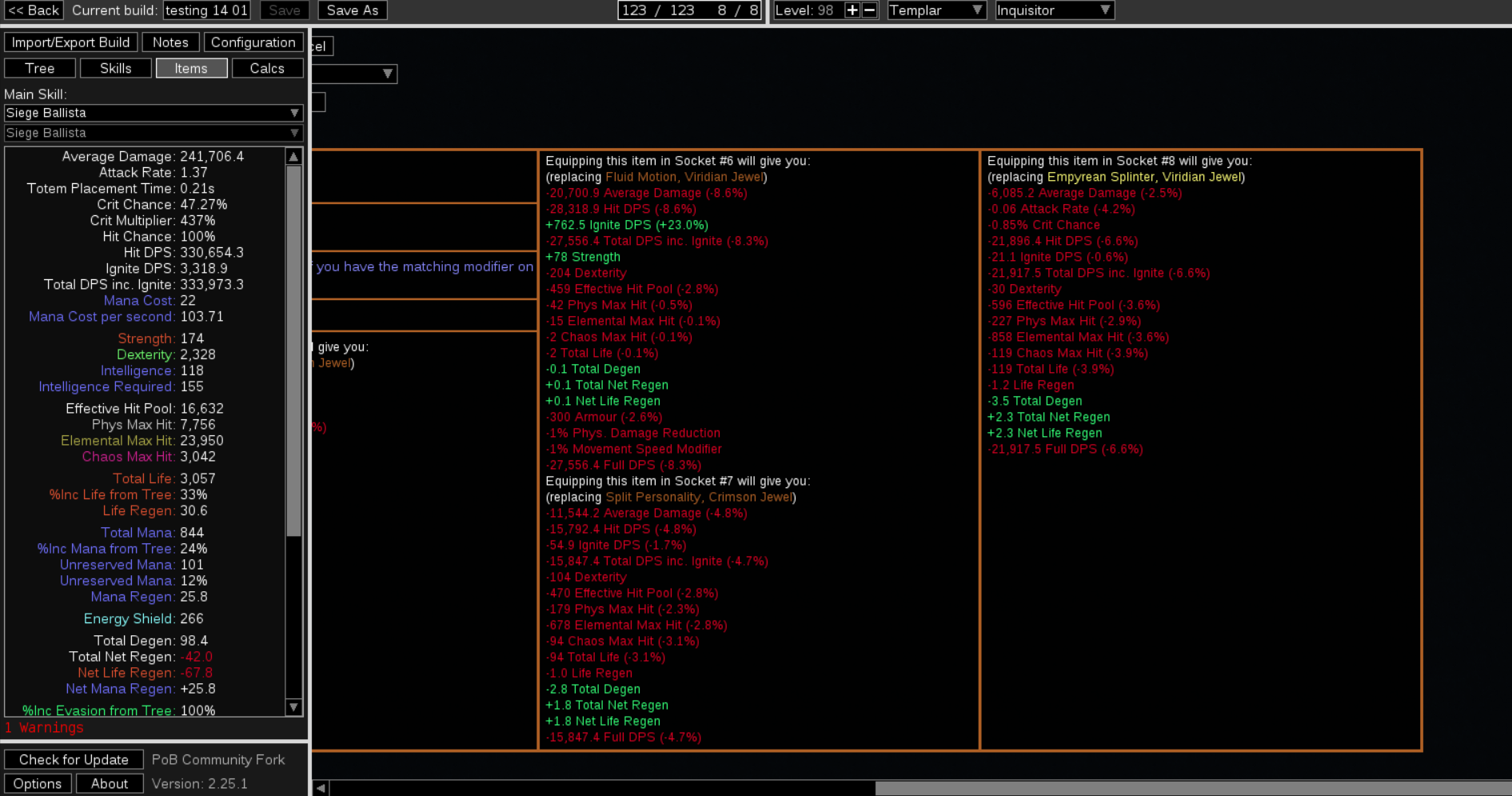
or importing a pre crafted jewel

moves your bar to the far end meaning you have to scroll back left to finishing importing the item to your build. I can see how some people might want to inspect stats before adding the item but me in particular I'd like to just add it without scrolling back
Describe the solution you'd like
I'd like a setting option or a check or a ctrl toggle to disable comparisons
Or that the default bar postion when importing wasn't to the far right.
Alternatively, keep always "pinned" the box with [add to build, edit, cancel, corrupt, ... ] to bypass the need to scroll
Describe alternatives you've considered
No response
Additional context
No response
Contributor guide
First steps
- Read the whole issue, then the project's contributing guide.
- Comment on the issue to say you are picking it up — it saves two people doing the same work.
- Fork the repository and make your change on a branch.
- Open a pull request that references the issue number.
Research direction
Start by locating the jewel-selection and pre-crafted-jewel import entry points, then trace the tooltip comparison and horizontal scrollbar behavior shown in the issue. Done means the chosen interaction prevents or avoids the unwanted far-right scroll position while preserving access to the add, edit, cancel, and related controls.
Written by the indexing model from the issue text.
Assessment
- Tech stack
- lua
- Domain
- desktop
- Issue type
- Feature
- Difficulty
- 4/5
- Estimated time
- 3-5 days
- Activity status
- Stale
- Clarity
- Mostly clear
- Newbie friendliness
- 25/100