redhat-developer / redhat-developer/vscode-java
Formatting a java source file results in a weird presentation
オープン
まだ誰も着手していません。
bug
formatter
- 主要言語
- TypeScript
- スター
- 2.3k
- フォーク
- 546
- 平均マージ
- 20時間 1分
- マージ済み PR(30日)
- 11
説明
After update the extension to version 1.13.0. I get weird code formatting results.
Environment
- Operating System: RockyLinux 8.6
- JDK version: openjdk 17.0.5
- Visual Studio Code version: 1.74.3
- Java extension version: 1.13.0
Steps To Reproduce
- Start of with a file. any file.
- Fiddle around the file ie: putting 2 imports on the same line
- Add some tabs before another import
- run the formatter (right-click and format this document)
Current Result
After Upgrading to 1.13.0
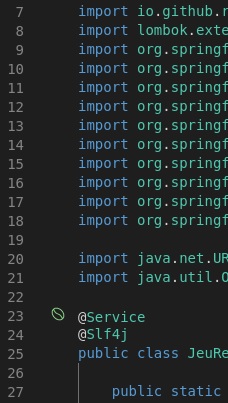
After running the formatter I end up with this
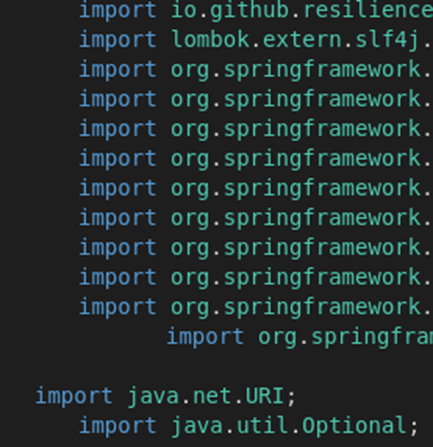
Same formatter output, but with some tabs to show the the indentation isn't aligning properly.
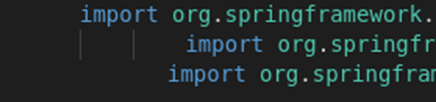
Expected Result
The indentation should always be exact!
Additional Informations
I also have the Spring boot extensions installed.
After updating to version 1.13.0, I get some visual cues that my file contains a Spring Bean.
コントリビューションガイド
はじめの一歩
- issue を最後まで読み、次にプロジェクトのコントリビューションガイドを読みます。
- 着手することを issue にコメントします — 二人が同じ作業をするのを防げます。
- リポジトリをフォークし、ブランチを切って変更します。
- issue 番号を参照したプルリクエストを送ります。
調査の方向性
ソースファイル、テスト、エントリーポイントは指定されていません。指定された VS Code、Java extension、JDK、Rocky Linux 環境でフォーマットのケースを再現し、その後 Java フォーマッターの統合を追跡して、インポートとインデントが揃っていない理由を特定します。報告された視覚的な手がかりなしに、フォーマットによって常に正確に揃ったインデントが生成されれば完了です。
索引モデルが issue の本文から書いたものです。
評価
- 技術スタック
- java, vscode
- 領域
- developer-experience, tooling
- issue の種類
- バグ
- 難易度
- 4/5
- 見積もり時間
- 3〜5日
- 活発さ
- 停滞
- 明瞭さ
- おおむね明確
- 初心者へのやさしさ
- 30/100