[Android] Text renders ~density× too large and clips on displays with a different density (Samsung DeX / freeform) — DisplayMetricsHolder is initialized once and never updated
まだ誰も着手していません。
- 主要言語
- C++
- スター
- 127k
- フォーク
- 25.3k
- 平均マージ
- 1日 23時間
- マージ済み PR(30日)
- 4
説明
Description
On Android displays whose density differs from the device's main display (Samsung DeX, freeform multi-window, external monitors, ChromeOS desktop windows), text glyphs are drawn roughly mainDisplayDensity ÷ currentDisplayDensity times larger than their Yoga-measured boxes, overflowing and clipping everywhere.
Root cause: DisplayMetricsHolder is initialized once at startup from the main display's metrics and never updated, while Fabric mounts views using the per-display density. Every conversion that goes through the global metrics — most visibly text sp→px — is off by the density ratio on a different-density display. I verified that the latest main still has no re-initialization path (DisplayMetricsHolder.kt is a process-wide singleton with init-once semantics).
A sibling manifestation of the same root cause in react-native-screens (Screen frames collapsing to 1/density size) is reported in software-mansion/react-native-screens#4159 with a fix in software-mansion/react-native-screens#4160. This issue covers the core side.
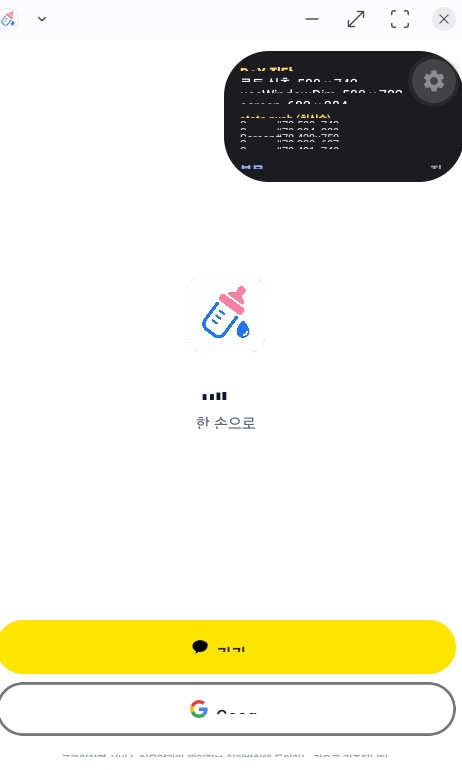
Screenshot from the production app where this was first hit (layout already fixed via the screens PR — the remaining breakage is the core text scaling):
Verified workaround (on device, no core patch)
Re-sync the global metrics with the activity's display using the existing public API:
// MainActivity
override fun onConfigurationChanged(newConfig: Configuration) {
  super.onConfigurationChanged(newConfig)
  com.facebook.react.uimanager.DisplayMetricsHolder.initDisplayMetrics(this)
}
// + the same call right after super.onCreate(...)
After this, text / layout / Dimensions all agree on the current display's density and the UI renders correctly in DeX (verified on a physical Galaxy S25 Ultra, One UI / Android 16, across multiple window sizes). On single-display devices the call is a no-op (same metrics).
Suggestion
Keep DisplayMetricsHolder in sync with the display the surface is attached to (e.g. re-initialize on configuration change / display move), or migrate consumers to per-surface metrics. At minimum, documenting the workaround above would help — multi-display setups currently break out of the box, and they survive most testing because the phone display never triggers the mismatch.
Steps to reproduce
- Build https://github.com/ziponia/rn-multidisplay-density-repro (
yarn android) on a DeX-capable device — based on the official reproducer template, RN 0.86.0, New Architecture. - Switch to Samsung DeX (or open a freeform window on a display with a different density).
- The 16pt text inside fixed 120×32 boxes clips; the on-screen measurements show the density mismatch. On the phone display everything matches.
React Native Version
0.86.0 (reproducer) / 0.85.3 (production app where it was first hit)
Output of npx @react-native-community/cli info
info Fetching system and libraries information...
System:
  OS: macOS 26.5.1
  CPU: (8) arm64 Apple M2
  Memory: 1.16 GB / 16.00 GB
  Shell:
    version: "5.9"
    path: /bin/zsh
Binaries:
  Node:
    version: 22.13.1
    path: /Users/cocho/.nvm/versions/node/v22.13.1/bin/node
  Yarn:
    version: 1.22.22
    path: /Users/cocho/.nvm/versions/node/v22.13.1/bin/yarn
  npm:
    version: 10.9.2
    path: /Users/cocho/.nvm/versions/node/v22.13.1/bin/npm
  Watchman: Not Found
Managers:
  CocoaPods:
    version: 1.16.2
    path: /opt/homebrew/bin/pod
SDKs:
  iOS SDK:
    Platforms:
      - DriverKit 25.4
      - iOS 26.4
      - macOS 26.4
      - tvOS 26.4
      - visionOS 26.4
      - watchOS 26.4
  Android SDK:
    API Levels:
      - "24"
      - "25"
      - "28"
      - "29"
      - "30"
      - "31"
      - "32"
      - "33"
      - "34"
      - "35"
      - "36"
    Build Tools:
      - 27.0.2
      - 27.0.3
      - 28.0.0
      - 29.0.2
      - 30.0.3
      - 31.0.0
      - 33.0.1
      - 34.0.0
      - 35.0.0
      - 35.0.1
      - 36.0.0
      - 37.0.0
    System Images:
      - android-29 | Google Play ARM 64 v8a
      - android-34 | Google APIs ARM 64 v8a
      - android-34 | Google Play ARM 64 v8a
      - android-35 | Google APIs ARM 64 v8a
      - android-36 | Google APIs ARM 64 v8a
      - android-36 | Google Play ARM 64 v8a
      - android-36 | Pre-Release 16 KB Page Size Google Play ARM 64 v8a
    Android NDK: 23.0.7344513-beta4
IDEs:
  Android Studio: 2025.3 AI-253.31033.145.2533.15113396
  Xcode:
    version: 26.4/17E192
    path: /usr/bin/xcodebuild
Languages:
  Java:
    version: 17.0.12
    path: /usr/bin/javac
  Ruby:
    version: 2.6.10
    path: /usr/bin/ruby
npmPackages:
  "@react-native-community/cli": Not Found
  react: Not Found
  react-native: Not Found
  react-native-macos: Not Found
npmGlobalPackages:
  "*react-native*": Not Found
Android:
  hermesEnabled: Not found
  newArchEnabled: Not found
iOS:
  hermesEnabled: Not found
  newArchEnabled: Not found
Target device: Samsung Galaxy S25 Ultra (SM-S938N), One UI / Android 16, Samsung DeX. Hermes, New Architecture, reproduced in Debug and Release.
Disclosure
This issue was authored by Claude (an AI coding agent) operating on behalf of and supervised by @ziponia, who hit this bug in a production app. All measurements were taken on @ziponia's physical device, and this report was reviewed and approved by them before submission.
コントリビューションガイド
はじめの一歩
- issue を最後まで読み、次にプロジェクトのコントリビューションガイドを読みます。
- 着手することを issue にコメントします — 二人が同じ作業をするのを防げます。
- リポジトリをフォークし、ブランチを切って変更します。
- issue 番号を参照したプルリクエストを送ります。
調査の方向性
packages/react-native/ReactAndroid/src/main/java/com/facebook/react/uimanager/DisplayMetricsHolder.kt から始め、リンクされている rn-multidisplay-density-repro を DeX または異なる密度のディスプレイで実行します。ディスプレイまたは構成の変更時に、グローバルメトリクスがどのように初期化され、使用されるかを追跡します。サーフェスを移動またはサイズ変更した後も、アプリケーションのワークアラウンドを必要とせずに、テキスト、レイアウト、Dimensions の一貫性が保たれれば完了です。
索引モデルが issue の本文から書いたものです。
評価
- 技術スタック
- android, kotlin, react-native
- 領域
- mobile
- issue の種類
- バグ
- 難易度
- 4/5
- 見積もり時間
- 3〜5日
- 活発さ
- 活発
- 明瞭さ
- おおむね明確
- 初心者へのやさしさ
- 48/100