[Android] Text renders ~density× too large and clips on displays with a different density (Samsung DeX / freeform) — DisplayMetricsHolder is initialized once and never updated
Dieses Issue hat noch niemand übernommen.
- Vorherrschende Sprache
- C++
- Sterne
- 127k
- Forks
- 25.3k
- Ø Merge
- 1 T. 23 Std.
- Gemergte PRs (30 T.)
- 4
Beschreibung
Description
On Android displays whose density differs from the device's main display (Samsung DeX, freeform multi-window, external monitors, ChromeOS desktop windows), text glyphs are drawn roughly mainDisplayDensity ÷ currentDisplayDensity times larger than their Yoga-measured boxes, overflowing and clipping everywhere.
Root cause: DisplayMetricsHolder is initialized once at startup from the main display's metrics and never updated, while Fabric mounts views using the per-display density. Every conversion that goes through the global metrics — most visibly text sp→px — is off by the density ratio on a different-density display. I verified that the latest main still has no re-initialization path (DisplayMetricsHolder.kt is a process-wide singleton with init-once semantics).
A sibling manifestation of the same root cause in react-native-screens (Screen frames collapsing to 1/density size) is reported in software-mansion/react-native-screens#4159 with a fix in software-mansion/react-native-screens#4160. This issue covers the core side.
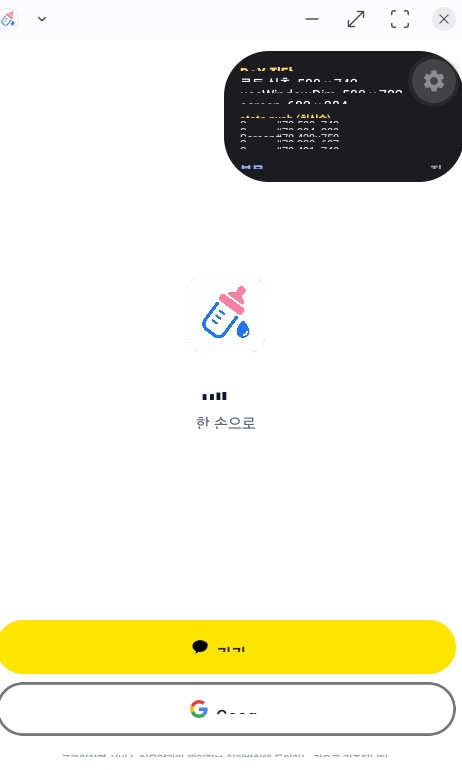
Screenshot from the production app where this was first hit (layout already fixed via the screens PR — the remaining breakage is the core text scaling):
Verified workaround (on device, no core patch)
Re-sync the global metrics with the activity's display using the existing public API:
// MainActivity
override fun onConfigurationChanged(newConfig: Configuration) {
  super.onConfigurationChanged(newConfig)
  com.facebook.react.uimanager.DisplayMetricsHolder.initDisplayMetrics(this)
}
// + the same call right after super.onCreate(...)
After this, text / layout / Dimensions all agree on the current display's density and the UI renders correctly in DeX (verified on a physical Galaxy S25 Ultra, One UI / Android 16, across multiple window sizes). On single-display devices the call is a no-op (same metrics).
Suggestion
Keep DisplayMetricsHolder in sync with the display the surface is attached to (e.g. re-initialize on configuration change / display move), or migrate consumers to per-surface metrics. At minimum, documenting the workaround above would help — multi-display setups currently break out of the box, and they survive most testing because the phone display never triggers the mismatch.
Steps to reproduce
- Build https://github.com/ziponia/rn-multidisplay-density-repro (
yarn android) on a DeX-capable device — based on the official reproducer template, RN 0.86.0, New Architecture. - Switch to Samsung DeX (or open a freeform window on a display with a different density).
- The 16pt text inside fixed 120×32 boxes clips; the on-screen measurements show the density mismatch. On the phone display everything matches.
React Native Version
0.86.0 (reproducer) / 0.85.3 (production app where it was first hit)
Output of npx @react-native-community/cli info
info Fetching system and libraries information...
System:
  OS: macOS 26.5.1
  CPU: (8) arm64 Apple M2
  Memory: 1.16 GB / 16.00 GB
  Shell:
    version: "5.9"
    path: /bin/zsh
Binaries:
  Node:
    version: 22.13.1
    path: /Users/cocho/.nvm/versions/node/v22.13.1/bin/node
  Yarn:
    version: 1.22.22
    path: /Users/cocho/.nvm/versions/node/v22.13.1/bin/yarn
  npm:
    version: 10.9.2
    path: /Users/cocho/.nvm/versions/node/v22.13.1/bin/npm
  Watchman: Not Found
Managers:
  CocoaPods:
    version: 1.16.2
    path: /opt/homebrew/bin/pod
SDKs:
  iOS SDK:
    Platforms:
      - DriverKit 25.4
      - iOS 26.4
      - macOS 26.4
      - tvOS 26.4
      - visionOS 26.4
      - watchOS 26.4
  Android SDK:
    API Levels:
      - "24"
      - "25"
      - "28"
      - "29"
      - "30"
      - "31"
      - "32"
      - "33"
      - "34"
      - "35"
      - "36"
    Build Tools:
      - 27.0.2
      - 27.0.3
      - 28.0.0
      - 29.0.2
      - 30.0.3
      - 31.0.0
      - 33.0.1
      - 34.0.0
      - 35.0.0
      - 35.0.1
      - 36.0.0
      - 37.0.0
    System Images:
      - android-29 | Google Play ARM 64 v8a
      - android-34 | Google APIs ARM 64 v8a
      - android-34 | Google Play ARM 64 v8a
      - android-35 | Google APIs ARM 64 v8a
      - android-36 | Google APIs ARM 64 v8a
      - android-36 | Google Play ARM 64 v8a
      - android-36 | Pre-Release 16 KB Page Size Google Play ARM 64 v8a
    Android NDK: 23.0.7344513-beta4
IDEs:
  Android Studio: 2025.3 AI-253.31033.145.2533.15113396
  Xcode:
    version: 26.4/17E192
    path: /usr/bin/xcodebuild
Languages:
  Java:
    version: 17.0.12
    path: /usr/bin/javac
  Ruby:
    version: 2.6.10
    path: /usr/bin/ruby
npmPackages:
  "@react-native-community/cli": Not Found
  react: Not Found
  react-native: Not Found
  react-native-macos: Not Found
npmGlobalPackages:
  "*react-native*": Not Found
Android:
  hermesEnabled: Not found
  newArchEnabled: Not found
iOS:
  hermesEnabled: Not found
  newArchEnabled: Not found
Target device: Samsung Galaxy S25 Ultra (SM-S938N), One UI / Android 16, Samsung DeX. Hermes, New Architecture, reproduced in Debug and Release.
Disclosure
This issue was authored by Claude (an AI coding agent) operating on behalf of and supervised by @ziponia, who hit this bug in a production app. All measurements were taken on @ziponia's physical device, and this report was reviewed and approved by them before submission.
Beitragsleitfaden
Erste Schritte
- Lies das ganze Issue und danach den Beitragsleitfaden des Projekts.
- Schreib ins Issue, dass du es übernimmst — das erspart doppelte Arbeit.
- Forke das Repository und arbeite in einem Branch.
- Öffne einen Pull Request, der die Issue-Nummer nennt.
Rechercherichtung
Beginnen Sie mit packages/react-native/ReactAndroid/src/main/java/com/facebook/react/uimanager/DisplayMetricsHolder.kt und führen Sie die verlinkte rn-multidisplay-density-repro auf einem DeX- oder Display mit anderer Dichte aus. Verfolgen Sie, wie globale Metriken bei Änderungen des Displays oder der Konfiguration initialisiert und verwendet werden. Als erledigt gilt die Aufgabe, wenn Text, Layout und Dimensions nach dem Verschieben oder Ändern der Größe der Oberfläche konsistent bleiben, ohne dass der Workaround der Anwendung erforderlich ist.
Vom Indexierungsmodell aus dem Issue-Text verfasst.
Bewertung
- Tech-Stack
- android, kotlin, react-native
- Bereich
- mobile
- Issue-Typ
- Bug
- Schwierigkeit
- 4/5
- Geschätzter Aufwand
- 3-5 Tage
- Aktivitätsstatus
- Aktiv
- Klarheit
- Größtenteils klar
- Anfängerfreundlichkeit
- 48/100