Python uninstalls wrong instance if it isn't installed in C:/...
還沒有人認領這個 Issue。
- 主要語言
- Python
- 星號
- 77.2k
- 分支
- 36k
- PR 合併指標
- PR 指標待擷取
描述
Bug report
I had Python 3.9.08 installed for all users in C:\Program Files\Python39 (aka the one in C)
It was in path and I was mainly using it through vs code
I had to install py 3.9.13 for a spesific module
i installd it again for all users and pip in X:\Program Files\Python39 (aka the one in x)
In path the x version was higher then the c version an so replaced the system version witch i dont mint
now tho the problem.
Wenn i want to use pip is gives me this error

So i tried to reinstall the x version and i use the uninstaller via the controll panel (i verifi iit was the correct one via the date)
but i wonderd why i would dnt disapier after i ran it.
But i discoverd that i didn't uninstall no matter how many time i run it. So i
I checked with file explorer an every thing was still there
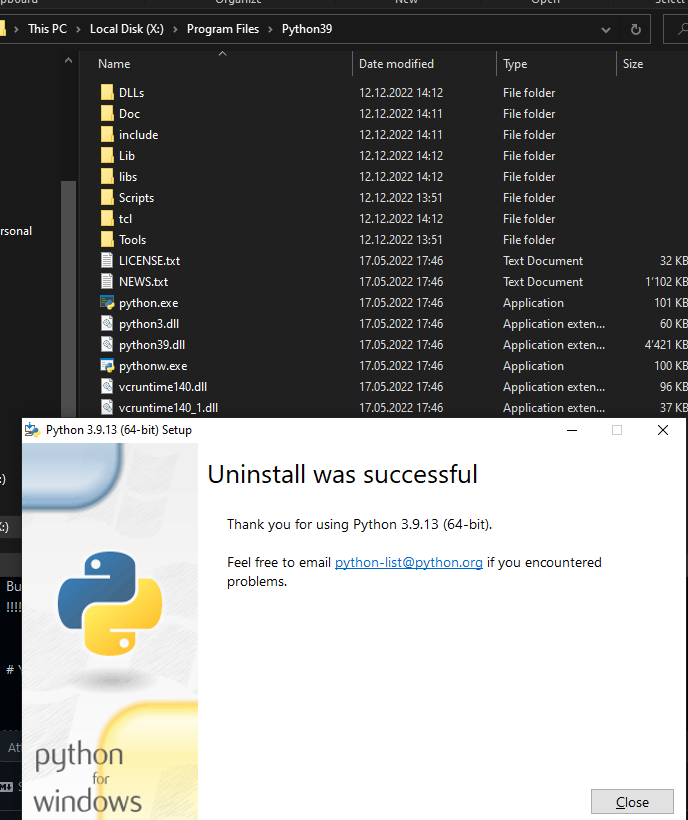
so i cheched if the c version was still there
!!!!!!! IT F*** UNINSTALLD THE C VERSION !!!!!!!
idk how but this is bad....
Your environment
Edition Windows 10 Home
Version 22H2
Installed on 06.09.2020
OS build 19045.2311
Experience Windows Feature Experience Pack 120.2212.4190.0
Im not how i installed the c version but i ~the same as the x version exept for the path
貢獻指南
從這裡開始
- 先讀完整個 Issue,再讀專案的貢獻指南。
- 在 Issue 下留言說明你要接手 —— 這能避免兩個人做同樣的事。
- Fork 儲存庫,在一個分支上完成修改。
- 送出 Pull Request,並在描述裡引用這個 Issue 編號。
研究方向
首先,在 Windows 10 上使用安裝於 C:\Program Files 和 X:\Program Files 中的兩個所有使用者 Python 安裝來重現報告,然後使用 Control Panel 解除安裝 X: 執行個體。檢查安裝程式和解除安裝行為,以判定為什麼 C: 安裝會被移除;完成的標準是選取的執行個體被移除,而另一個執行個體仍然保留。
由索引模型根據 Issue 內容生成。
評估
- 技術堆疊
- python
- 領域
- operating-systems
- Issue 類型
- 缺陷
- 難度
- 4/5
- 預估耗時
- 3-5 天
- 活躍度
- 停滯
- 描述清晰度
- 基本清楚
- 新手友好度
- 25/100