Python uninstalls wrong instance if it isn't installed in C:/...
Dieses Issue hat noch niemand übernommen.
- Vorherrschende Sprache
- Python
- Sterne
- 77.2k
- Forks
- 36k
- Ø Merge
- 1 T. 9 Std.
- Gemergte PRs (30 T.)
- 558
Beschreibung
Bug report
I had Python 3.9.08 installed for all users in C:\Program Files\Python39 (aka the one in C)
It was in path and I was mainly using it through vs code
I had to install py 3.9.13 for a spesific module
i installd it again for all users and pip in X:\Program Files\Python39 (aka the one in x)
In path the x version was higher then the c version an so replaced the system version witch i dont mint
now tho the problem.
Wenn i want to use pip is gives me this error

So i tried to reinstall the x version and i use the uninstaller via the controll panel (i verifi iit was the correct one via the date)
but i wonderd why i would dnt disapier after i ran it.
But i discoverd that i didn't uninstall no matter how many time i run it. So i
I checked with file explorer an every thing was still there
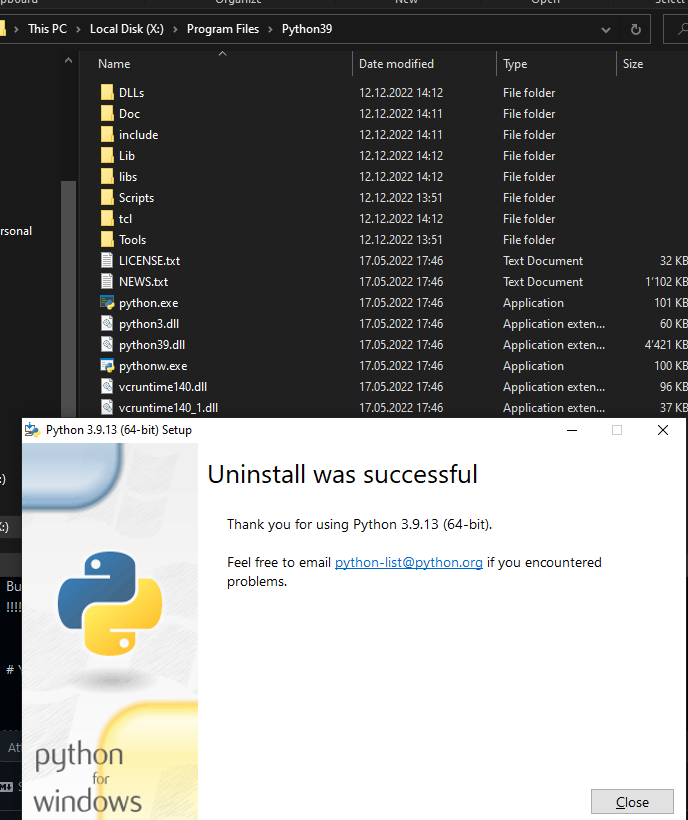
so i cheched if the c version was still there
!!!!!!! IT F*** UNINSTALLD THE C VERSION !!!!!!!
idk how but this is bad....
Your environment
Edition Windows 10 Home
Version 22H2
Installed on 06.09.2020
OS build 19045.2311
Experience Windows Feature Experience Pack 120.2212.4190.0
Im not how i installed the c version but i ~the same as the x version exept for the path
Beitragsleitfaden
Erste Schritte
- Lies das ganze Issue und danach den Beitragsleitfaden des Projekts.
- Schreib ins Issue, dass du es übernimmst — das erspart doppelte Arbeit.
- Forke das Repository und arbeite in einem Branch.
- Öffne einen Pull Request, der die Issue-Nummer nennt.
Rechercherichtung
Beginne damit, den Bericht unter Windows 10 mit zwei Python-Installationen für alle Benutzer in C:\Program Files und X:\Program Files zu reproduzieren, und deinstalliere anschließend über Control Panel die X:-Instanz. Untersuche das Verhalten des Installers und der Deinstallation, um festzustellen, warum die C:-Installation entfernt wird; abgeschlossen bedeutet, dass die ausgewählte Instanz entfernt wird, während die andere bestehen bleibt.
Vom Indexierungsmodell aus dem Issue-Text verfasst.
Bewertung
- Tech-Stack
- python
- Bereich
- operating-systems
- Issue-Typ
- Bug
- Schwierigkeit
- 4/5
- Geschätzter Aufwand
- 3-5 Tage
- Aktivitätsstatus
- Veraltet
- Klarheit
- Größtenteils klar
- Anfängerfreundlichkeit
- 25/100