stacked bar chart does not display text when colour is supplied
Open
Nobody has claimed this yet.
- Dominant language
- R
- Stars
- 2.7k
- Forks
- 641
- PR merge metrics
- No merged PRs in 30d
Description
or vice versa - color attribute is ignored
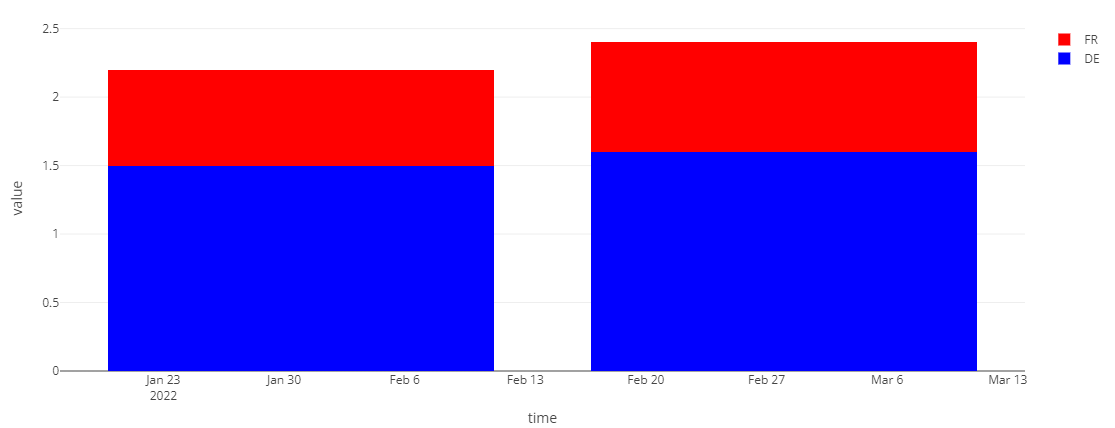
I would like to have stacked bar chart with specific colours & labels for each value, but in current setting color is ignored or the text labels disappear:
library(data.table)
library(plotly)

x <- structure(
  list(time = structure(c(19023, 19023, 19051, 19051), class = "Date"),
       group = structure(c(2L, 1L, 2L, 1L), levels = c("FR", "DE"),
                     class = c("ordered", "factor")),
       value = c(1.5, 0.7, 1.6, 0.8)), row.names = c(NA, -4L),
  class = c("data.table", "data.frame"))
x

my_col <- c('red', 'blue')

plot_ly(x, x = ~time, y = ~value, type = 'bar'
        , name = ~group
        , colors = my_col # ignored
        , text = ~ value, textposition = 'auto'
        ) %>% layout(barmode = 'stack')

# when adding color we lose text:
plot_ly(x, x = ~time, y = ~value, type = 'bar'
        , name = ~group
        , color = ~group
        , colors = my_col
        , text = ~ value, textposition = 'auto'
        ) %>% layout(barmode = 'stack')
# text isnt visiable

plot_ly(x, x = ~time, y = ~value, type = 'bar'
        , color = ~group
        , colors = my_col
        , text = ~ value, textposition = 'auto'
) %>% layout(barmode = 'stack')
# text isnt visiable
Contributor guide
First steps
- Read the whole issue, then the project's contributing guide.
- Comment on the issue to say you are picking it up — it saves two people doing the same work.
- Fork the repository and make your change on a branch.
- Open a pull request that references the issue number.
Research direction
Reproduce the stacked bar examples from the issue in plotly.R, comparing supplied colors with text labels. Start by tracing how the R plotly API handles color and text for stacked bars; done means both the requested colors and value labels remain visible together.
Written by the indexing model from the issue text.
Assessment
- Tech stack
- r
- Domain
- data-visualization
- Issue type
- Bug
- Difficulty
- 3/5
- Estimated time
- 1-2 days
- Activity status
- Stale
- Clarity
- Mostly clear
- Newbie friendliness
- 45/100