Layout Explorer not displaying accurate height of Widget in visualizer
- Ngôn ngữ chính
- Dart
- Star
- 1.7k
- Fork
- 404
- Merge trung bình
- 6 ngày 17 giờ
- Pull request đã merge (30 ngày)
- 18
Mô tả
## Steps to Reproduce
1. Replace the contents of main.dart with the following code:
```
import 'package:flutter/material.dart';
void main() {
runApp(MyApp());
}
class MyApp extends StatelessWidget {
@override
Widget build(BuildContext context) {
return MaterialApp(
title: 'Flutter Demo',
home: Scaffold(
appBar: AppBar(
title: Text('Demo'),
),
body: Column(children: [
Row(
children: [
Text('hello'),
VerticalDivider(
thickness: 5.0,
),
Text('Word'),
],
),
]),
),
);
}
}
```
2. Run the program using debug mode.
3. Open DevTools
4. Select Row widget in the Flutter Inspector.
5. Open Layout Explorer.
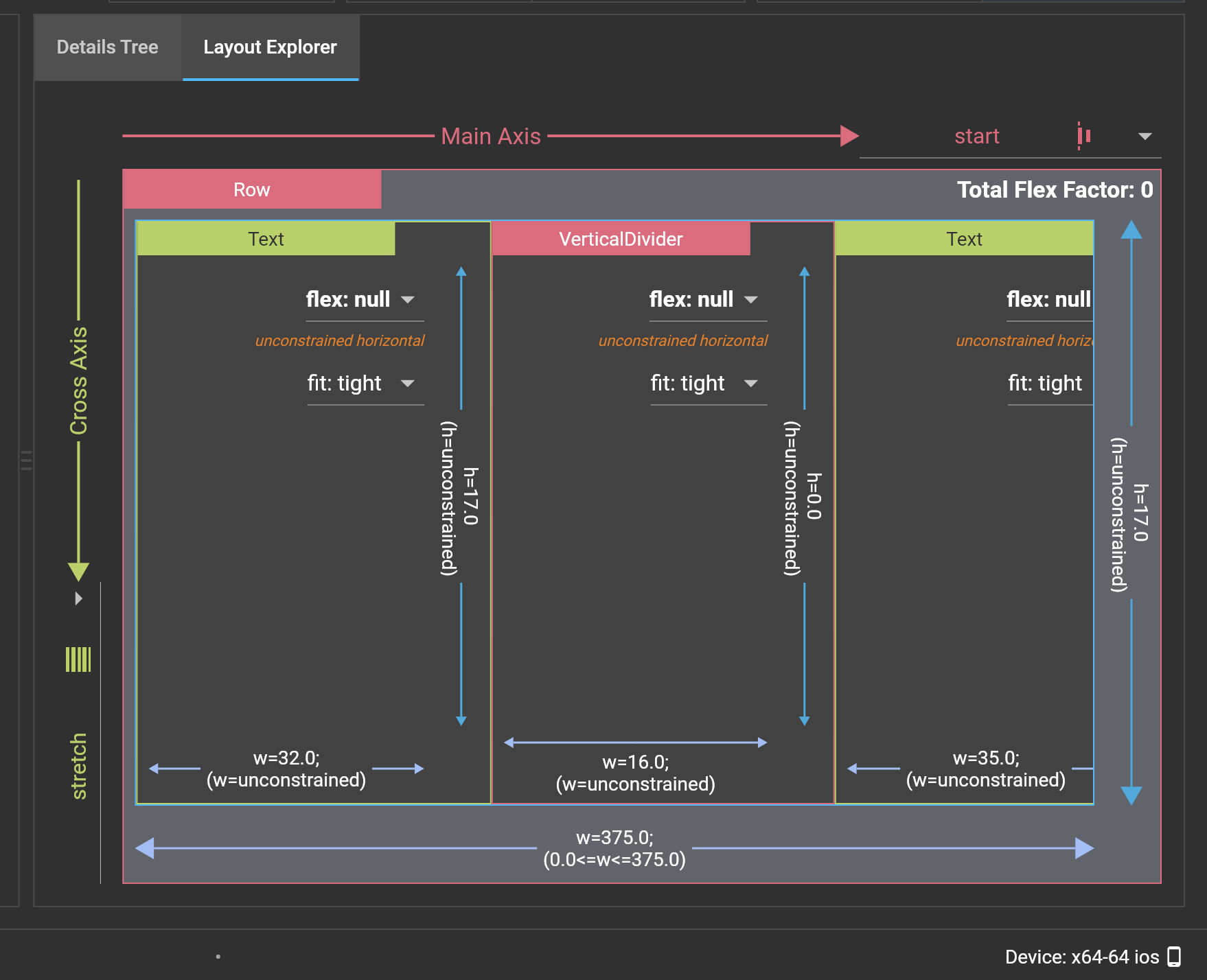
6. Change Cross Axis to Stretch mode.
**Expected results:**
Nothing shows on Layout Explorer screen since adding CrossAxisAlginment.Stretch to the Row widget will create an error.
**Actual results:**
VerticalDivider increases in height in the Layout Explorer visualizer, but the actual height remains 0.
Logs
```
```
```
```
```
```
Hướng dẫn đóng góp
Hướng nghiên cứu
Reproduce the issue with the supplied main.dart example, then inspect the DevTools Layout Explorer visualizer while selecting the Row and switching Cross Axis to Stretch. Compare the displayed VerticalDivider height with its actual height; done means the visualizer reports the widget's accurate height without introducing the described error.
Do mô hình lập chỉ mục viết ra từ nội dung của issue.
Đánh giá
- Công nghệ
- dart
- Lĩnh vực
- devtools
- Loại issue
- Lỗi
- Độ khó
- 3/5
- Thời gian dự kiến
- 1-2 ngày
- Mức độ hoạt động
- Đình trệ
- Độ rõ ràng
- Khá rõ ràng
- Mức phù hợp với người mới
- 35/100