Layout Explorer not displaying accurate height of Widget in visualizer
- 主要语言
- Dart
- 星标
- 1.7k
- 派生
- 404
- 平均合并
- 6 天 17 小时
- 30 天内合并 PR
- 18
描述
## Steps to Reproduce
1. Replace the contents of main.dart with the following code:
```
import 'package:flutter/material.dart';
void main() {
runApp(MyApp());
}
class MyApp extends StatelessWidget {
@override
Widget build(BuildContext context) {
return MaterialApp(
title: 'Flutter Demo',
home: Scaffold(
appBar: AppBar(
title: Text('Demo'),
),
body: Column(children: [
Row(
children: [
Text('hello'),
VerticalDivider(
thickness: 5.0,
),
Text('Word'),
],
),
]),
),
);
}
}
```
2. Run the program using debug mode.
3. Open DevTools
4. Select Row widget in the Flutter Inspector.
5. Open Layout Explorer.
6. Change Cross Axis to Stretch mode.
**Expected results:**
Nothing shows on Layout Explorer screen since adding CrossAxisAlginment.Stretch to the Row widget will create an error.
**Actual results:**
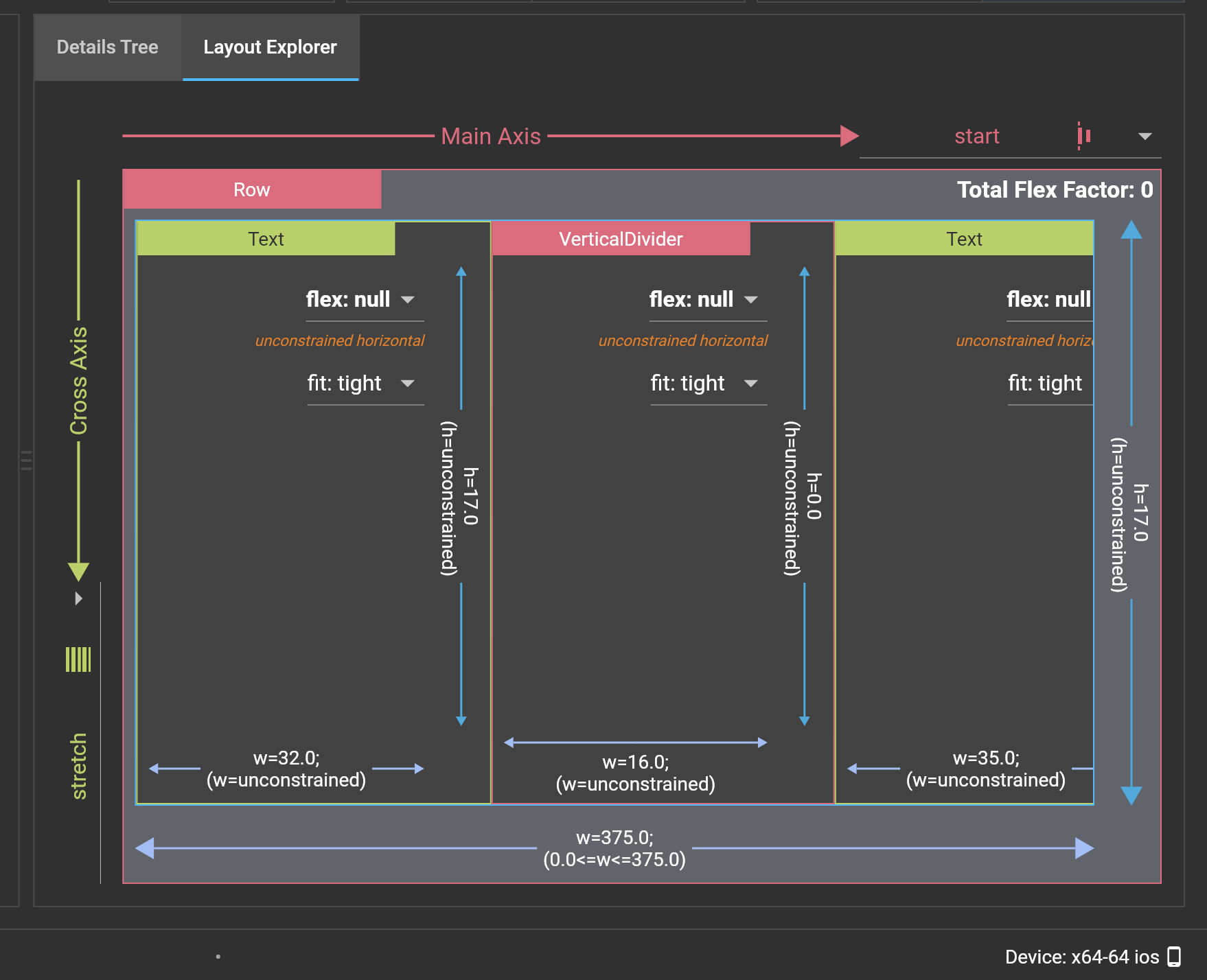
VerticalDivider increases in height in the Layout Explorer visualizer, but the actual height remains 0.
Logs
```
```
```
```
```
```
贡献指南
调研方向
Reproduce the issue with the supplied main.dart example, then inspect the DevTools Layout Explorer visualizer while selecting the Row and switching Cross Axis to Stretch. Compare the displayed VerticalDivider height with its actual height; done means the visualizer reports the widget's accurate height without introducing the described error.
由索引模型根据 Issue 内容生成。
评估
- 技术栈
- dart
- 领域
- devtools
- Issue 类型
- 缺陷
- 难度
- 3/5
- 预计耗时
- 1-2 天
- 活跃度
- 停滞
- 描述清晰度
- 基本清楚
- 新手友好度
- 35/100