flowable / flowable/flowable-engine
UI Modeler App: Scrolling or zooming loses currently selected elements
- 主要言語
- Java
- スター
- 9.5k
- フォーク
- 2.9k
- 平均マージ
- 7時間 8分
- マージ済み PR(30日)
- 2
説明
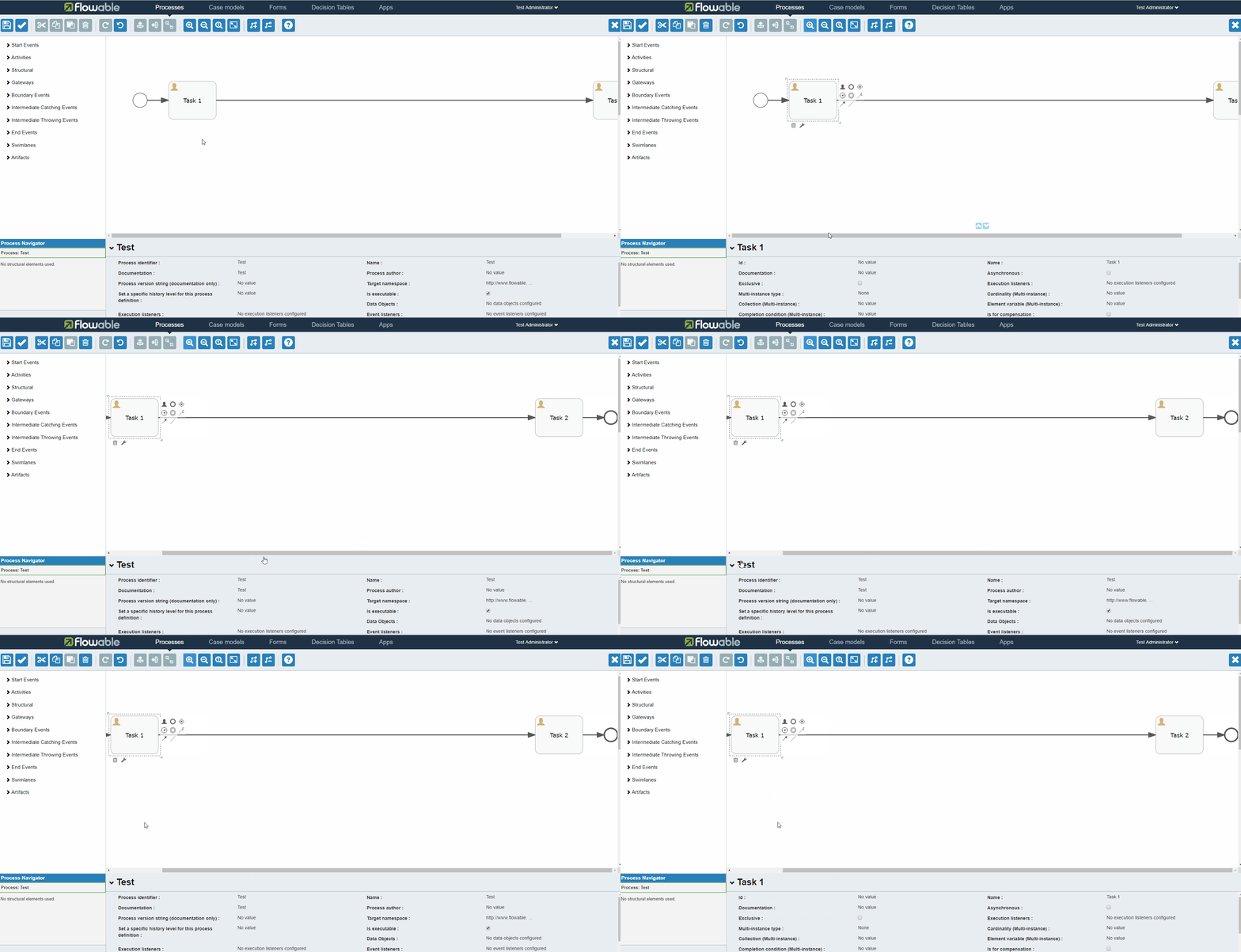
When using the UI Modeler App, the currently selected elements are lost and the process definition is selected, when using a scrollbar or the zoom functionality from the toolbar.
The behaviour is demonstrated in the following gif files:

I tried to investigate a possible solution:
flowable-ui-modeler/flowable-ui-modeler-app/src/main/resources/static/editor-app/stencil-controller.js
```
// Only do something if another element is selected (Oryx fires this event multiple times)
if ($scope.selectedShape !== undefined && $scope.selectedShape.getId() === selectedShape.getId()) {
if ($rootScope.forceSelectionRefresh) {
// Switch the flag again, this run will force refresh
$rootScope.forceSelectionRefresh = false;
} else {
// Selected the same element again, no need to update anything
return;
}
}
```
If I add an else block to this if, e.g like this
```
} else {
if (event.elements.length === 0) {
return;
}
}
```
the problem could be fixed, but then the processdefinition itself is not selectable anymore (by clicking on an empty spot)
I could not find any information on the event (e.g. what element was clicked) to adjust the if clause accordingly and it seems the event itself with its attributes comes from deep inside the oryx editor. Here I was a bit lost to find the relevant files / code snippets.
Could you please fix this problem or point me in a direction to fix it myself and submit a merge request? Thanks!
コントリビューションガイド
このリポジトリのコントリビューションガイドは索引されていません
調査の方向性
flowable-ui-modeler/flowable-ui-modeler-app/src/main/resources/static/editor-app/stencil-controller.js から始め、リンクされた GIF に示されているスクロールバーとツールバーのズームコントロールを使って問題を再現します。選択イベントとその elements data を追跡し、viewport の変更と空の場所のクリックを区別します。スクロールまたはズームによって選択した要素が維持され、空の領域をクリックした場合には引き続きプロセス定義が選択されれば完了です。
索引モデルが issue の本文から書いたものです。
評価
- 技術スタック
- javascript
- 領域
- frontend
- issue の種類
- バグ
- 難易度
- 4/5
- 見積もり時間
- 3〜5日
- 活発さ
- 停滞
- 明瞭さ
- おおむね明確
- 初心者へのやさしさ
- 35/100