MaterialDesignInXAML / MaterialDesignInXAML/MaterialDesignInXamlToolkit
Scale transforms do not render consistently
まだ誰も着手していません。
- 主要言語
- C#
- スター
- 16.3k
- フォーク
- 3.5k
- 平均マージ
- 1日 22時間
- マージ済み PR(30日)
- 8
説明
Reproduction steps:
Apply a `ScaleTransform` to the `ContentControl` in the `MainWindow` of the demo app.
```XAML
```
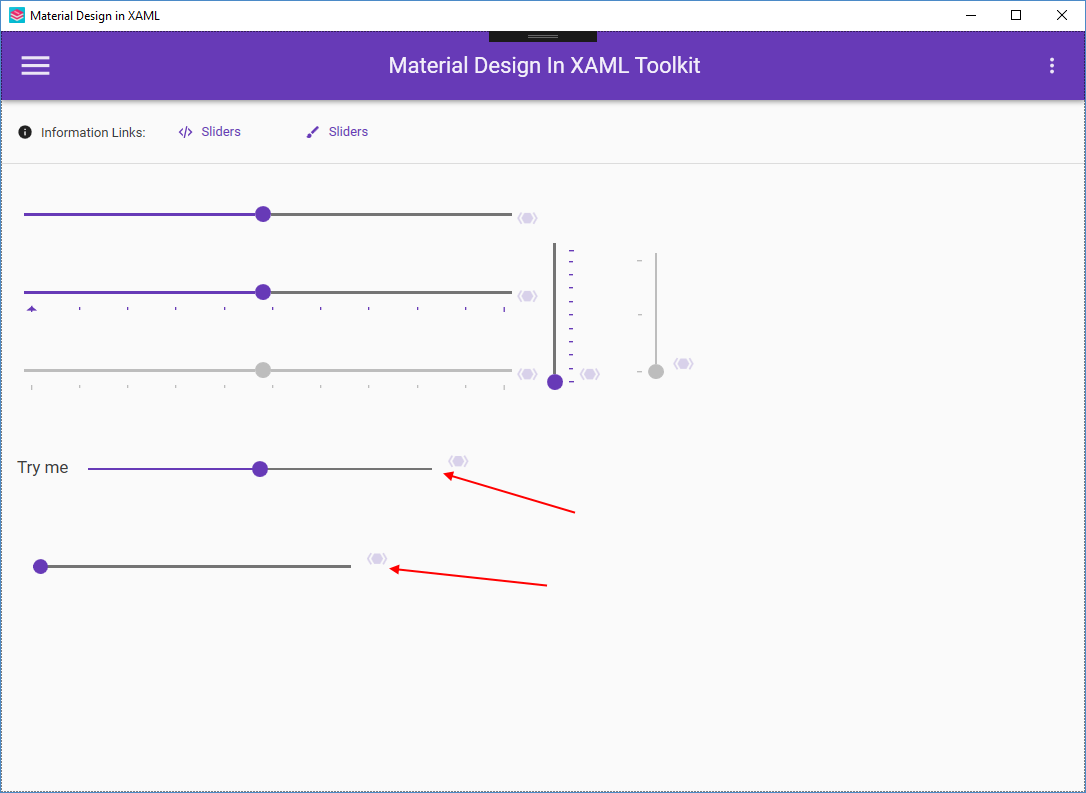
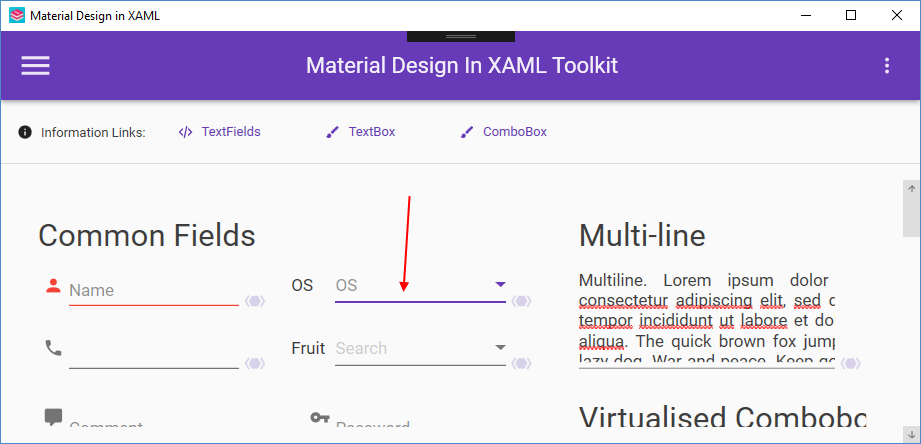
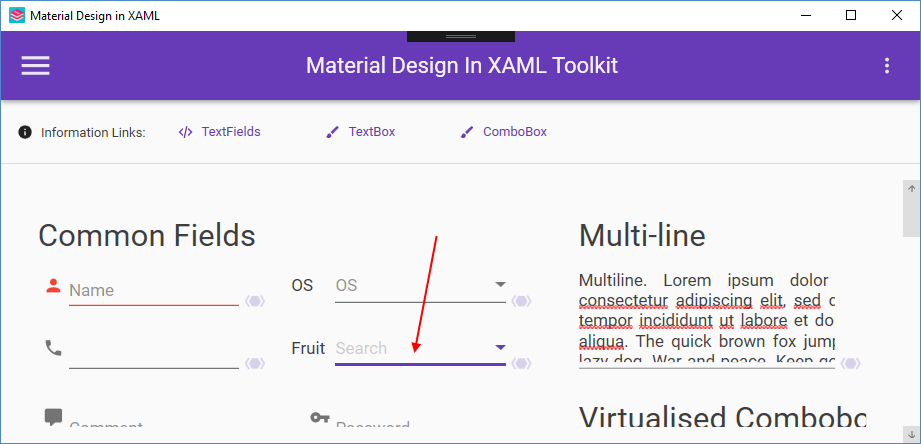
The problem can be observed with most of the controls that have fine lines. ComboBox and TextBox both use the Underline control, and Slider is another obvious one. The issue is that the rendered thickness of these lines is inconsistent.
This problem is typically resolved with the [UseLayoutRounding](https://docs.microsoft.com/en-us/dotnet/api/system.windows.frameworkelement.uselayoutrounding?view=netframework-4.7.2) and [SnapToDevicePixels](https://docs.microsoft.com/en-us/dotnet/api/system.windows.uielement.snapstodevicepixels?view=netframework-4.7.2)
The "fix" for this may be partially or fully in the demo application, in which case those changes should be documented here.
コントリビューションガイド
はじめの一歩
- issue を最後まで読み、次にプロジェクトのコントリビューションガイドを読みます。
- 着手することを issue にコメントします — 二人が同じ作業をするのを防げます。
- リポジトリをフォークし、ブランチを切って変更します。
- issue 番号を参照したプルリクエストを送ります。
調査の方向性
デモアプリの MainWindow から始め、ContentControl に対する ScaleTransform を再現してから、Underline ベースの ComboBox および TextBox コントロールと Slider における細線のレンダリングを比較します。UseLayoutRounding または SnapToDevicePixels で不一致が解消されるか確認します。影響を受けるコントロールで線の太さが一貫してレンダリングされ、デモアプリへの変更があれば文書化されていれば完了です。
索引モデルが issue の本文から書いたものです。
評価
- 技術スタック
- csharp
- 領域
- desktop
- issue の種類
- バグ
- 難易度
- 4/5
- 見積もり時間
- 3〜5日
- 活発さ
- 停滞
- 明瞭さ
- おおむね明確
- 初心者へのやさしさ
- 35/100