MaterialDesignInXAML / MaterialDesignInXAML/MaterialDesignInXamlToolkit
Scale transforms do not render consistently
还没有人认领这个 Issue。
- 主要语言
- C#
- 星标
- 16.3k
- 派生
- 3.5k
- 平均合并
- 1 天 22 小时
- 30 天内合并 PR
- 8
描述
Reproduction steps:
Apply a ScaleTransform to the ContentControl in the MainWindow of the demo app.
<ContentControl Content="{Binding ElementName=DemoItemsListBox, Path=SelectedItem.Content}">
    <ContentControl.LayoutTransform>
        <ScaleTransform ScaleX="1.3" ScaleY="1.3" />
    </ContentControl.LayoutTransform>
</ContentControl>
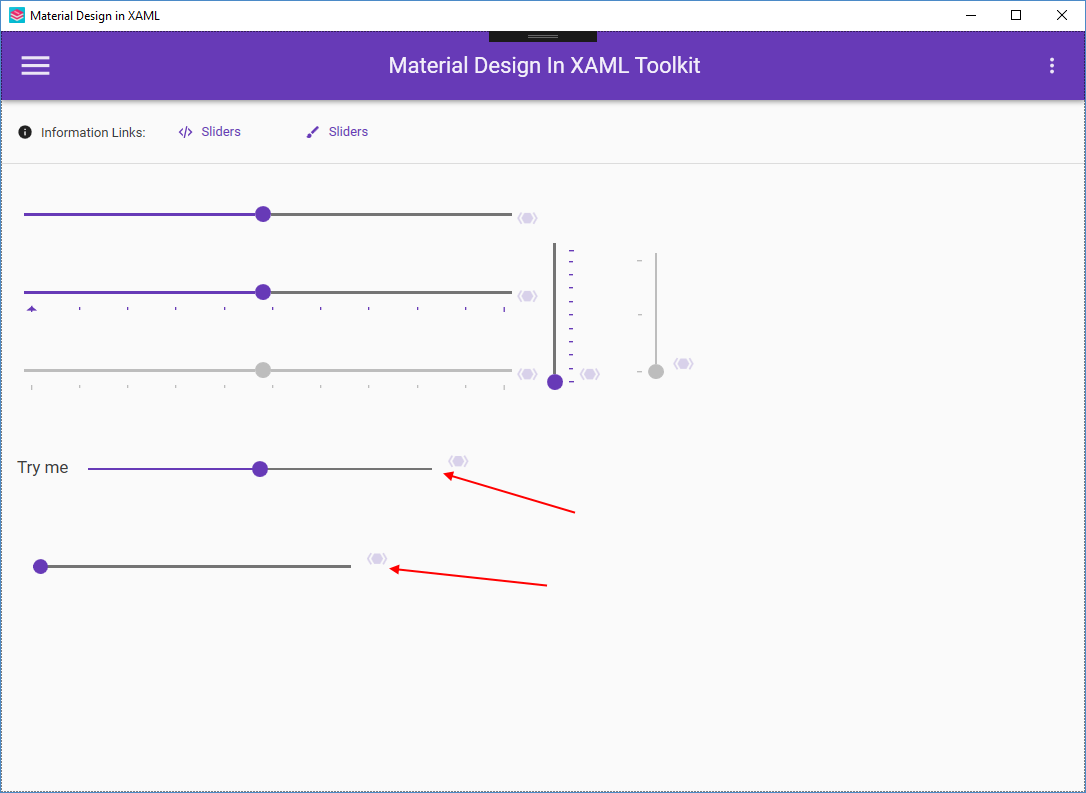
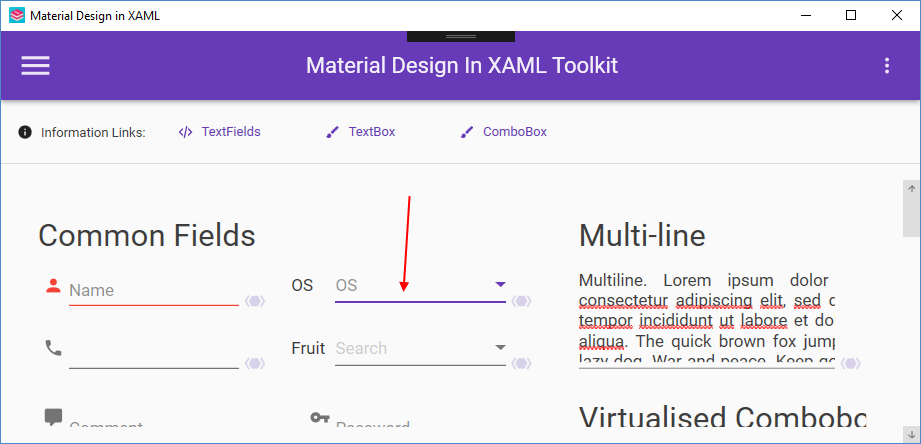
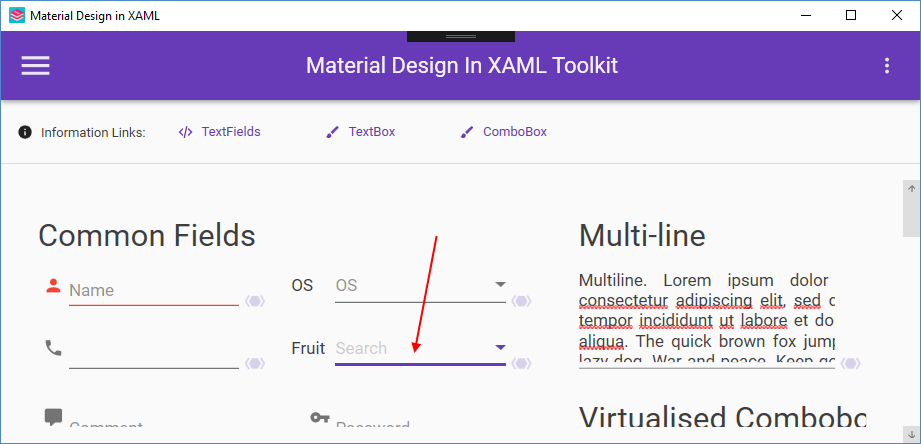
The problem can be observed with most of the controls that have fine lines. ComboBox and TextBox both use the Underline control, and Slider is another obvious one. The issue is that the rendered thickness of these lines is inconsistent.
This problem is typically resolved with the UseLayoutRounding and SnapToDevicePixels
The "fix" for this may be partially or fully in the demo application, in which case those changes should be documented here.
贡献指南
从这里开始
- 先读完整个 Issue,再读项目的贡献指南。
- 在 Issue 下留言说明你要接手 —— 这能避免两个人做同样的事。
- Fork 仓库,在一个分支上完成修改。
- 提交 Pull Request,并在描述里引用这个 Issue 编号。
调研方向
从演示应用的 MainWindow 开始,在 ContentControl 上复现 ScaleTransform,然后比较基于 Underline 的 ComboBox 和 TextBox 控件以及 Slider 中细线的渲染效果。检查 UseLayoutRounding 或 SnapToDevicePixels 是否能解决不一致问题;完成的标准是受影响的控件渲染出一致的线条粗细,并记录对演示应用所做的任何更改。
由索引模型根据 Issue 内容生成。
评估
- 技术栈
- csharp
- 领域
- desktop
- Issue 类型
- 缺陷
- 难度
- 4/5
- 预计耗时
- 3-5 天
- 活跃度
- 停滞
- 描述清晰度
- 基本清楚
- 新手友好度
- 35/100