Azure / Azure/MachineLearningNotebooks
Store metadata like tags and description in PipelineStep (PythonScriptStep, DatabricksStep)
- Linguagem predominante
- Jupyter Notebook
- Estrelas
- 4.4k
- Forks
- 2.6k
- Métricas de merge de PRs
- Nenhum PR com merge em 30d
Descrição
[Enter feedback here]
In the ML web UI, there are possibilities to see tags and description for runs. I can set tags and description for normal runs that are [azureml.core.Run](https://docs.microsoft.com/en-us/python/api/azureml-core/azureml.core.run(class)?view=azure-ml-py) object. Normally ScriptRunConfig class is used. However, in case of [Pipeline](https://docs.microsoft.com/en-us/python/api/azureml-pipeline-core/azureml.pipeline.core.pipeline(class)?view=azure-ml-py) which includes PipelineSteps (like PythonScriptStep, DatabricksStep), I could not find any way to set tags or description. There was [get_tag](https://docs.microsoft.com/en-us/python/api/azureml-pipeline-core/azureml.pipeline.core.pipelinerun?view=azure-ml-py#azureml-pipeline-core-pipelinerun-get-tags) function though. I wonder if a user can set tags or description at all in the Pipeline cases.
One thing I noticed was that some tags are automatically set (Experiment->Run-Steps). Those tags are related to _azureml.nodeid,
azureml.pipeline, etc_. But those tags are not visiable once click into the step.

Once click into a step, the tags and description are not visible any more.
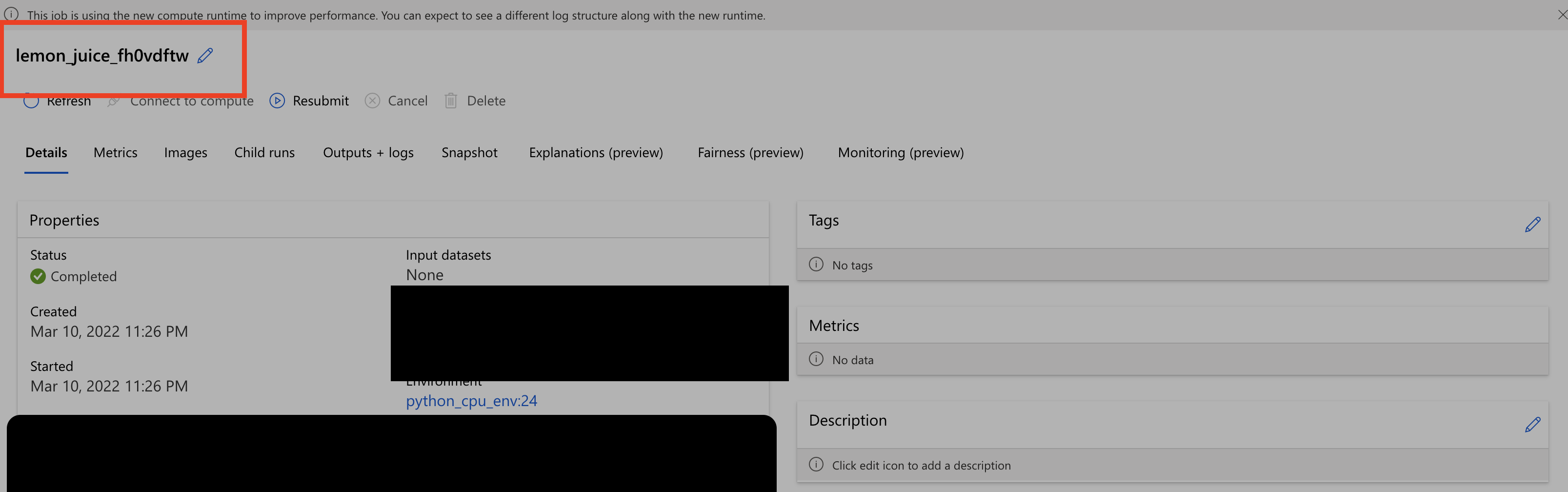
Another thing I noticed was that the step name in the second screenshot is different from the one shown in the first screenshot. Should not they be the same ?
---
#### Document Details
⚠ *Do not edit this section. It is required for docs.microsoft.com ➟ GitHub issue linking.*
* ID: 699416e1-0ac4-10ca-5a93-8fbd256568c3
* Version Independent ID: 3f14db56-3e6a-3ff8-fda5-5145b6891c23
* Content: [azureml.pipeline.core.PipelineStep class - Azure Machine Learning Python](https://docs.microsoft.com/en-us/python/api/azureml-pipeline-core/azureml.pipeline.core.pipelinestep?view=azure-ml-py)
* Content Source: [AzureML-Docset/stable/docs-ref-autogen/azureml-pipeline-core/azureml.pipeline.core.PipelineStep.yml](https://github.com/MicrosoftDocs/MachineLearning-Python-pr/blob/live/AzureML-Docset/stable/docs-ref-autogen/azureml-pipeline-core/azureml.pipeline.core.PipelineStep.yml)
* Service: **machine-learning**
* Sub-service: **core**
* GitHub Login: @DebFro
* Microsoft Alias: **debfro**
Guia de contribuição
Nenhum guia de contribuição indexado para este repositório
Direção de pesquisa
Comece pela referência da API de PipelineStep em AzureML-Docset/stable/docs-ref-autogen/azureml-pipeline-core/azureml.pipeline.core.PipelineStep.yml e compare os pontos de entrada de PythonScriptStep e DatabricksStep. Rastreie como PipelineRun expõe atualmente as tags e a descrição e, em seguida, verifique o resultado na ML web UI. O trabalho estará concluído quando as etapas do pipeline puderem manter e exibir as tags e a descrição fornecidas pelo usuário, com nomes de etapas consistentes.
Escrita pelo modelo de indexação a partir do texto da issue.
Avaliação
- Stack de tecnologia
- azure, python
- Domínio
- api, machine-learning
- Tipo de issue
- Funcionalidade
- Dificuldade
- 4/5
- Tempo estimado
- 3-5 dias
- Status de atividade
- Estagnada
- Clareza
- Razoavelmente clara
- Facilidade para iniciantes
- 35/100