Azure / Azure/MachineLearningNotebooks
Store metadata like tags and description in PipelineStep (PythonScriptStep, DatabricksStep)
- Vorherrschende Sprache
- Jupyter Notebook
- Sterne
- 4.4k
- Forks
- 2.6k
- PR-Merge-Kennzahlen
- Keine gemergten PRs in 30 T.
Beschreibung
[Enter feedback here]
In the ML web UI, there are possibilities to see tags and description for runs. I can set tags and description for normal runs that are [azureml.core.Run](https://docs.microsoft.com/en-us/python/api/azureml-core/azureml.core.run(class)?view=azure-ml-py) object. Normally ScriptRunConfig class is used. However, in case of [Pipeline](https://docs.microsoft.com/en-us/python/api/azureml-pipeline-core/azureml.pipeline.core.pipeline(class)?view=azure-ml-py) which includes PipelineSteps (like PythonScriptStep, DatabricksStep), I could not find any way to set tags or description. There was [get_tag](https://docs.microsoft.com/en-us/python/api/azureml-pipeline-core/azureml.pipeline.core.pipelinerun?view=azure-ml-py#azureml-pipeline-core-pipelinerun-get-tags) function though. I wonder if a user can set tags or description at all in the Pipeline cases.
One thing I noticed was that some tags are automatically set (Experiment->Run-Steps). Those tags are related to _azureml.nodeid,
azureml.pipeline, etc_. But those tags are not visiable once click into the step.

Once click into a step, the tags and description are not visible any more.
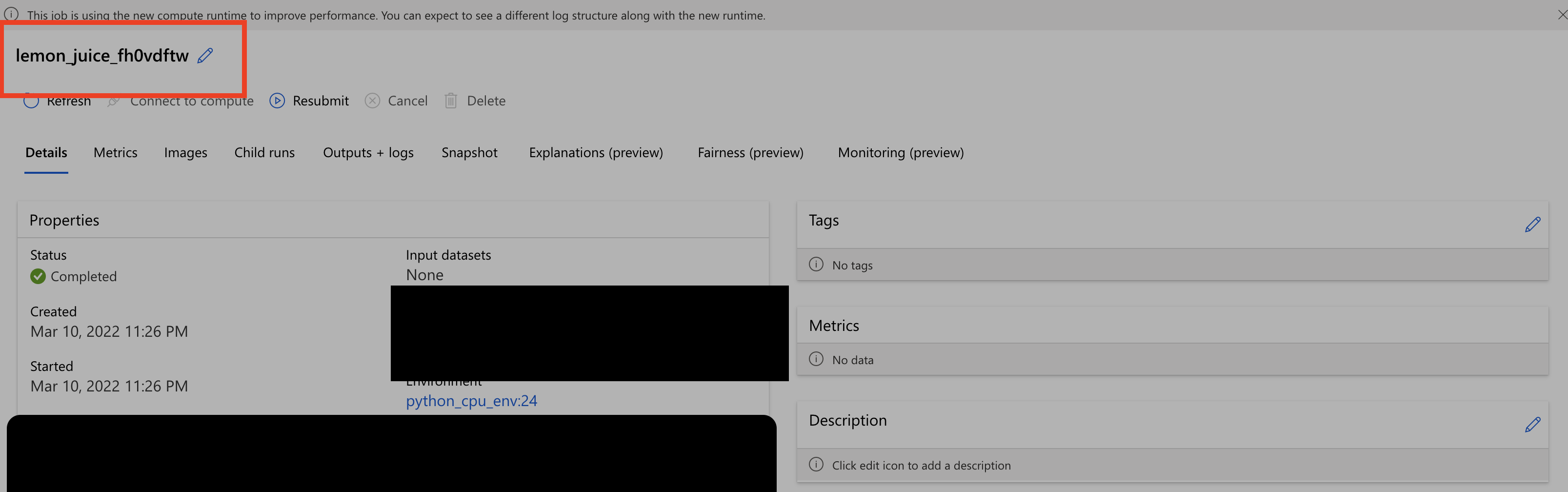
Another thing I noticed was that the step name in the second screenshot is different from the one shown in the first screenshot. Should not they be the same ?
---
#### Document Details
⚠ *Do not edit this section. It is required for docs.microsoft.com ➟ GitHub issue linking.*
* ID: 699416e1-0ac4-10ca-5a93-8fbd256568c3
* Version Independent ID: 3f14db56-3e6a-3ff8-fda5-5145b6891c23
* Content: [azureml.pipeline.core.PipelineStep class - Azure Machine Learning Python](https://docs.microsoft.com/en-us/python/api/azureml-pipeline-core/azureml.pipeline.core.pipelinestep?view=azure-ml-py)
* Content Source: [AzureML-Docset/stable/docs-ref-autogen/azureml-pipeline-core/azureml.pipeline.core.PipelineStep.yml](https://github.com/MicrosoftDocs/MachineLearning-Python-pr/blob/live/AzureML-Docset/stable/docs-ref-autogen/azureml-pipeline-core/azureml.pipeline.core.PipelineStep.yml)
* Service: **machine-learning**
* Sub-service: **core**
* GitHub Login: @DebFro
* Microsoft Alias: **debfro**
Beitragsleitfaden
Für dieses Repository ist kein Beitragsleitfaden indexiert
Rechercherichtung
Beginnen Sie mit der PipelineStep-API-Referenz unter AzureML-Docset/stable/docs-ref-autogen/azureml-pipeline-core/azureml.pipeline.core.PipelineStep.yml und vergleichen Sie die Einstiegspunkte von PythonScriptStep und DatabricksStep. Verfolgen Sie, wie PipelineRun derzeit Tags und Beschreibung bereitstellt, und überprüfen Sie anschließend das Ergebnis in der ML web UI. Als abgeschlossen gilt die Aufgabe, wenn Pipeline-Schritte vom Benutzer bereitgestellte Tags und eine Beschreibung behalten und anzeigen können und die Schrittnamen konsistent sind.
Vom Indexierungsmodell aus dem Issue-Text verfasst.
Bewertung
- Tech-Stack
- azure, python
- Bereich
- api, machine-learning
- Issue-Typ
- Feature
- Schwierigkeit
- 4/5
- Geschätzter Aufwand
- 3-5 Tage
- Aktivitätsstatus
- Veraltet
- Klarheit
- Größtenteils klar
- Anfängerfreundlichkeit
- 35/100