Azure / Azure/MachineLearningNotebooks
Store metadata like tags and description in PipelineStep (PythonScriptStep, DatabricksStep)
- Langage dominant
- Jupyter Notebook
- Étoiles
- 4.4k
- Forks
- 2.6k
- Métriques de merge des PR
- Aucune PR mergée en 30 j
Description
[Enter feedback here]
In the ML web UI, there are possibilities to see tags and description for runs. I can set tags and description for normal runs that are [azureml.core.Run](https://docs.microsoft.com/en-us/python/api/azureml-core/azureml.core.run(class)?view=azure-ml-py) object. Normally ScriptRunConfig class is used. However, in case of [Pipeline](https://docs.microsoft.com/en-us/python/api/azureml-pipeline-core/azureml.pipeline.core.pipeline(class)?view=azure-ml-py) which includes PipelineSteps (like PythonScriptStep, DatabricksStep), I could not find any way to set tags or description. There was [get_tag](https://docs.microsoft.com/en-us/python/api/azureml-pipeline-core/azureml.pipeline.core.pipelinerun?view=azure-ml-py#azureml-pipeline-core-pipelinerun-get-tags) function though. I wonder if a user can set tags or description at all in the Pipeline cases.
One thing I noticed was that some tags are automatically set (Experiment->Run-Steps). Those tags are related to _azureml.nodeid,
azureml.pipeline, etc_. But those tags are not visiable once click into the step.

Once click into a step, the tags and description are not visible any more.
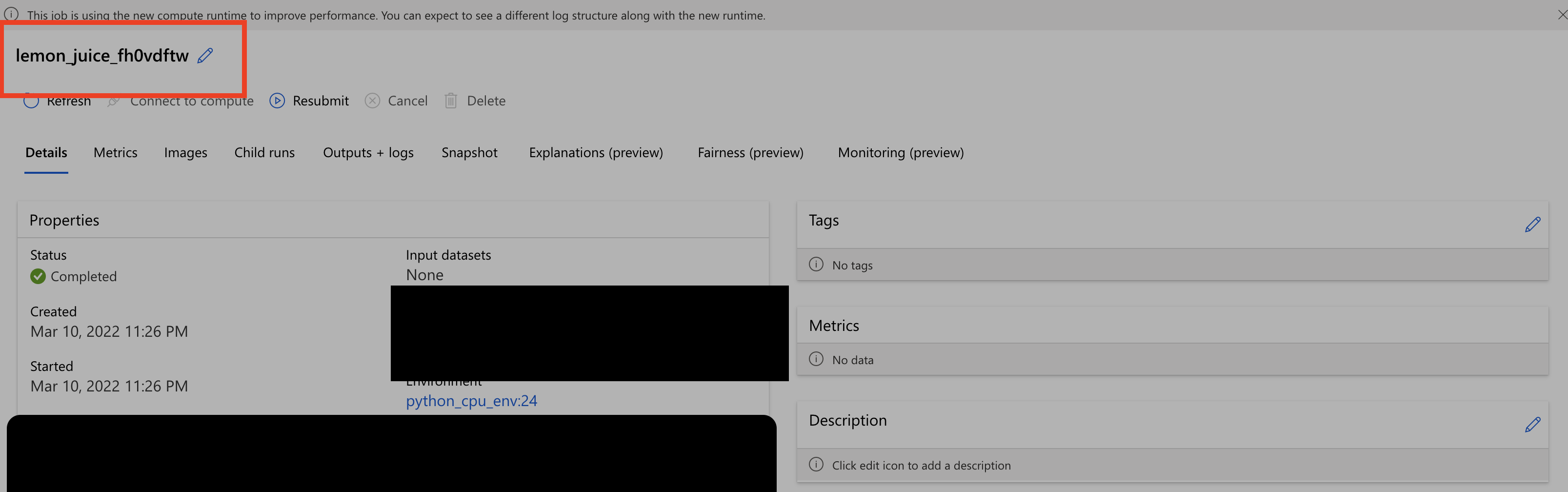
Another thing I noticed was that the step name in the second screenshot is different from the one shown in the first screenshot. Should not they be the same ?
---
#### Document Details
⚠ *Do not edit this section. It is required for docs.microsoft.com ➟ GitHub issue linking.*
* ID: 699416e1-0ac4-10ca-5a93-8fbd256568c3
* Version Independent ID: 3f14db56-3e6a-3ff8-fda5-5145b6891c23
* Content: [azureml.pipeline.core.PipelineStep class - Azure Machine Learning Python](https://docs.microsoft.com/en-us/python/api/azureml-pipeline-core/azureml.pipeline.core.pipelinestep?view=azure-ml-py)
* Content Source: [AzureML-Docset/stable/docs-ref-autogen/azureml-pipeline-core/azureml.pipeline.core.PipelineStep.yml](https://github.com/MicrosoftDocs/MachineLearning-Python-pr/blob/live/AzureML-Docset/stable/docs-ref-autogen/azureml-pipeline-core/azureml.pipeline.core.PipelineStep.yml)
* Service: **machine-learning**
* Sub-service: **core**
* GitHub Login: @DebFro
* Microsoft Alias: **debfro**
Guide de contribution
Aucun guide de contribution indexé pour ce dépôt
Piste de recherche
Commencez par la référence de l’API PipelineStep dans AzureML-Docset/stable/docs-ref-autogen/azureml-pipeline-core/azureml.pipeline.core.PipelineStep.yml et comparez les points d’entrée de PythonScriptStep et DatabricksStep. Suivez la manière dont PipelineRun expose actuellement les tags et la description, puis vérifiez le résultat dans la ML web UI. La tâche est terminée lorsque les étapes du pipeline peuvent conserver et afficher les tags et la description fournis par l’utilisateur, avec des noms d’étapes cohérents.
Rédigé par le modèle d'indexation à partir du texte de l'issue.
Évaluation
- Stack technique
- azure, python
- Domaine
- api, machine-learning
- Type d'issue
- Fonctionnalité
- Difficulté
- 4/5
- Temps estimé
- 3-5 jours
- Activité
- À l'abandon
- Clarté
- Plutôt claire
- Accessibilité débutants
- 35/100