AdguardTeam / AdguardTeam/AdguardForiOS
DoH/3 DNS upstream can be added in the native implementation mode
- 主要語言
- Swift
- 星號
- 1.7k
- 分支
- 240
- PR 合併指標
- 30 天內沒有已合併 PR
描述
### Version
AdGuard for iOS 4.5 (1002)
### Environment
iPhone XS, 16.5.1
### Steps to reproduce
1. Launch AdGuard
2. Open the Protection tab -> DNS protection screen -> DNS implementation
3. Switch the implementation from AdGuard to `Native`
4. Go to DNS server screen
5. Scroll down and click the `Add a custom DNS server`
6. Enter any server name
7. Enter `h3://dns.adguard-dns.com/dns-query` in the DNS server address field
8. Tap the `Save` button
### Expected behaviour
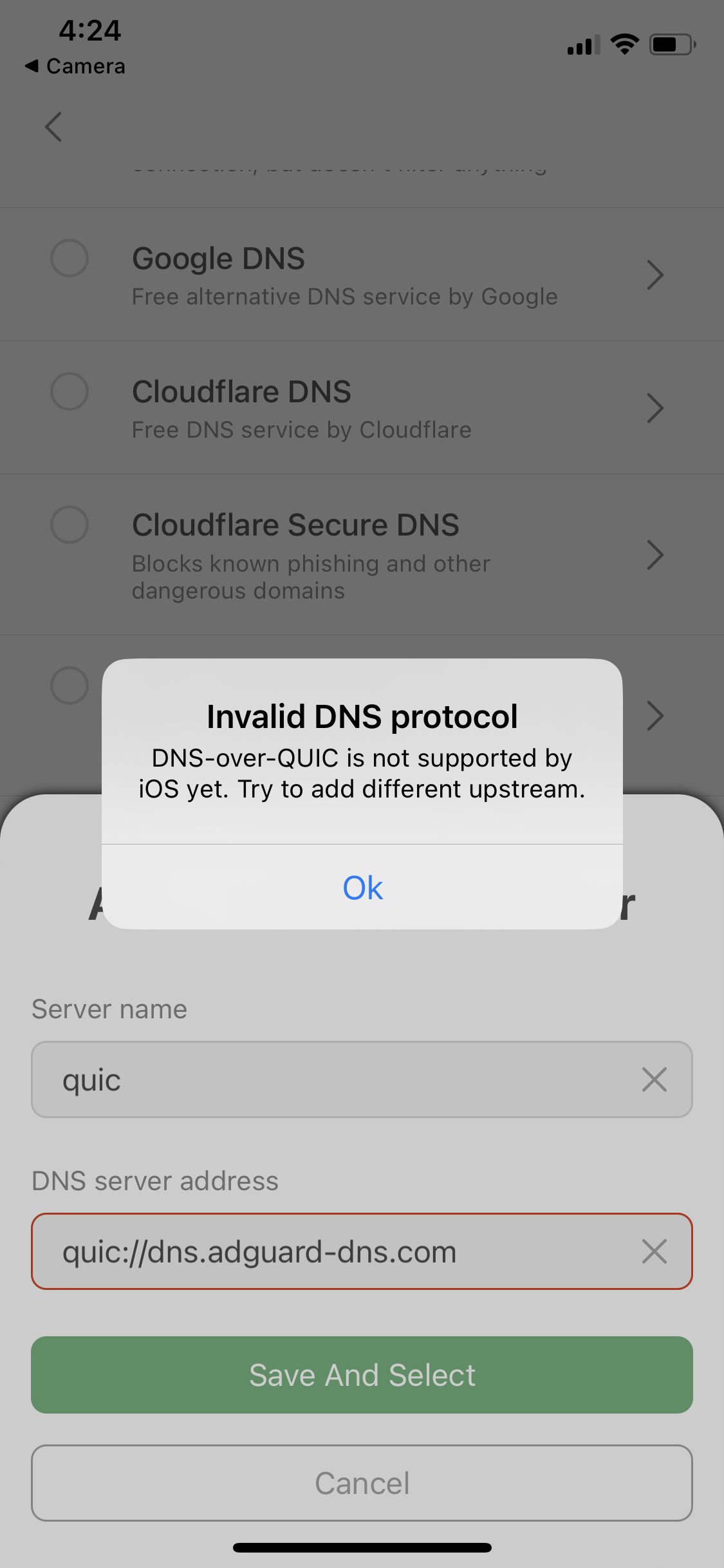
The error message "DNS-over-HTTPS/3 is not supported by the system" is displayed.
Similar to when trying to add DoQ upstreams.
Error message for DoQ upstreams
### Actual behaviour
DNS server has been added and selected successfully
貢獻指南
這個儲存庫沒有索引到貢獻指南
評估
這個 Issue 還沒有評估資料。