redhat-developer / redhat-developer/vscode-java
A single file ever opened with compilation error will influence the workspace
未關閉
還沒有人認領這個 Issue。
bug
compile
- 主要語言
- TypeScript
- 星號
- 2.3k
- 分支
- 547
- 平均合併
- 20 小時 1 分鐘
- 30 天內合併 PR
- 11
描述
Cannot get rid of a single file ever opened
steps to repro:
- Open
1.helloworldproject in vscode at https://github.com/vscjavaci/java-debug-ci/tree/master/testcase/1.helloworld - Create a Single.java outside the 1.helloworld folder
public class Single {
    public static void main(String[] args) throws IOException  {

        System.out.println("Program Arguments:");
        for (String arg : args) {
            System.out.println("\t" + arg);
        }
        String foo = (String) System.getProperties().get("foo");
        System.out.println("\tValue:" + foo);
    }
}
- Open the
Single.javaand F5 and then CLOSE theSingle.java - Trigger the
force java compilationand choose "full"
expected: you will pass the compilation
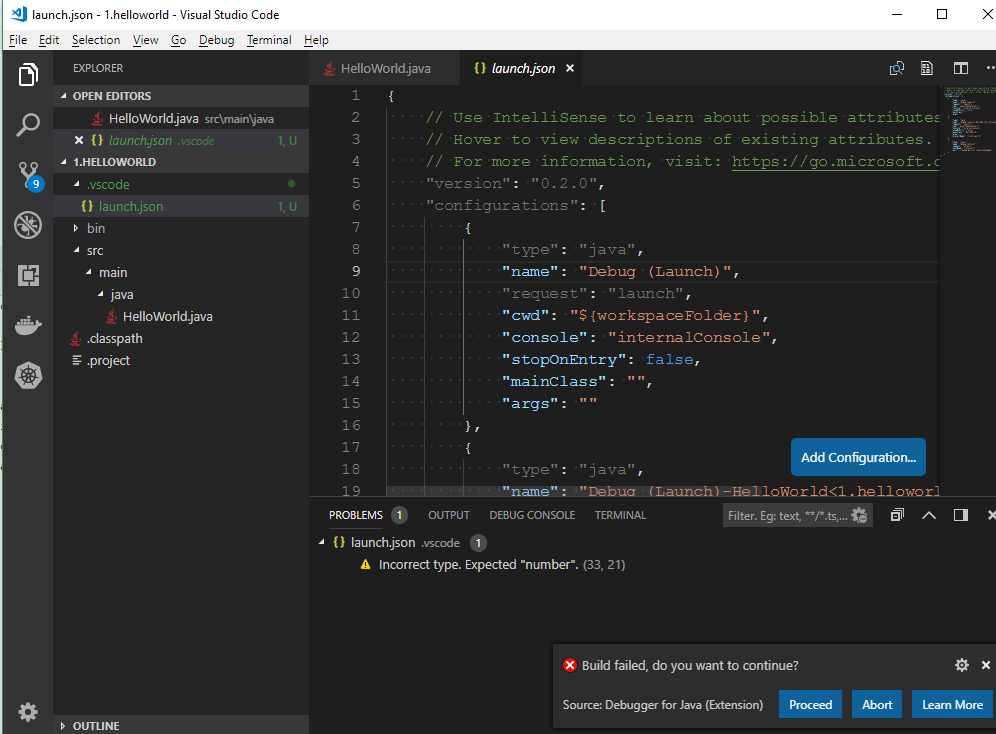
actual: you will receive the build error notificaiton
貢獻指南
從這裡開始
- 先讀完整個 Issue,再讀專案的貢獻指南。
- 在 Issue 下留言說明你要接手 —— 這能避免兩個人做同樣的事。
- Fork 儲存庫,在一個分支上完成修改。
- 送出 Pull Request,並在描述裡引用這個 Issue 編號。
研究方向
使用報告中連結的 1.helloworld 專案重現問題:建立並開啟 Single.java,使用 F5 執行,將其關閉,然後使用 “full” 觸發 force java compilation。追蹤已關閉的檔案如何仍保留在工作區編譯狀態中;完成條件是完整編譯在沒有已關閉檔案錯誤的情況下通過。
由索引模型根據 Issue 內容生成。
評估
- 技術堆疊
- java, typescript, vscode
- 領域
- tooling
- Issue 類型
- 缺陷
- 難度
- 4/5
- 預估耗時
- 3-5 天
- 活躍度
- 停滯
- 描述清晰度
- 基本清楚
- 新手友好度
- 38/100