redhat-developer / redhat-developer/vscode-java
Comment formatting not consistent with Eclipse with same xml profile
Nobody has claimed this yet.
- Dominant language
- TypeScript
- Stars
- 2.3k
- Forks
- 546
- Avg merge
- 20h 1m
- Merged PRs (30d)
- 11
Description
I'm using an Eclipse format XML profile to indent/format my java code in VS Code. For comments, the same profile is generating different results.
Environment
- Operating System: macOS Catalina 10.15.4
- JDK version: OpenJDK Runtime Environment (AdoptOpenJDK)(build 1.8.0_252-b09)
- Visual Studio Code version: 1.44.2
- Java extension version: 0.60.0 (April 16, 2020)
Steps To Reproduce
Settings for Java format:

Eclipse formatting profile from the settings above (unzip to get the XML profile):
eclipse-java-formatter.xml.zip
- Paste the following code snippet in a Java file.
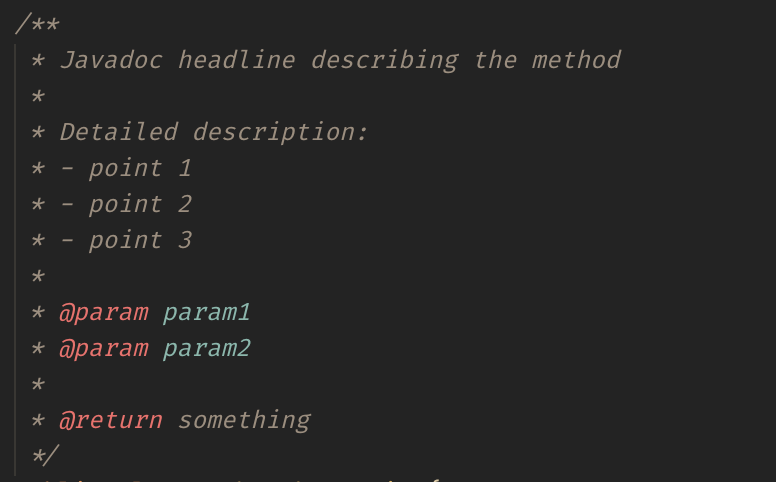
/**
 * Javadoc headline describing the method
 *
 * Detailed description:
 * - point 1
 * - point 2
 * - point 3
 *
 * @param param1
 * @param param2
 *
 * @return something
 */
- Select the code snippet and run
Format Selectionfrom the command palette.
Current Result
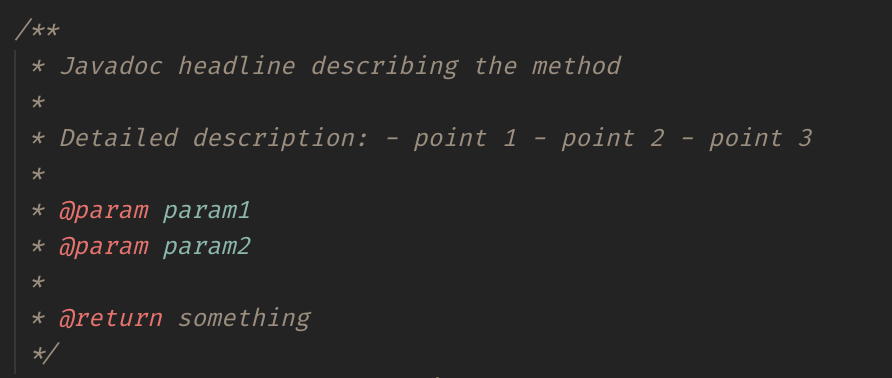
Expected Result
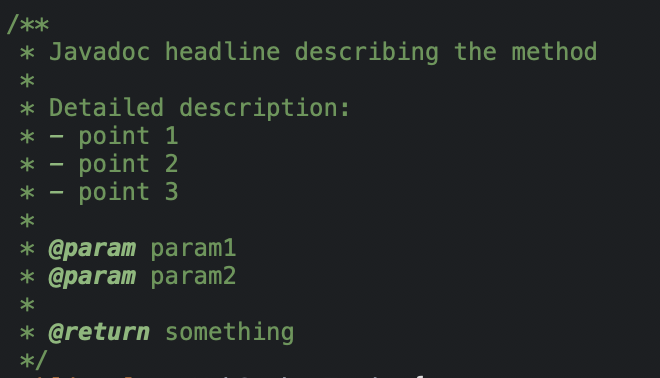
Eclipse output with the same profile:
Additional Informations
Contributor guide
First steps
- Read the whole issue, then the project's contributing guide.
- Comment on the issue to say you are picking it up — it saves two people doing the same work.
- Fork the repository and make your change on a branch.
- Open a pull request that references the issue number.
Research direction
Start by reproducing the Java comment-formatting difference in VS Code with the supplied Eclipse XML profile and the Javadoc snippet, using Format Selection. Compare the current result with the expected and Eclipse screenshots; done means the formatted comments match the Eclipse output for this profile.
Written by the indexing model from the issue text.
Assessment
- Tech stack
- java
- Domain
- tooling
- Issue type
- Bug
- Difficulty
- 3/5
- Estimated time
- 1-2 days
- Activity status
- Stale
- Clarity
- Mostly clear
- Newbie friendliness
- 35/100