Text scaling bugs when using dynamic CSS transform and content-editable after clicking on the plot
还没有人认领这个 Issue。
- 主要语言
- JavaScript
- 星标
- 18.3k
- 派生
- 2k
- 平均合并
- 2 天 12 小时
- 30 天内合并 PR
- 28
描述
Hi, this is a reproducible bug that we have run into in our charts. Unfortunately, this only happens on Chrome browsers which the majority of our users are using.
When using a dynamic zoom level control for scaling, there is unexplainable sizing issues with the annotations on the plot. For whatever reason, this occurs after clicking on the chart.
I have attached a minimal reproducible example with steps:
https://codepen.io/woon2222/pen/XWxRKjN
I am not sure why this occurs when the content-editable element is present.
Here is a video of what happens:
5440e09e-1b8e-4148-9183-0546966f0f62.webm
And some screenshots:
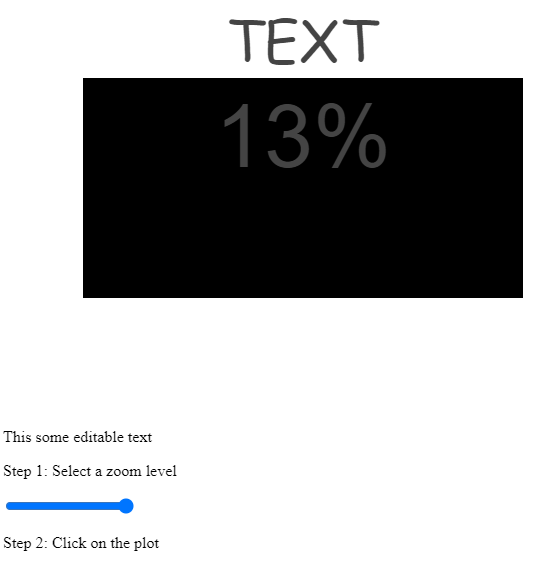

Perhaps someone could shed some light on this or has a workaround that we could use.
贡献指南
从这里开始
- 先读完整个 Issue,再读项目的贡献指南。
- 在 Issue 下留言说明你要接手 —— 这能避免两个人做同样的事。
- Fork 仓库,在一个分支上完成修改。
- 提交 Pull Request,并在描述里引用这个 Issue 编号。
调研方向
首先在 Chrome 中复现链接的 CodePen 中的问题,依次进行动态缩放、点击 chart、CSS transform 和 content-editable 交互。跟踪 chart 在点击后如何更新 annotation 的大小,并比较有无 content-editable 元素时的行为。点击 plot 后 annotation 仍保持预期大小即表示完成。
由索引模型根据 Issue 内容生成。
评估
- 技术栈
- css, javascript
- 领域
- data-visualization, frontend
- Issue 类型
- 缺陷
- 难度
- 4/5
- 预计耗时
- 3-5 天
- 活跃度
- 停滞
- 描述清晰度
- 需要澄清
- 新手友好度
- 25/100