microsoft / microsoft/vscode-java-debug
highlight project class in stacktrace
Nobody has claimed this yet.
- Dominant language
- TypeScript
- Stars
- 591
- Forks
- 429
- Avg merge
- 1d 9h
- Merged PRs (30d)
- 19
Description
Environment
- Electron: 11.3.0
- Chrome: 87.0.4280.141
- Node.js: 12.18.3
- V8: 8.7.220.31-electron.0
- OS: Windows_NT x64 6.1.7601(WIN7 SP1)
- JDK version: openjdk version "11.0.7" 2020-04-14 OpenJDK Runtime Environment AdoptOpenJDK (build 11.0.7+10) OpenJDK 64-Bit Server VM AdoptOpenJDK (build 11.0.7+10, mixed mode)
- Visual Studio Code version: 1.54.1 f30a9b73e8ffc278e71575118b6bf568f04587c8
- Java extension version: v0.12.1
- Java Debugger extension version: v0.31.0
i've set the debuger console like this:
"java.debug.settings.console": "internalConsole"
but all classes just display within stacktrace in same way when error happens

i wonder is it possible to highlight class which is in my own project but not in dependencies, just like idea does
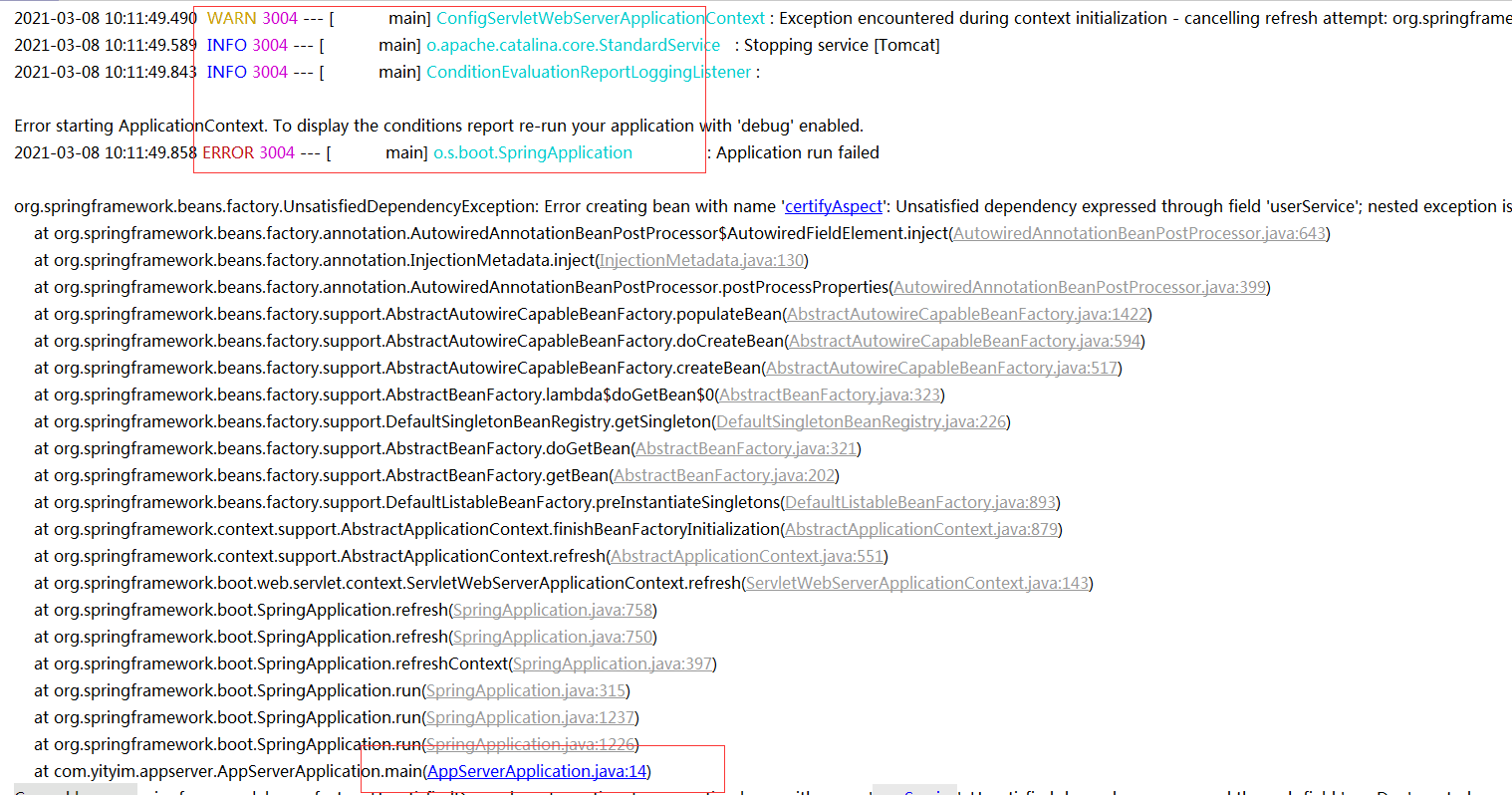
by the way,the colorized log setting of a springboot project failed in VSC,but work normaly in idea,this is "logback.xml" setting
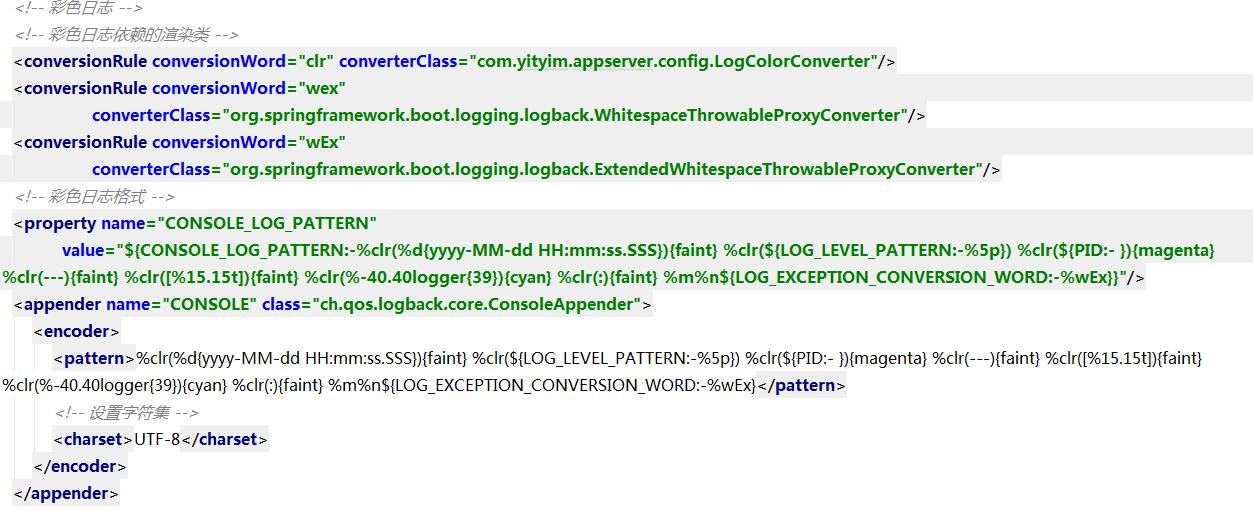
`
public class LogColorConverter extends CompositeConverter {
private static final Map<String, AnsiElement> ELEMENTS;
static {
	Map<String, AnsiElement> ansiElements = new HashMap<>();
	ansiElements.put("faint", AnsiStyle.FAINT);
	ansiElements.put("red", AnsiColor.RED);
	ansiElements.put("green", AnsiColor.GREEN);
	ansiElements.put("yellow", AnsiColor.YELLOW);
	ansiElements.put("blue", AnsiColor.BLUE);
	ansiElements.put("magenta", AnsiColor.MAGENTA);
	ansiElements.put("cyan", AnsiColor.CYAN);
	ELEMENTS = Collections.unmodifiableMap(ansiElements);
}

private static final Map<Integer, AnsiElement> LEVELS;

static {
	Map<Integer, AnsiElement> ansiLevels = new HashMap<>();
	ansiLevels.put(Level.ERROR_INTEGER, AnsiColor.RED);
	ansiLevels.put(Level.WARN_INTEGER, AnsiColor.YELLOW);
	ansiLevels.put(Level.INFO_INTEGER, AnsiColor.BLUE);
	ansiLevels.put(Level.DEBUG_INTEGER, AnsiColor.GREEN);
	LEVELS = Collections.unmodifiableMap(ansiLevels);
}

@Override
protected String transform(ILoggingEvent event, String in) {
	AnsiElement element = ELEMENTS.get(getFirstOption());
	if (element == null) {
		// Assume highlighting
		element = LEVELS.get(event.getLevel().toInteger());
		element = (element != null) ? element : AnsiColor.BLACK;
	}
	return toAnsiString(in, element);
}

protected String toAnsiString(String in, AnsiElement element) {
	return AnsiOutput.toString(element, in);
}
}
`
Contributor guide
First steps
- Read the whole issue, then the project's contributing guide.
- Comment on the issue to say you are picking it up — it saves two people doing the same work.
- Fork the repository and make your change on a branch.
- Open a pull request that references the issue number.
Research direction
No source files, tests, or entry points are named. Reproduce the Java debugging session with "java.debug.settings.console" set to "internalConsole", inspect how stack traces and Spring Boot ANSI logs are rendered, and define completion as project classes being visually distinguished without breaking dependency frames or log output.
Written by the indexing model from the issue text.
Assessment
- Tech stack
- electron, java, typescript, vscode
- Domain
- devtools
- Issue type
- Feature
- Difficulty
- 4/5
- Estimated time
- 3-5 days
- Activity status
- Stale
- Clarity
- Needs clarification
- Newbie friendliness
- 25/100