microsoft / microsoft/vscode-cpptools
Renaming (F2) parameter in function declaration in header file doesn't rename it in defintion
Nobody has claimed this yet.
- Dominant language
- TypeScript
- Stars
- 6.2k
- Forks
- 1.7k
- Avg merge
- 14h 46m
- Merged PRs (30d)
- 61
Description
Environment
- OS and Version: Windows 10
- VS Code Version: 1.70.2
- C/C++ Extension Version: 1.11.5
Bug Summary and Steps to Reproduce
When renaming (F2) a parameter in a function declaration in a header file, the parameter in the function definition in the source file that includes the header file is not renamed and it is also not listed in the refactor preview. The same applies vice versa.
However, if the function declaration is placed in the source file, the parameter in the function definition is listed in the refactor preview if the parameter in the declaration is renamed and vice versa.
Expected behavior
The parameter in the function definition should be listed in the refactor preview for selection if the parameter in the declaration is renamed and vice versa, regardless of whether the declaration is placed in the source or in a included header file.
Code sample and Logs
// test.c

#include "test.h"

void foo(int arg)
{
  return;
}


// test.h

void foo(int arg);
Screenshots
Refactor preview when renaming a parameter in the declaration when it is placed in the source file:

Refactor preview when renaming a parameter in the definition when it is placed in the source file:

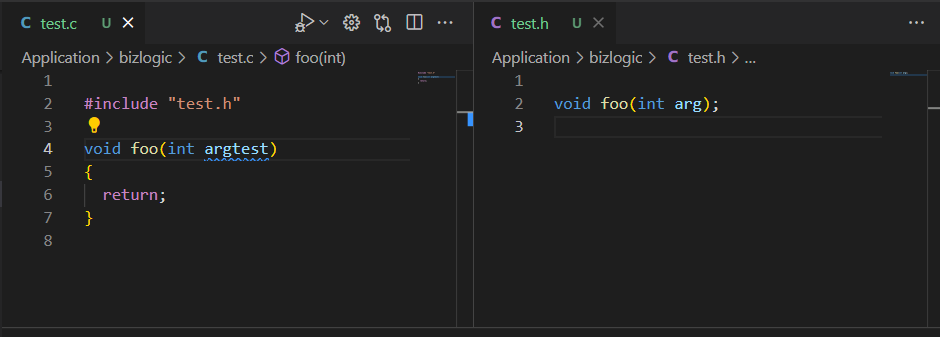
After renaming a parameter in the declaration when it is placed in the included header file (no refactor preview):

After renaming a parameter in the definition when it is placed in the included header file (no refactor preview):
Additional context
No response
Contributor guide
First steps
- Read the whole issue, then the project's contributing guide.
- Comment on the issue to say you are picking it up — it saves two people doing the same work.
- Fork the repository and make your change on a branch.
- Open a pull request that references the issue number.
Research direction
Reproduce the rename with the issue's test.c and test.h example using F2 in VS Code, then trace the refactor-preview handling for declarations and definitions across an included header. Done means renaming either parameter lists the matching parameter in the other file for selection in the preview.
Written by the indexing model from the issue text.
Assessment
- Tech stack
- cpp, typescript
- Domain
- tooling
- Issue type
- Bug
- Difficulty
- 4/5
- Estimated time
- 3-5 days
- Activity status
- Stale
- Clarity
- Mostly clear
- Newbie friendliness
- 35/100