microsoft / microsoft/TypeScript
Rename file when renaming default export
まだ誰も着手していません。
- 主要言語
- Go
- スター
- 111k
- フォーク
- 14.3k
- 平均マージ
- 1日 19時間
- マージ済み PR(30日)
- 117
説明
Currently we can use the rename symbol command and that will rename the symbol and its usages (exports, imports, usages in other files, etc.). That's a great start, but I'd love to see this feature expanded to do the following:
-
Many times a file name will coincide with the symbol being refactored. The refactor option should be available when renaming the file, so everything can be done at once.
-
In addition to the refactor changing symbol references across all files, it'd be nice to have the ability to also update comments, strings, etc. that refer to that symbol.
Code Example:
Shape.js
class Shape {}
export default Shape;
Circle.js - We reference Shape as an import, extends, inside a comment, and inside a string. They should all be refactored.
import Shape from "./Shape";

// Shape subclass
class Circle extends Shape {
  constructor() {
    super();
    console.log('A circle is a Shape.');
  }
}

export default Circle;
WebStorm Examples

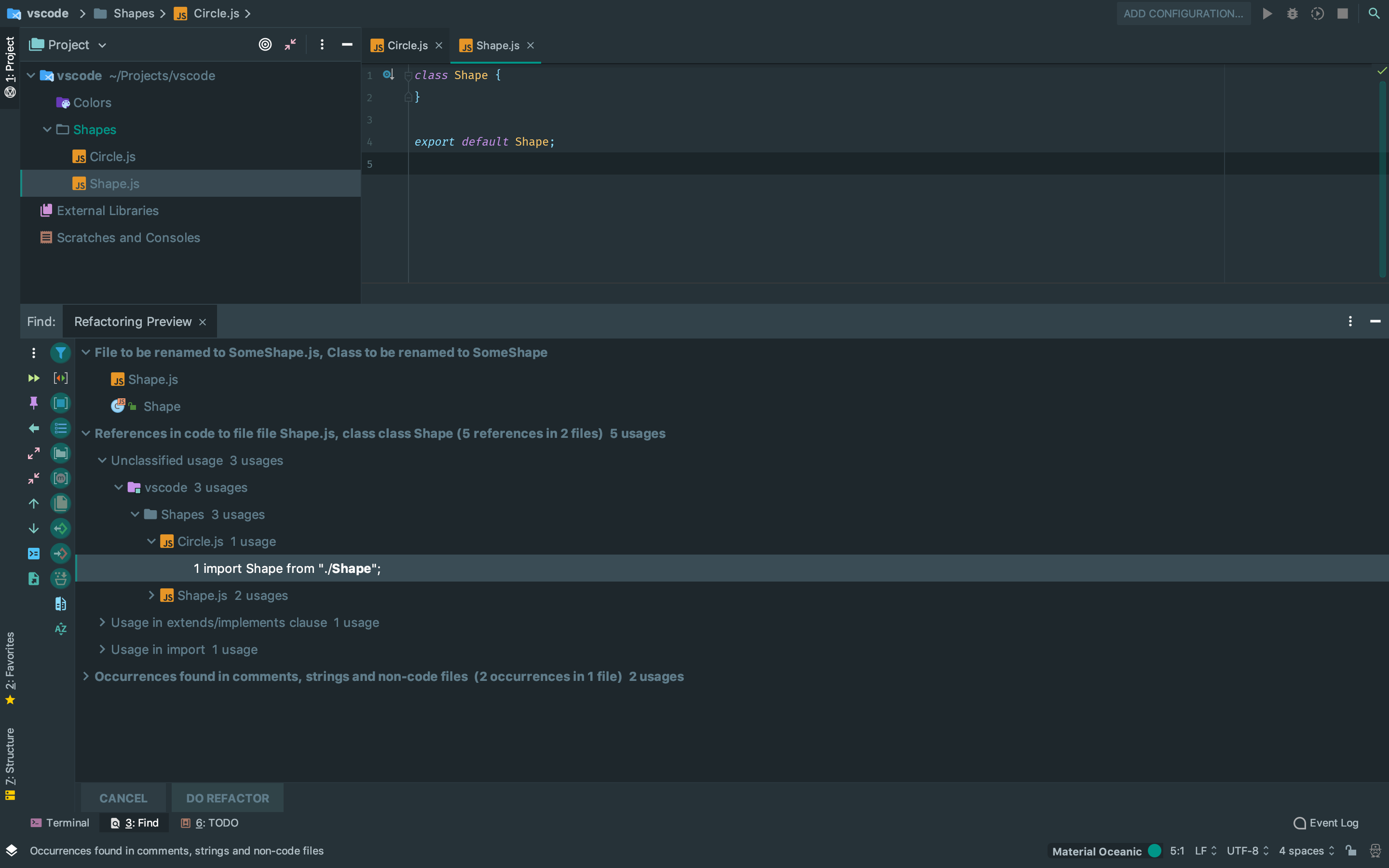
コントリビューションガイド
はじめの一歩
- issue を最後まで読み、次にプロジェクトのコントリビューションガイドを読みます。
- 着手することを issue にコメントします — 二人が同じ作業をするのを防げます。
- リポジトリをフォークし、ブランチを切って変更します。
- issue 番号を参照したプルリクエストを送ります。
調査の方向性
既存の rename symbol コマンドから始めて、ファイル間で export、import、使用箇所がどのように更新されるかを追跡します。Shape.js と Circle.js の例を受け入れ条件として使用します。default export の名前変更では、対応するファイル名も変更し、示されている import、コメント、文字列の参照も更新する必要があります。
索引モデルが issue の本文から書いたものです。
評価
- 技術スタック
- javascript, typescript
- 領域
- developer-experience, tooling
- issue の種類
- 機能追加
- 難易度
- 5/5
- 見積もり時間
- 1週間以上
- 活発さ
- 停滞
- 明瞭さ
- おおむね明確
- 初心者へのやさしさ
- 25/100