macvim-dev / macvim-dev/macvim
FZF/bat preview pane is not loading the correct color scheme
まだ誰も着手していません。
- 主要言語
- Vim Script
- スター
- 7.9k
- フォーク
- 691
- PR マージ指標
- 30日以内にマージされた PR はありません
説明
Describe the bug
Neovim has known color scheme issue with bat's preview utility which is usually used together with fzf.vim. Basically, Neovim unsets the COLORTERM envvar which bat relies on. This was fixed already on Neovim's nigthly builds.
https://github.com/sharkdp/bat/issues/634
https://github.com/neovim/neovim/issues/10836
Since I'm not using the Neovim nightly builds yet, my workaround is to add this in the .vimrc which also works:
let $FZF_PREVIEW_COMMAND="COLORTERM=truecolor bat --style=numbers --color=always --line-range :500 {}
Recently, tinkering with MacVim also since it's a great, fast, and lightweight alternative for quick preview of files/folders when I'm not in the terminal. Much better than Sublime Text, VC Code, or Atom. Just surprised that the fzf's preview again has an issue even I have the Neovim's workaround already, that is, the MacVim app renders the wrong color scheme:

Expected behavior
My Vim/Neovim shares common settings, and MacVim shares it also via .vimrc. Likewise, I use the One Dark theme, and the same file/folder has no color scheme issue in Vim:
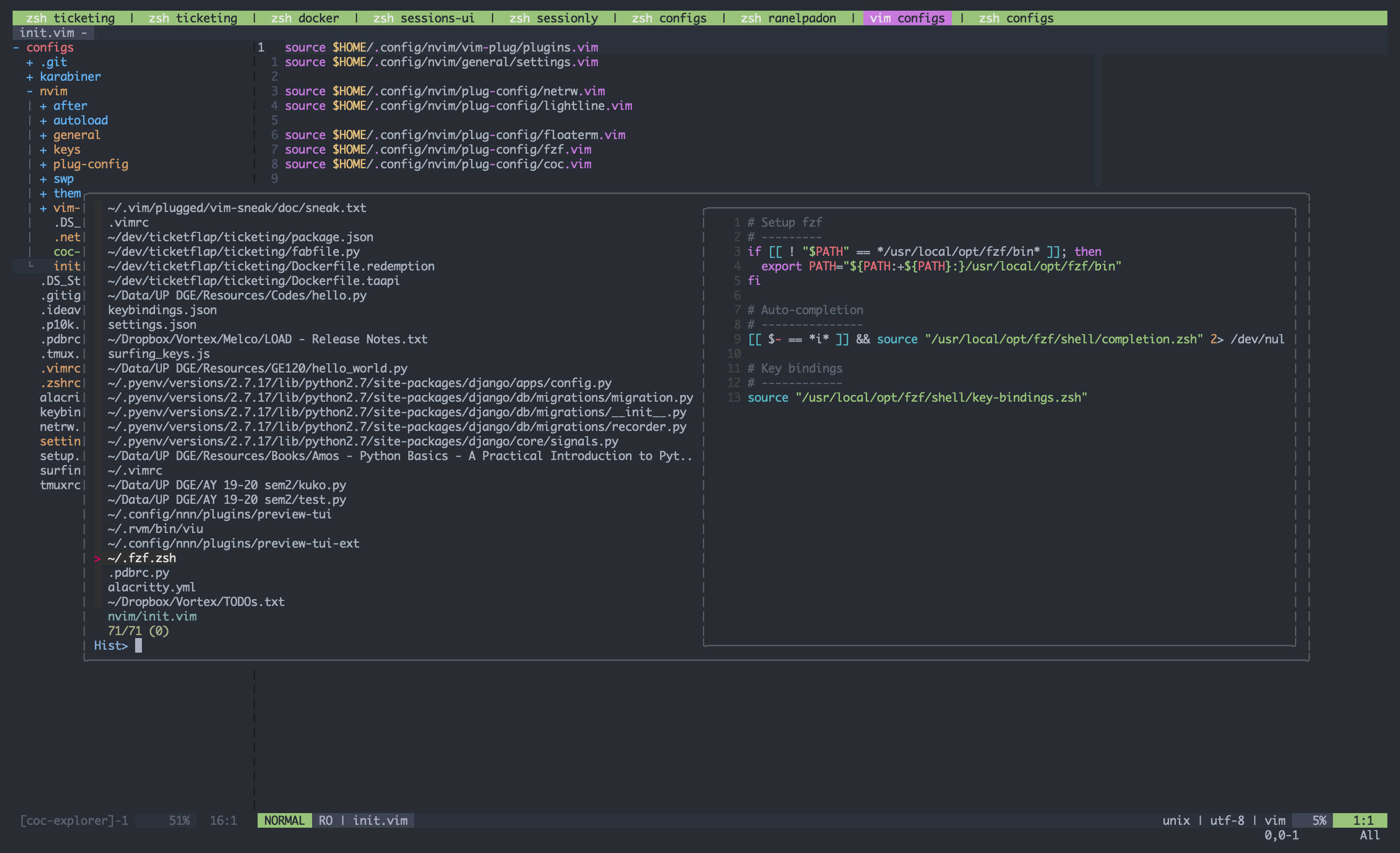
No issue in Neovim as well:
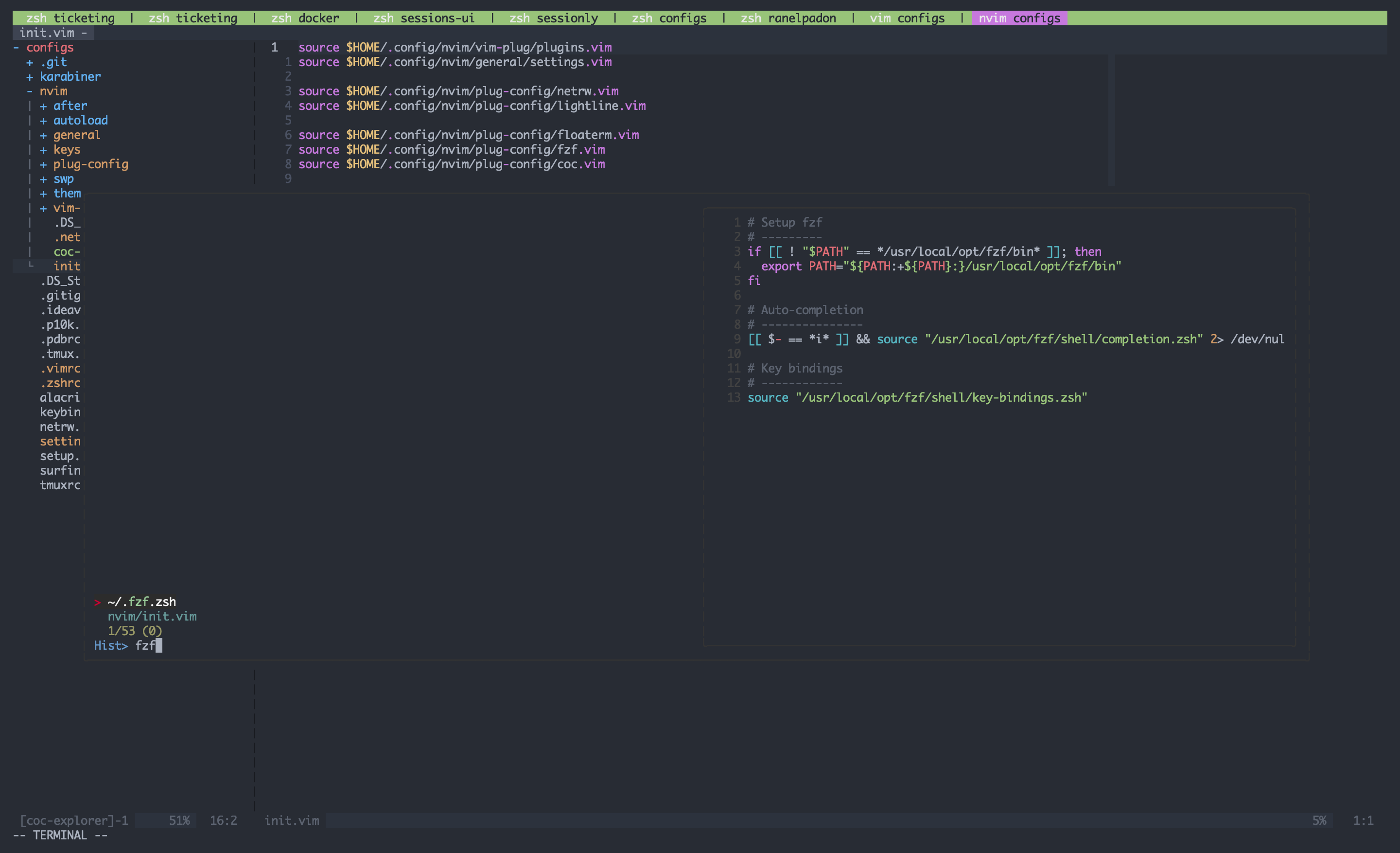
Workaround
Interestingly, if I add this in the setting, the MacVim app will have the expected behavior:
let $BAT_THEME="TwoDark

Environment:
- Vim version [8.2] / Neovim [0.4.4] / MacVim [Snapshot 170]
- OS: [macOS 10.14.6 Mojave]
- Terminal: [Alacritty]
Additional context
My Vim/Neovim/MacVim shares the same settings, so it's kinda strange if MacVim is the odd man out. I set this export BAT_THEME="TwoDark" envvar in my .zshrc file which Vim/Neovim most likely recognizes, but MacVim seems to not utilize.
Thanks
コントリビューションガイド
はじめの一歩
- issue を最後まで読み、次にプロジェクトのコントリビューションガイドを読みます。
- 着手することを issue にコメントします — 二人が同じ作業をするのを防げます。
- リポジトリをフォークし、ブランチを切って変更します。
- issue 番号を参照したプルリクエストを送ります。
調査の方向性
まず、共有された .vimrc と .zshrc の環境設定、特に FZF_PREVIEW_COMMAND と BAT_THEME を使って、MacVim でのプレビュー動作を再現します。同じファイルとテーマを使って MacVim の結果を Vim および Neovim と比較します; fzf/bat のプレビューが回避策なしで期待されるカラースキームを表示すれば完了です。
索引モデルが issue の本文から書いたものです。
評価
- 技術スタック
- macos, vim
- 領域
- desktop
- issue の種類
- バグ
- 難易度
- 4/5
- 見積もり時間
- 3〜5日
- 活発さ
- 停滞
- 明瞭さ
- 説明が足りない
- 初心者へのやさしさ
- 25/100