Support inspection for Flutter themes
- 主要言語
- Dart
- スター
- 1.7k
- フォーク
- 404
- 平均マージ
- 6日 17時間
- マージ済み PR(30日)
- 18
説明
The Flutter Inspector should make inspecting themes in Flutter as easy as inspecting what CSS styles apply to an HTML element.
We are far away from that currently. Currently if you know exactly where to look you can sometimes see what the rendering styles are but you cannot determine why the rendering styles are the way they are.
Potentially the correct Kernel transformer combined with static analysis of the code for a Widget could let us determine what themes applied to Widget and even what values from the Theme were used.
Example use case from @willlarche
I have an icon and I need to make sure it's not black but dark brown. You can't tell really with the naked eye. But when I inspect it, I don't get the info on its color anywhere I look:
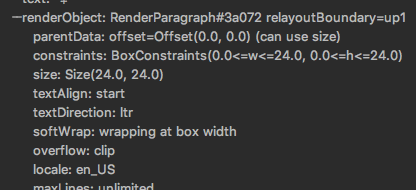
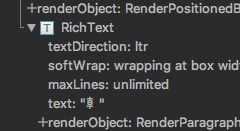
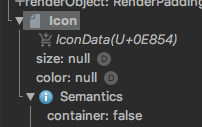
And it's themed so chances are the 'default' isn't what's being shown. Would love to know which theme is giving me that value.
コントリビューションガイド
調査の方向性
Flutter Inspector から始め、issue で説明されている提案された Kernel transformer と static-analysis アプローチを評価します。検査対象の Widget が適用された Theme、使用された Theme の値、および結果として得られるレンダリングスタイルのソースをどのように公開するかを定義します。完了時には、アイコンの色と、それを提供する Theme を検査できるようにします。
索引モデルが issue の本文から書いたものです。
評価
- 技術スタック
- dart, flutter
- 領域
- devtools
- issue の種類
- 機能追加
- 難易度
- 5/5
- 見積もり時間
- 1週間以上
- 活発さ
- 停滞
- 明瞭さ
- 説明が足りない
- 初心者へのやさしさ
- 25/100