Layout Explorer not displaying accurate height of Widget in visualizer
- Dominant language
- Dart
- Stars
- 1.7k
- Forks
- 404
- Avg merge
- 6d 17h
- Merged PRs (30d)
- 18
Description
## Steps to Reproduce
1. Replace the contents of main.dart with the following code:
```
import 'package:flutter/material.dart';
void main() {
runApp(MyApp());
}
class MyApp extends StatelessWidget {
@override
Widget build(BuildContext context) {
return MaterialApp(
title: 'Flutter Demo',
home: Scaffold(
appBar: AppBar(
title: Text('Demo'),
),
body: Column(children: [
Row(
children: [
Text('hello'),
VerticalDivider(
thickness: 5.0,
),
Text('Word'),
],
),
]),
),
);
}
}
```
2. Run the program using debug mode.
3. Open DevTools
4. Select Row widget in the Flutter Inspector.
5. Open Layout Explorer.
6. Change Cross Axis to Stretch mode.
**Expected results:**
Nothing shows on Layout Explorer screen since adding CrossAxisAlginment.Stretch to the Row widget will create an error.
**Actual results:**
VerticalDivider increases in height in the Layout Explorer visualizer, but the actual height remains 0.
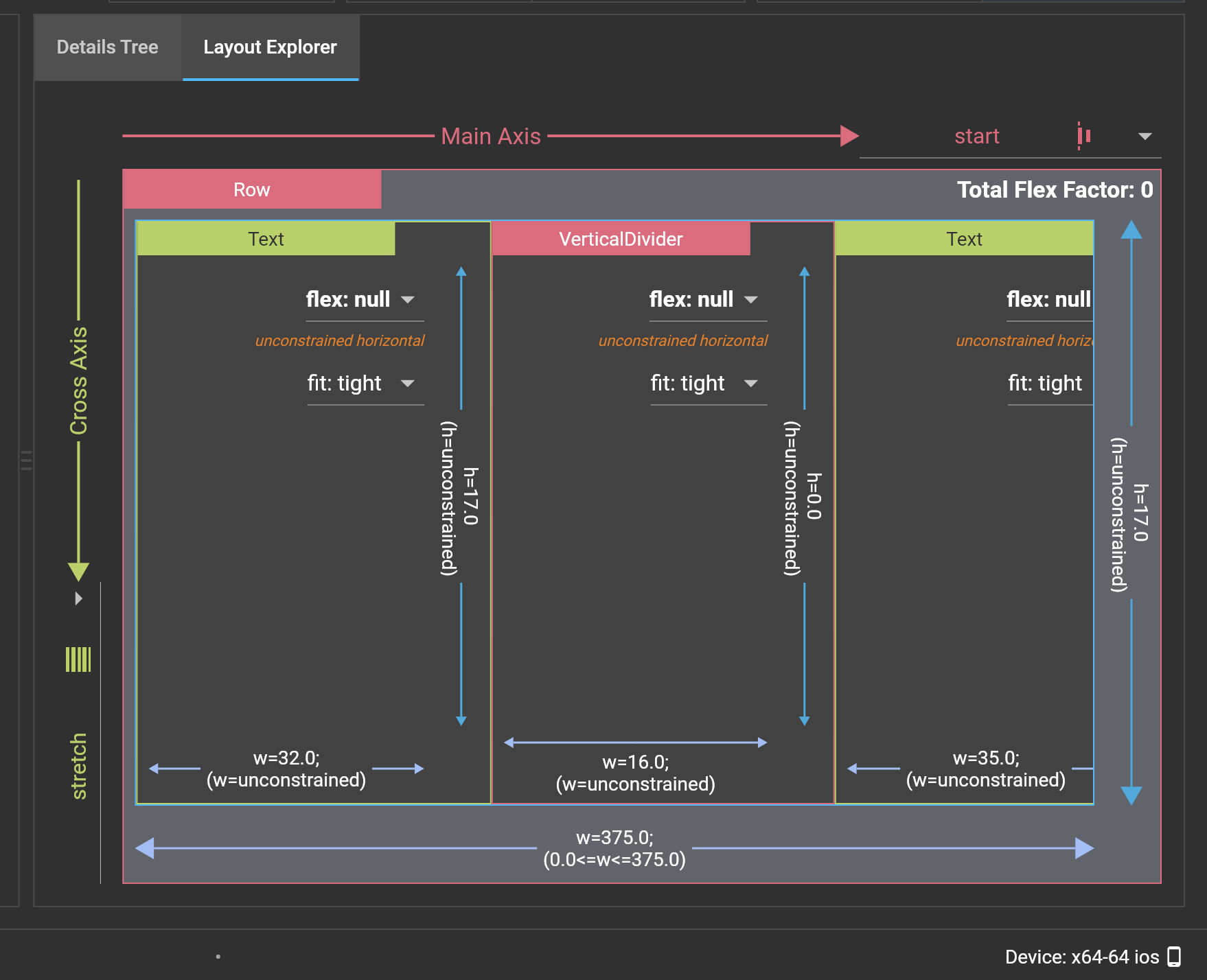
Logs
```
```
```
```
```
```
Contributor guide
Assessment
This issue has not been assessed yet.