CodeEditApp / CodeEditApp/CodeEdit
✨ Support fallback fonts in Text Editing preferences
- 主要語言
- Swift
- 星號
- 23k
- 分支
- 1.2k
- PR 合併指標
- 30 天內沒有已合併 PR
描述
### Is your feature request related to a problem? Please describe.
No
### Describe the solution you'd like
Hello,
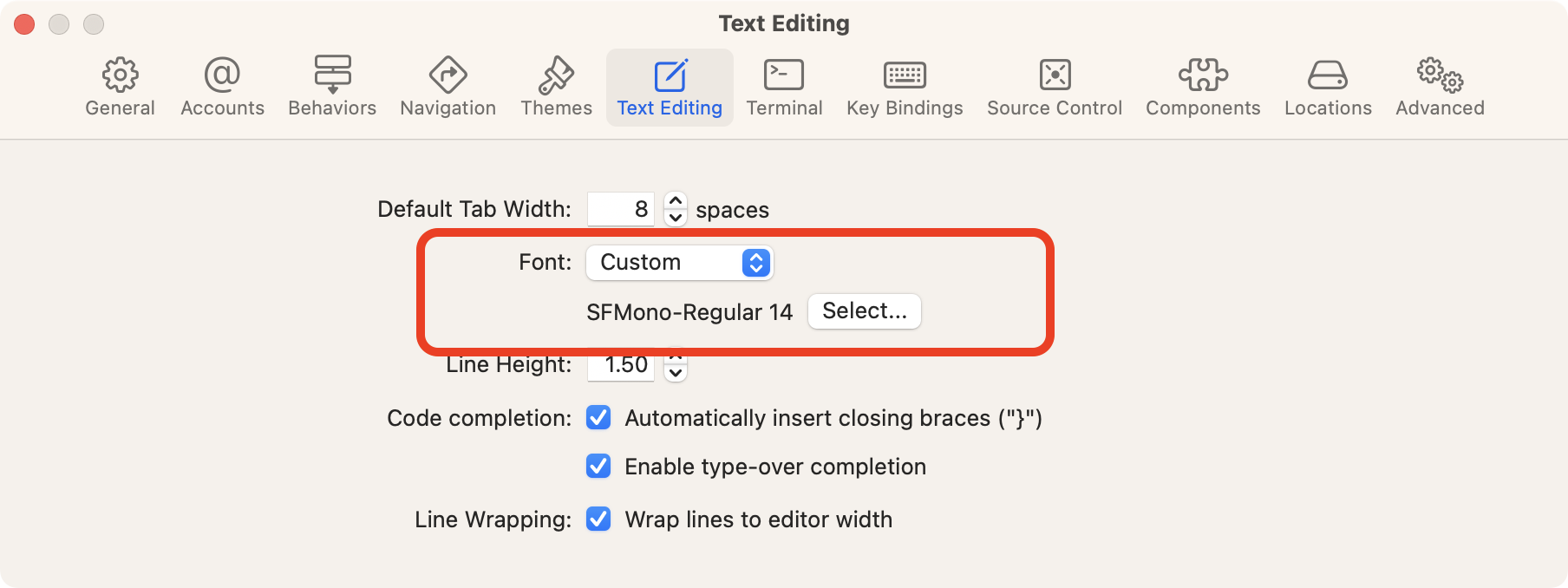
Currently, the **Text Editing** settings allow users to select one font only. In many cases, one font is not enough to cover up the Unicode characters that need. We could use multiple fonts to work as a font chain, just like the CSS `font-family`.
In Cocoa, there is a way to combine multple fonts as one NSFont instance, sample code:
~~~swift
static func combinedFont(from fontNames: [String], size: CGFloat) -> NSFont? {
guard let primary = fontNames.first, let primaryFont = NSFont(name: primary, size: size) else { return nil }
let primaryDescriptor: NSFontDescriptor = primaryFont.fontDescriptor
let descriptors: [NSFontDescriptor] = fontNames.dropFirst().map { name -> NSFontDescriptor in
return primaryDescriptor.addingAttributes([.name: name])
}
let descriptor: NSFontDescriptor = primaryDescriptor.addingAttributes([.cascadeList: descriptors])
return NSFont(descriptor: descriptor, size: size)
}
~~~
### Describe alternatives you've considered
Maybe we could put a TextField in **Text Editing** settings, let users to enter the font names they wanted.
### Additional context
貢獻指南
研究方向
Start by inspecting the Text Editing preferences and how the editor currently applies its single selected font. Review the provided Cocoa NSFont cascadeList example and consider the TextField alternative for entering font names. Done should mean users can configure multiple fallback fonts and see Unicode characters rendered through the font chain.
由索引模型根據 Issue 內容生成。
評估
- 技術堆疊
- macos, swift
- 領域
- desktop
- Issue 類型
- 功能
- 難度
- 5/5
- 預估耗時
- 一週以上
- 活躍度
- 停滯
- 描述清晰度
- 基本清楚
- 新手友好度
- 25/100