Azure / Azure/MachineLearningNotebooks
Document or provide guidance on expanding/theming cell for a larger height
- Vorherrschende Sprache
- Jupyter Notebook
- Sterne
- 4.4k
- Forks
- 2.6k
- PR-Merge-Kennzahlen
- Keine gemergten PRs in 30 T.
Beschreibung
Within a Notebook in AML it doesn't appear possible to customize the height of the rendered Cell, at least within the context of rendering html, but likely in general. If I render html, the css that controls the max-height is above the rendered cell dom, making it impossible to override with css.
The notebook theme is:
```
.nteract-cell-outputs:not(.expanded) {
max-height: var(--theme-layout-output-max-height);
}
```
I know this is the correct place to alter since altering it manually in the DOM increases the cell size to anything I want, but it's not possible to override this in the dom since the rendered cell is a child.
- Can I override this by providing a custom theme?
- The selector would indicate that there is the ability to expand the cell, but I see no such option in the UI.
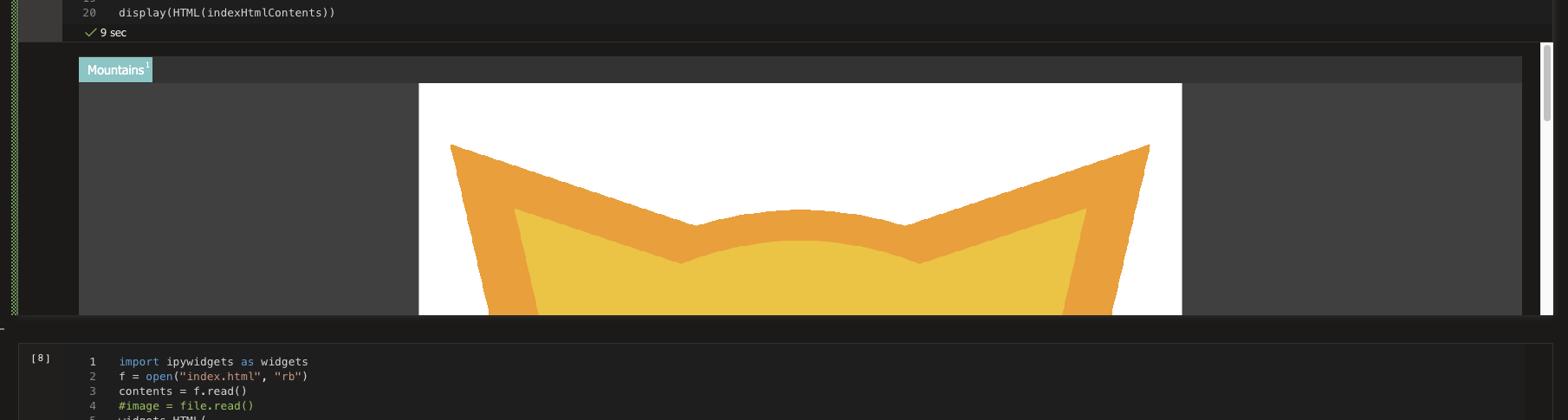
Below is a screenshot of the rendered cell where you can see the image is cut off, I want to show probably least 1000px or 90% of the vh.
Beitragsleitfaden
Für dieses Repository ist kein Beitragsleitfaden indexiert
Rechercherichtung
Beginne damit, die gerenderte HTML-Zelle in einem AML Notebook zu reproduzieren, und untersuche die Regel `.nteract-cell-outputs:not(.expanded)` sowie `--theme-layout-output-max-height`. Ermittle, ob ein benutzerdefiniertes Theme die Höhe überschreiben kann und ob in der UI ein Steuerelement zum Erweitern vorhanden ist. Als abgeschlossen gilt die Dokumentation der unterstützten Möglichkeit, eine höhere Ausgabe anzuzeigen, oder eine klare Darstellung der Einschränkung und des verfügbaren Workarounds.
Vom Indexierungsmodell aus dem Issue-Text verfasst.
Bewertung
- Tech-Stack
- jupyter-notebook
- Bereich
- documentation
- Issue-Typ
- Dokumentation
- Schwierigkeit
- 3/5
- Geschätzter Aufwand
- 1-2 Tage
- Aktivitätsstatus
- Veraltet
- Klarheit
- Größtenteils klar
- Anfängerfreundlichkeit
- 30/100