Azure / Azure/MachineLearningNotebooks
Document or provide guidance on expanding/theming cell for a larger height
- Dominant language
- Jupyter Notebook
- Stars
- 4.4k
- Forks
- 2.6k
- PR merge metrics
- No merged PRs in 30d
Description
Within a Notebook in AML it doesn't appear possible to customize the height of the rendered Cell, at least within the context of rendering html, but likely in general. If I render html, the css that controls the max-height is above the rendered cell dom, making it impossible to override with css.
The notebook theme is:
```
.nteract-cell-outputs:not(.expanded) {
max-height: var(--theme-layout-output-max-height);
}
```
I know this is the correct place to alter since altering it manually in the DOM increases the cell size to anything I want, but it's not possible to override this in the dom since the rendered cell is a child.
- Can I override this by providing a custom theme?
- The selector would indicate that there is the ability to expand the cell, but I see no such option in the UI.
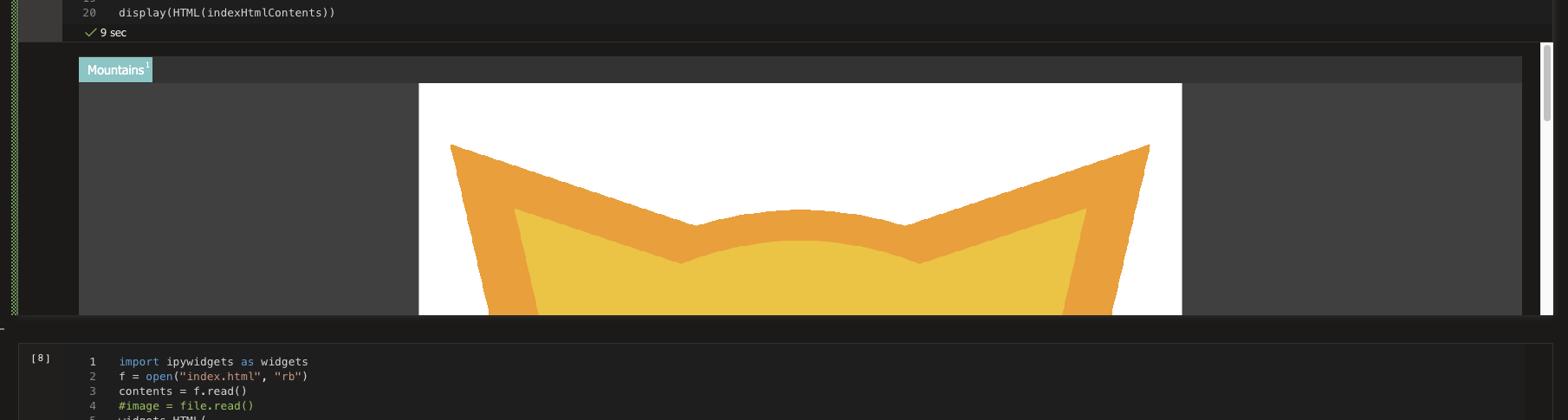
Below is a screenshot of the rendered cell where you can see the image is cut off, I want to show probably least 1000px or 90% of the vh.
Contributor guide
No contributing guide indexed for this repository
Assessment
This issue has not been assessed yet.