suggest add some code examples here, I think it's very helpful for people who are learning
未關閉
還沒有人認領這個 Issue。
- 主要語言
- JavaScript
- 星號
- 11.8k
- 分支
- 7.9k
- 平均合併
- 1 天 11 小時
- 30 天內合併 PR
- 11
描述
https://react.dev/learn/preserving-and-resetting-state#preserving-state-for-removed-components
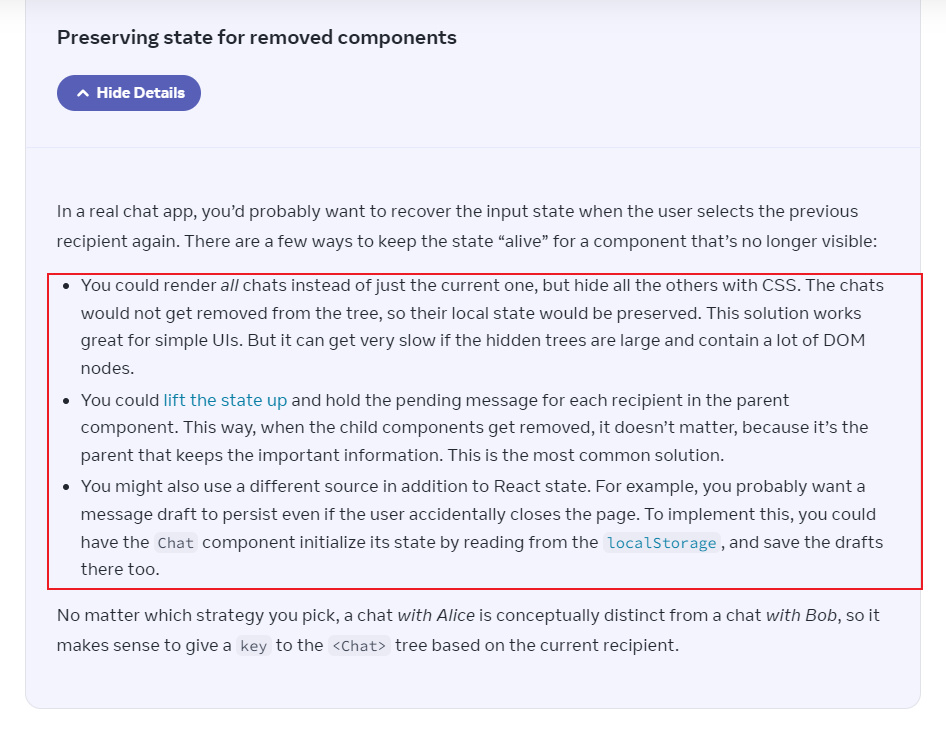
for example:
You could render all chats instead of just the current one, but hide all the others with CSS.
import { useState } from 'react';
import Chat from './Chat.js';
import ContactList from './ContactList.js';

export default function Messenger() {
  const [to, setTo] = useState(contacts[0]);

  return (
    <div>
      <ContactList
        contacts={contacts}
        selectedContact={to}
        onSelect={(contact) => setTo(contact)}
      />
      <div className="chats-container">
        {contacts.map((contact) => (
          <div
            key={contact.id}
            className={`chat-wrapper ${to.id === contact.id ? 'active' : ''}`}
          >
            <Chat contact={contact} />
          </div>
        ))}
      </div>
      <style>
        {`
          .chats-container {
            display: flex;
          }

          .chat-wrapper {
            display: none;
          }

          .chat-wrapper.active {
            display: block;
          }
        `}
      </style>
    </div>
  );
}

const contacts = [
  { id: 0, name: 'Taylor', email: 'taylor@mail.com' },
  { id: 1, name: 'Alice', email: 'alice@mail.com' },
  { id: 2, name: 'Bob', email: 'bob@mail.com' },
];

貢獻指南
從這裡開始
- 先讀完整個 Issue,再讀專案的貢獻指南。
- 在 Issue 下留言說明你要接手 —— 這能避免兩個人做同樣的事。
- Fork 儲存庫,在一個分支上完成修改。
- 送出 Pull Request,並在描述裡引用這個 Issue 編號。
研究方向
從 react.dev 上連結的「Preserving state for removed components」區段開始,查看提供的 Messenger 範例和螢幕截圖。新增一個清楚的程式碼範例來說明建議的方法,然後確認它符合周圍的文件,並且能在頁面上正確呈現。
由索引模型根據 Issue 內容生成。
評估
- 技術堆疊
- javascript, react
- 領域
- documentation
- Issue 類型
- 文件
- 難度
- 2/5
- 預估耗時
- 1-3 小時
- 活躍度
- 停滯
- 描述清晰度
- 基本清楚
- 新手友好度
- 45/100