Fail to see all menu items when screen is zoomed
未關閉
還沒有人認領這個 Issue。
- 主要語言
- JavaScript
- 星號
- 11.8k
- 分支
- 7.9k
- 平均合併
- 1 天 11 小時
- 30 天內合併 PR
- 11
描述
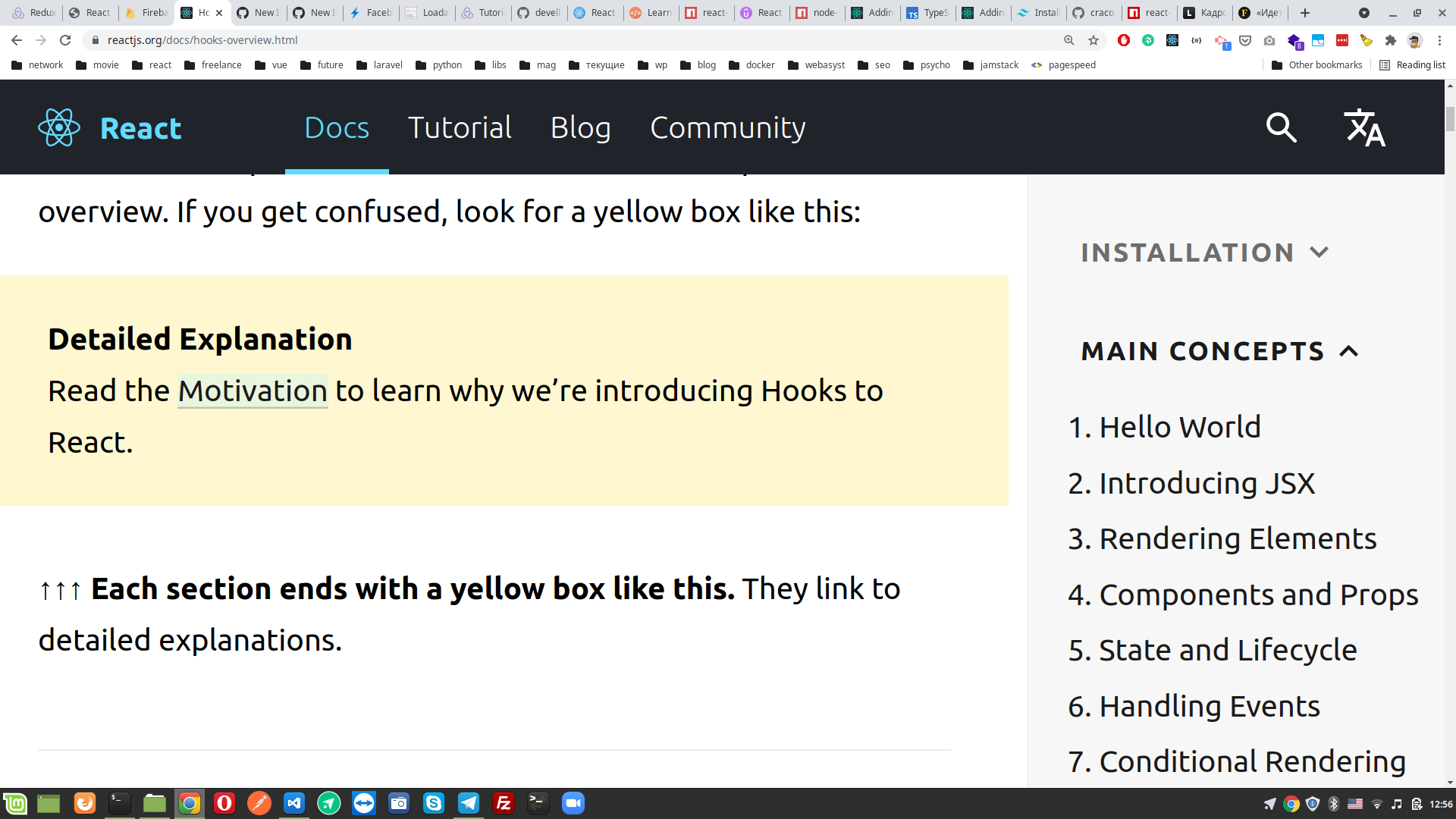
I like to zoom in to 200%-250% when reading documentation. But i cannot see all menu items and have to zoom out to reveal them, them pick one and zoom in again. This routine kind of annoing.
Beneath a screen from hooks page in docs. And on right side main concepts menu, but i only can see 7 items of 12. There is no way to reach 8-12 items while screen is 250%. Please, fix this inconvenience.
貢獻指南
從這裡開始
- 先讀完整個 Issue,再讀專案的貢獻指南。
- 在 Issue 下留言說明你要接手 —— 這能避免兩個人做同樣的事。
- Fork 儲存庫,在一個分支上完成修改。
- 送出 Pull Request,並在描述裡引用這個 Issue 編號。
研究方向
在 200%-250% 的縮放比例下,於 Hooks 文件頁面重現此問題,並檢查報告中顯示的主要概念選單。確認無需反覆縮小頁面,仍可存取全部 12 個選單項目;此問題未指出特定的檔案或測試。
由索引模型根據 Issue 內容生成。
評估
- 技術堆疊
- javascript, react
- 領域
- accessibility, documentation, web-dev
- Issue 類型
- 缺陷
- 難度
- 3/5
- 預估耗時
- 1-2 天
- 活躍度
- 停滯
- 描述清晰度
- 需要釐清
- 新手友好度
- 35/100