Fail to see all menu items when screen is zoomed
Open
Nobody has claimed this yet.
- Dominant language
- JavaScript
- Stars
- 11.8k
- Forks
- 7.9k
- Avg merge
- 1d 11h
- Merged PRs (30d)
- 11
Description
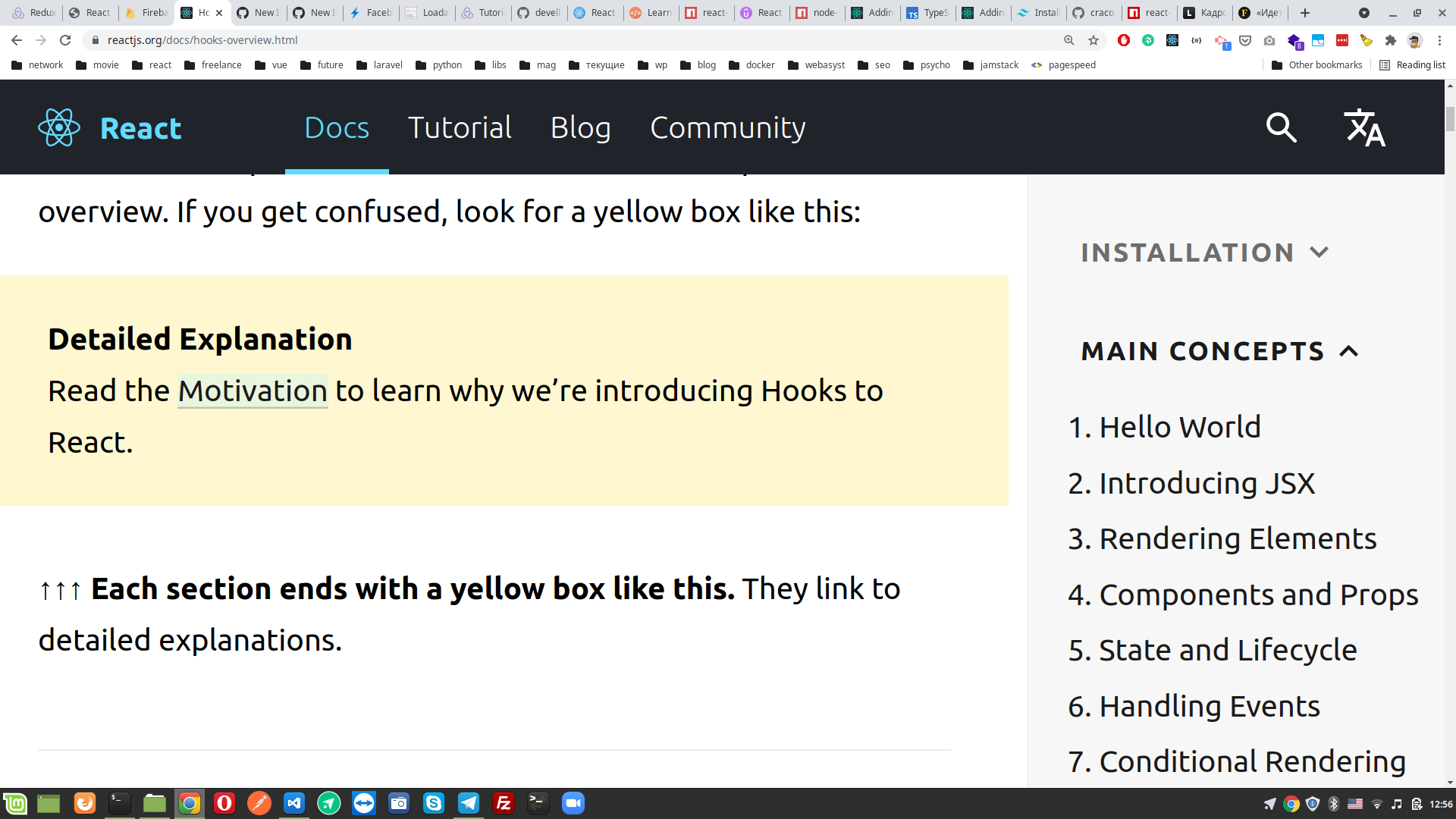
I like to zoom in to 200%-250% when reading documentation. But i cannot see all menu items and have to zoom out to reveal them, them pick one and zoom in again. This routine kind of annoing.
Beneath a screen from hooks page in docs. And on right side main concepts menu, but i only can see 7 items of 12. There is no way to reach 8-12 items while screen is 250%. Please, fix this inconvenience.
Contributor guide
First steps
- Read the whole issue, then the project's contributing guide.
- Comment on the issue to say you are picking it up — it saves two people doing the same work.
- Fork the repository and make your change on a branch.
- Open a pull request that references the issue number.
Research direction
Reproduce the issue on the Hooks documentation page at 200%-250% zoom and inspect the main concepts menu shown in the report. Confirm that all 12 menu items remain reachable without repeatedly zooming out; the issue does not name specific files or tests.
Written by the indexing model from the issue text.
Assessment
- Tech stack
- javascript, react
- Domain
- accessibility, documentation, web-dev
- Issue type
- Bug
- Difficulty
- 3/5
- Estimated time
- 1-2 days
- Activity status
- Stale
- Clarity
- Needs clarification
- Newbie friendliness
- 35/100