Button outline on clicking links in right navbar
Open
Nobody has claimed this yet.
- Dominant language
- JavaScript
- Stars
- 11.8k
- Forks
- 7.9k
- Avg merge
- 1d 11h
- Merged PRs (30d)
- 11
Description
This is probably a small but significant issue. On clicking the topics such as Installation, main concepts etc a default button border appears which results in an imperfect user experience. Attached below are the screenshots for the same.
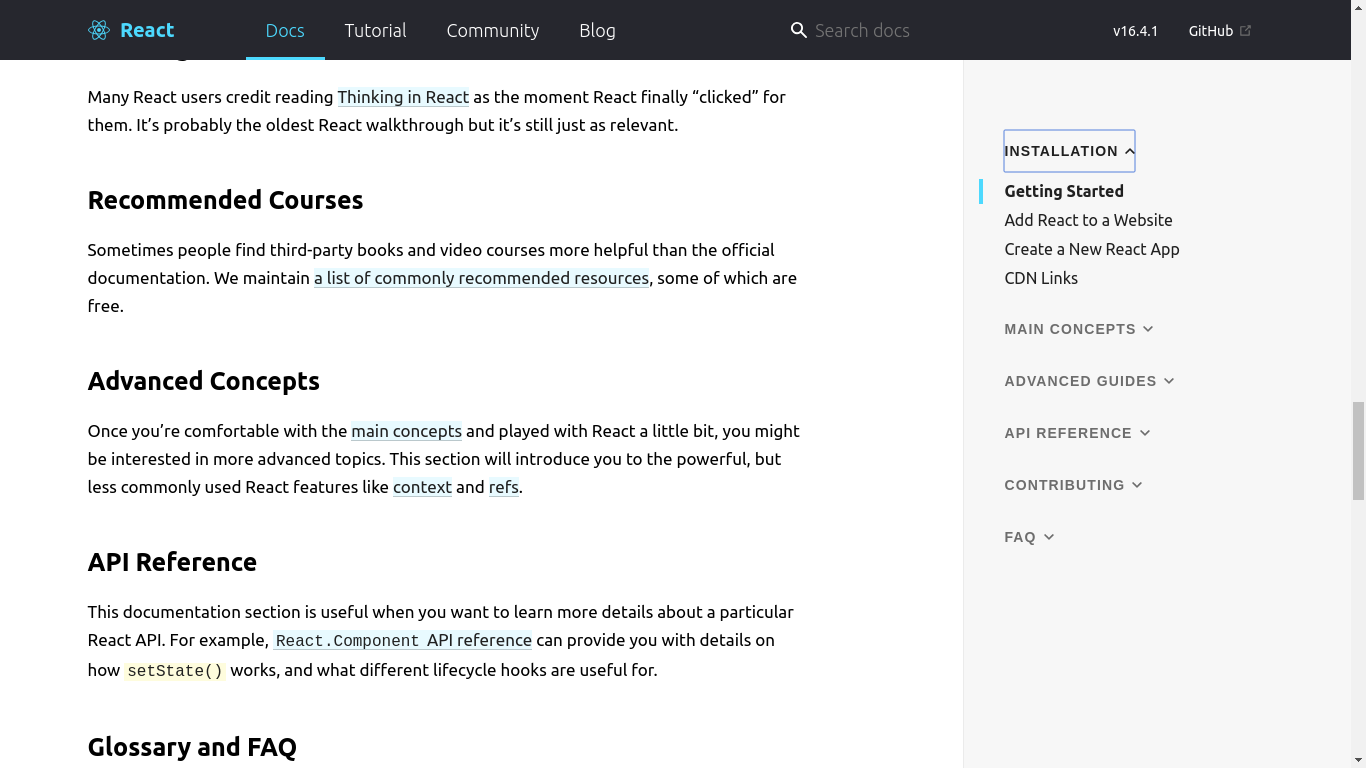
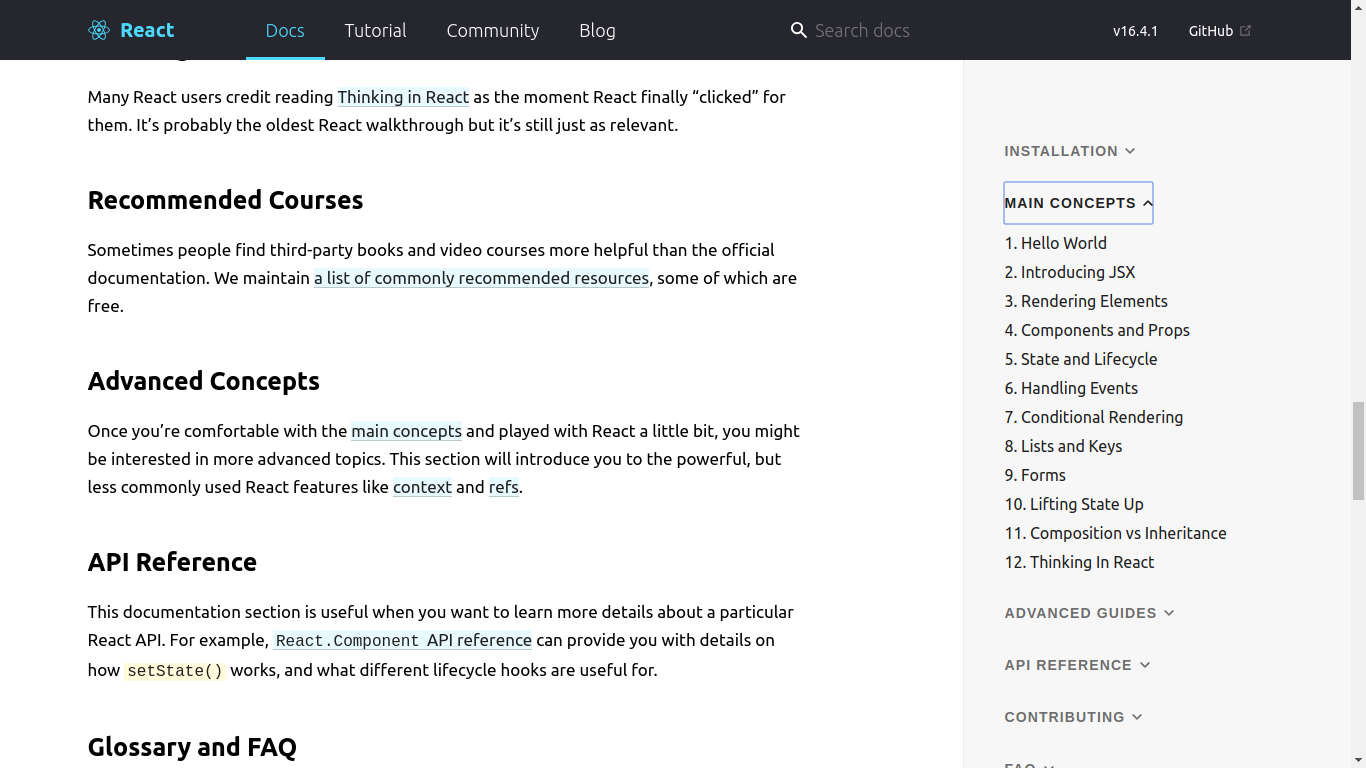
I can make a PR resolving this if it is approved.
Contributor guide
First steps
- Read the whole issue, then the project's contributing guide.
- Comment on the issue to say you are picking it up — it saves two people doing the same work.
- Fork the repository and make your change on a branch.
- Open a pull request that references the issue number.
Research direction
Reproduce the issue by clicking the Installation and main concepts links in the right navbar, then inspect the navbar link styling and the attached screenshots. The work is done when clicking those links no longer leaves the unwanted default button border and the navigation still behaves correctly.
Written by the indexing model from the issue text.
Assessment
- Tech stack
- javascript, react
- Domain
- documentation, frontend
- Issue type
- Bug
- Difficulty
- 2/5
- Estimated time
- 1-3 hours
- Activity status
- Stale
- Clarity
- Mostly clear
- Newbie friendliness
- 35/100