Switch animation does not seem to work correctly when updating value prop
Nessuno ha ancora preso questa issue.
- Lingua principale
- C++
- Stelle
- 127k
- Fork
- 25.3k
- Merge medio
- 1g 23h
- PR unite (30g)
- 4
Descrizione
Hi. I noticed a strange behaviour of switch component when value is changed any other way than actual interact with switch. (so, basically, when we set a new prop value)
Description
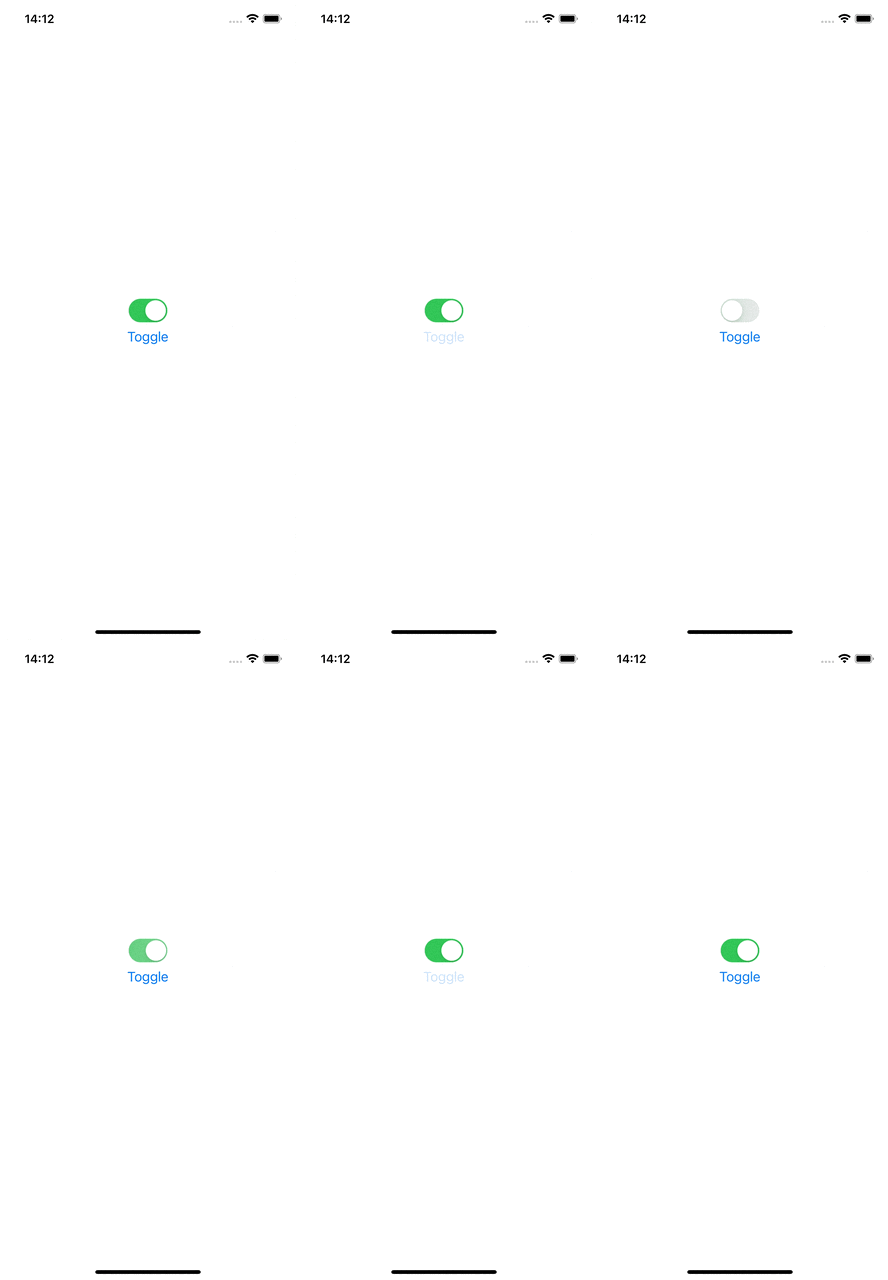
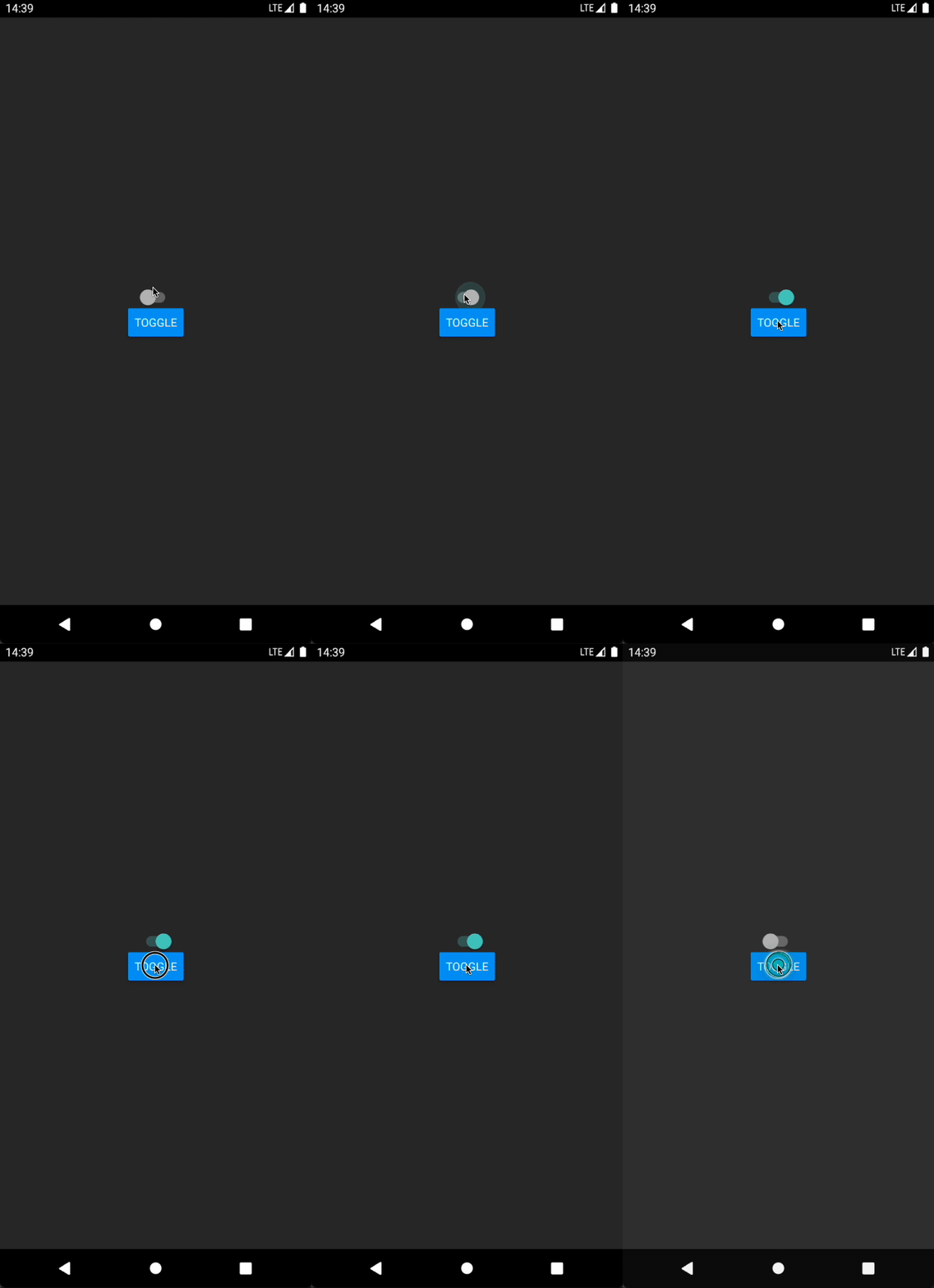
When you set new "value" prop value Android animation is working, but it does not have that ripple effect (idk if it is supposed to work like that), and iOS animation is not working at all that looks not pretty.
React Native version:
$ react-native info
System:
OS: macOS 11.5
CPU: (8) arm64 Apple M1
Memory: 68.00 MB / 16.00 GB
Shell: 5.8 - /bin/zsh
Binaries:
Node: 16.2.0 - ~/.nvm/versions/node/v16.2.0/bin/node
Yarn: 1.22.10 - ~/.nvm/versions/node/v16.2.0/bin/yarn
npm: 7.16.0 - ~/.nvm/versions/node/v16.2.0/bin/npm
Watchman: 2021.06.07.00 - /opt/homebrew/bin/watchman
Managers:
CocoaPods: 1.10.1 - /usr/local/bin/pod
SDKs:
iOS SDK:
Platforms: iOS 14.5, DriverKit 20.4, macOS 11.3, tvOS 14.5, watchOS 7.4
Android SDK:
API Levels: 28, 29, 30
Build Tools: 28.0.3, 29.0.2, 30.0.2, 30.0.3, 31.0.0, 31.0.0, 31.0.0
System Images: android-29 | Intel x86 Atom_64, android-29 | Google APIs Intel x86 Atom, android-30 | Google APIs ARM 64 v8a, android-S | Google APIs ARM 64 v8a
Android NDK: Not Found
IDEs:
Android Studio: Not Found
Xcode: 12.5.1/12E507 - /usr/bin/xcodebuild
Languages:
Java: 1.8.0_292 - /usr/bin/javac
npmPackages:
@react-native-community/cli: Not Found
react: 17.0.1 => 17.0.1
react-native: 0.64.1 => 0.64.1
react-native-macos: Not Found
npmGlobalPackages:
react-native: Not Found
Steps To Reproduce
Just update a value prop for Switch component
Snack, code example, screenshot, or link to a repository:
See an example here: mrAnomalyy/rn-switch-issue
iOS GIF
Android GIF
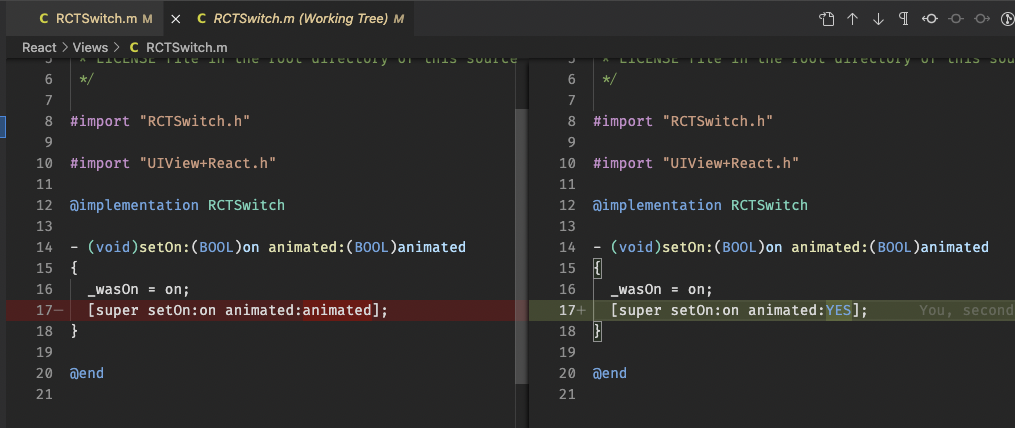
P.S. I've been digging on RN iOS code for Switch component and I was able to fix the issue just by replacing this value (see pic below) with YES, but obviously it does not look like a good solution.
Guida per i contributori
Apri la guida per i contributori
Come iniziare
- Leggi tutta la issue e poi la guida ai contributi del progetto.
- Commenta sulla issue per dire che te ne occupi tu — evita che due persone facciano lo stesso lavoro.
- Fai un fork del repository e lavora su un branch.
- Apri una pull request che faccia riferimento al numero della issue.
Direzione di ricerca
Inizia con il componente Switch e il codice React Native per iOS menzionato nel report, usando l’esempio collegato rn-switch-issue per riprodurre il comportamento quando cambia la prop value. Confronta i risultati su iOS e Android tramite interazione diretta e considera conclusa l’issue quando gli aggiornamenti delle props producono in modo coerente le animazioni previste su entrambe le piattaforme.
Scritto dal modello di indicizzazione a partire dal testo della issue.
Valutazione
- Stack tecnologico
- react-native
- Ambito
- mobile
- Tipo di issue
- Bug
- Difficoltà
- 4/5
- Tempo stimato
- 3-5 giorni
- Stato di attività
- Ferma
- Chiarezza
- Abbastanza chiara
- Idoneità per principianti
- 35/100