Get-PnPSiteTemplate with Pages handler ignoring centered text in Text Web Part
Nobody has claimed this yet.
Assessment
- Difficulty
- 3/5
- Estimated time
- 1-2 days
- Newbie friendliness
- 35/100
Research direction
Start at the Pages handler used by Get-PnPSiteTemplate and trace how a Text web part's HTML is extracted into the CanvasControl Text property. Reproduce the centered-text steps, then verify that applying the template preserves the paragraph's centered alignment rather than only its span formatting.
Written by the indexing model from the issue text.
Description
Reporting an Issue or Missing Feature
When extracting a PnP template from a site using the Pages handler, Text web parts on the page with centered text are not provisioned from the resulting template as centered.
Expected behavior
The page I have built has a 1 column section with a single Text web part. That text is set to 36px, Bold and Centered
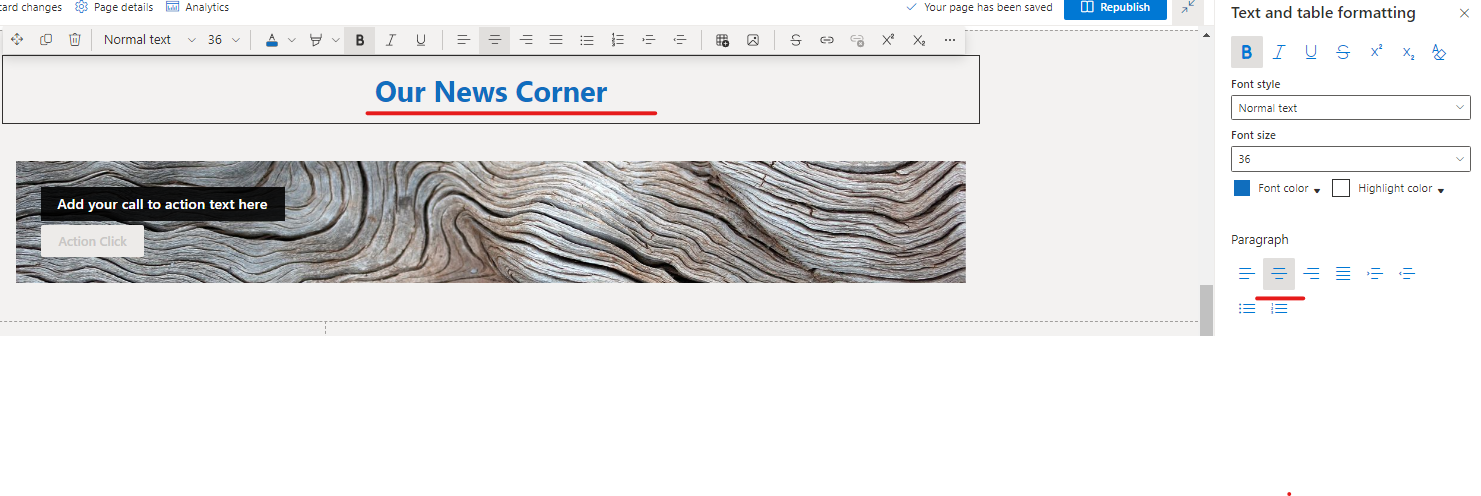
On the published page is renders like this:
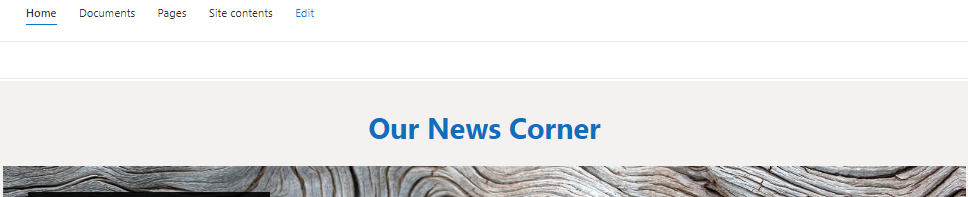
I expect that when I extract the page, it will create a template that will render just like this.
Actual behavior
After extracting the published page to a PnP template using the Pages handler, the generated XML looks like this:
<pnp:CanvasControl WebPartType="Text" ControlId="1f099f01-352d-498b-a528-47670cec5800" Order="1" Column="1">
<pnp:CanvasControlProperties>
<pnp:CanvasControlProperty Key="Text" Value="<span class="fontColorThemeDarkAlt"><span class="fontSizeXxLargePlus"><strong>Our News Corner</strong></span></span>" />
</pnp:CanvasControlProperties>
After applying the template to a different site collection, the page renders like this (with the text misaligned to the left):

When I "inspect" the page in the browser, the HTML is this:
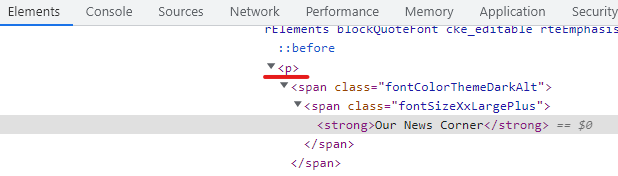
It looks like the extraction provisioning code is ignoring the 'style="text-align:center"' that should be in the paragraph (<p>) for the page to render as desired.
Steps to reproduce behavior
As described above:
- Create a Modern SharePoint page with a single column section
- Add a text web part, add text, highlight the text, format it as centered, publish the page
- Call Get-PnPSiteTemplate in a script using the Pages handler
- Apply the resulting template to a new page
What is the version of the Cmdlet module you are running?
PnP.PowerShell 1.11.0
Which operating system/environment are you running PnP PowerShell on?
- Windows
If you can suggest a workaround or some manual tweaking to the generated XML after-the-fact to get the desired result, that will be fine. But I do not seem to have any way to access the <p> tag to add the required attribute to make the text be centered when the page renders. The generated XML only lets me edit the <span> tags inside the paragraph.
Thanks in advance.
- Dominant language
- C#
- Stars
- 259
- Forks
- 161
- Avg merge
- 10h 33m
- Merged PRs (30d)
- 1
Contributor guide
No contributing guide indexed for this repository
First steps
- Read the whole issue, then the project's contributing guide.
- Comment on the issue to say you are picking it up — it saves two people doing the same work.
- Fork the repository and make your change on a branch.
- Open a pull request that references the issue number.
More from pnp/pnpframework
-
area: provisioning ⚙
Difficulty 2/5 1-3 hours Newbie friendliness 75/100
pnp/pnpframework#1274 ·
-
area: provisioning ⚙
Difficulty 2/5 1-3 hours Newbie friendliness 78/100
pnp/pnpframework#1269 ·
-
area: provisioning ⚙
Difficulty 1/5 Under an hour Newbie friendliness 72/100
pnp/pnpframework#1170 ·
-
Difficulty 2/5 1-3 hours Newbie friendliness 62/100
pnp/pnpframework#913 ·
-
Difficulty 4/5 3-5 days Newbie friendliness 35/100
pnp/pnpframework#1283 ·
All issues in pnp/pnpframework
Similar issues
-
Difficulty 2/5 1-3 hours Newbie friendliness 86/100
-
:watch: Not Triaged 11.0 fundamentals/subsvc
Difficulty 2/5 1-3 hours Newbie friendliness 92/100
dotnet/AspNetCore.Docs#37699 ·
-
Difficulty 2/5 1-3 hours Newbie friendliness 72/100
SubtitleEdit/subtitleedit#15108 · 1 comment ·
-
area/docs-content Bug pulumi/docs
Difficulty 1/5 1-3 hours Newbie friendliness 94/100
-
agentic-workflows untriaged
Difficulty 2/5 1-3 hours Newbie friendliness 76/100