Time is not displayed in hover text at midnight (00:00:00)
未关闭
还没有人认领这个 Issue。
bug
P3
- 主要语言
- JavaScript
- 星标
- 18.3k
- 派生
- 2k
- 平均合并
- 2 天 12 小时
- 30 天内合并 PR
- 28
描述
Summary:
Time is not displayed in hover text when the x-axis is of type Date and the hour, minute and second values are 00 e.g. 2017-02-04 00:00:00.10
Example:
https://codepen.io/techdude101/pen/jOLWrwW
Actual:
- The Date and y value are displayed - Feb 4, 2017, 12
- tickformat: "%H:%M:%S" - Only the y value is displayed in the hover text (screenshot below)
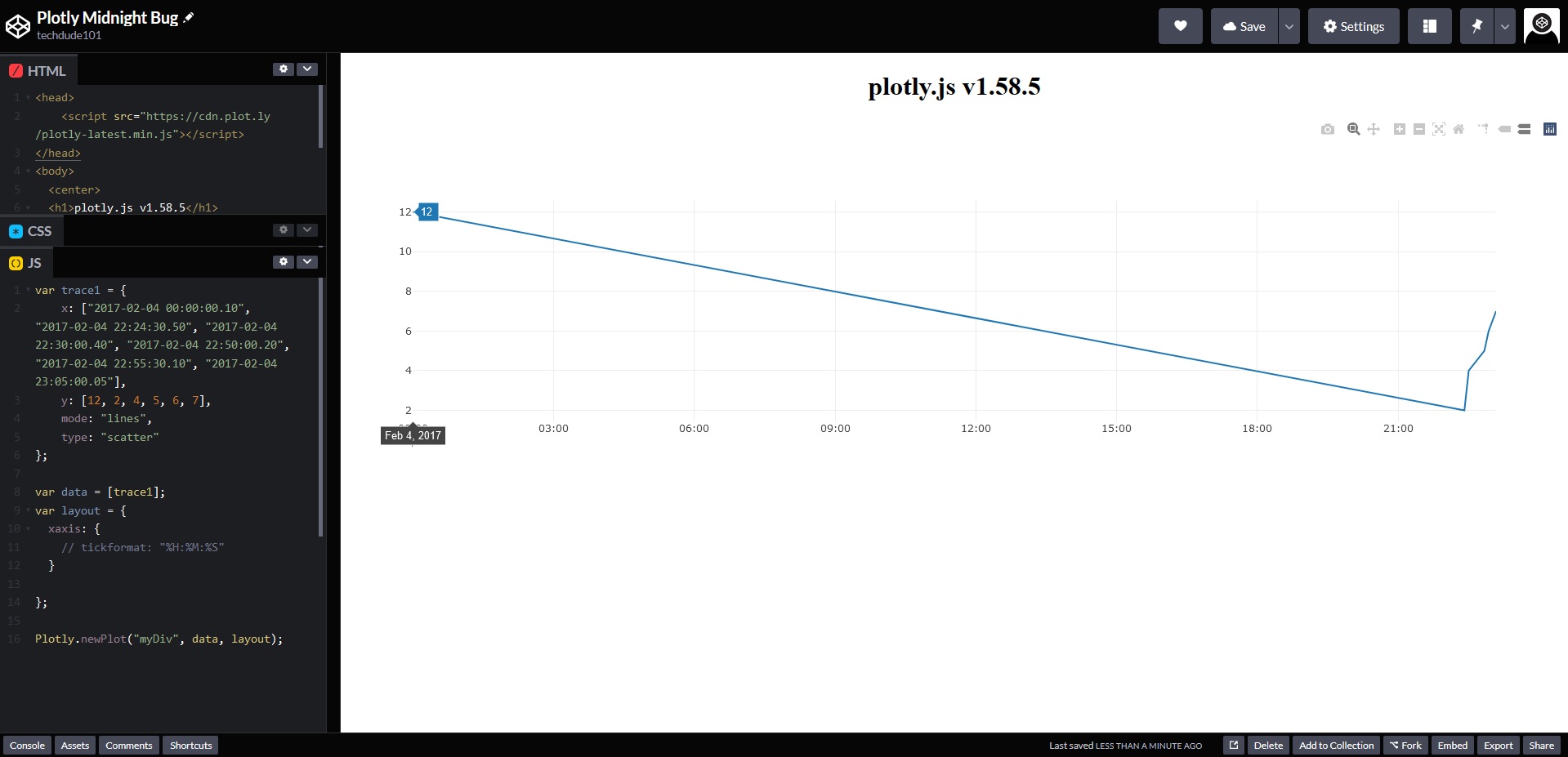
Expected:
- The Date + Time and y value are displayed - Feb 4, 2017 00:00:00, 12
- tickformat: "%H:%M:%S" - 00:00:00, 12
Test versions:
https://cdn.plot.ly/plotly-latest.min.js - plotly.js v1.58.5
https://cdn.plot.ly/plotly-2.4.2.min.js
Workaround:
Convert the Dates to strings
https://codepen.io/techdude101/pen/LYjGRzw?editors=0010
贡献指南
从这里开始
- 先读完整个 Issue,再读项目的贡献指南。
- 在 Issue 下留言说明你要接手 —— 这能避免两个人做同样的事。
- Fork 仓库,在一个分支上完成修改。
- 提交 Pull Request,并在描述里引用这个 Issue 编号。
调研方向
首先,使用链接的 CodePen 示例,在午夜时使用 Date x 轴重现该问题,并检查 Plotly.js 的日期轴 hover 格式。修复完成的标准是:对于午夜,无论使用默认显示还是使用 tickformat "%H:%M:%S",hover 文本都包含 00:00:00,并与预期示例一致。
由索引模型根据 Issue 内容生成。
评估
- 技术栈
- d3, javascript
- 领域
- data-visualization
- Issue 类型
- 缺陷
- 难度
- 3/5
- 预计耗时
- 1-2 天
- 活跃度
- 停滞
- 描述清晰度
- 基本清楚
- 新手友好度
- 45/100