microsoft / microsoft/vscode-pull-request-github
Show code scanning findings for PRs
Nobody has claimed this yet.
- Dominant language
- TypeScript
- Stars
- 2.6k
- Forks
- 795
- Avg merge
- 1d 4h
- Merged PRs (30d)
- 46
Description
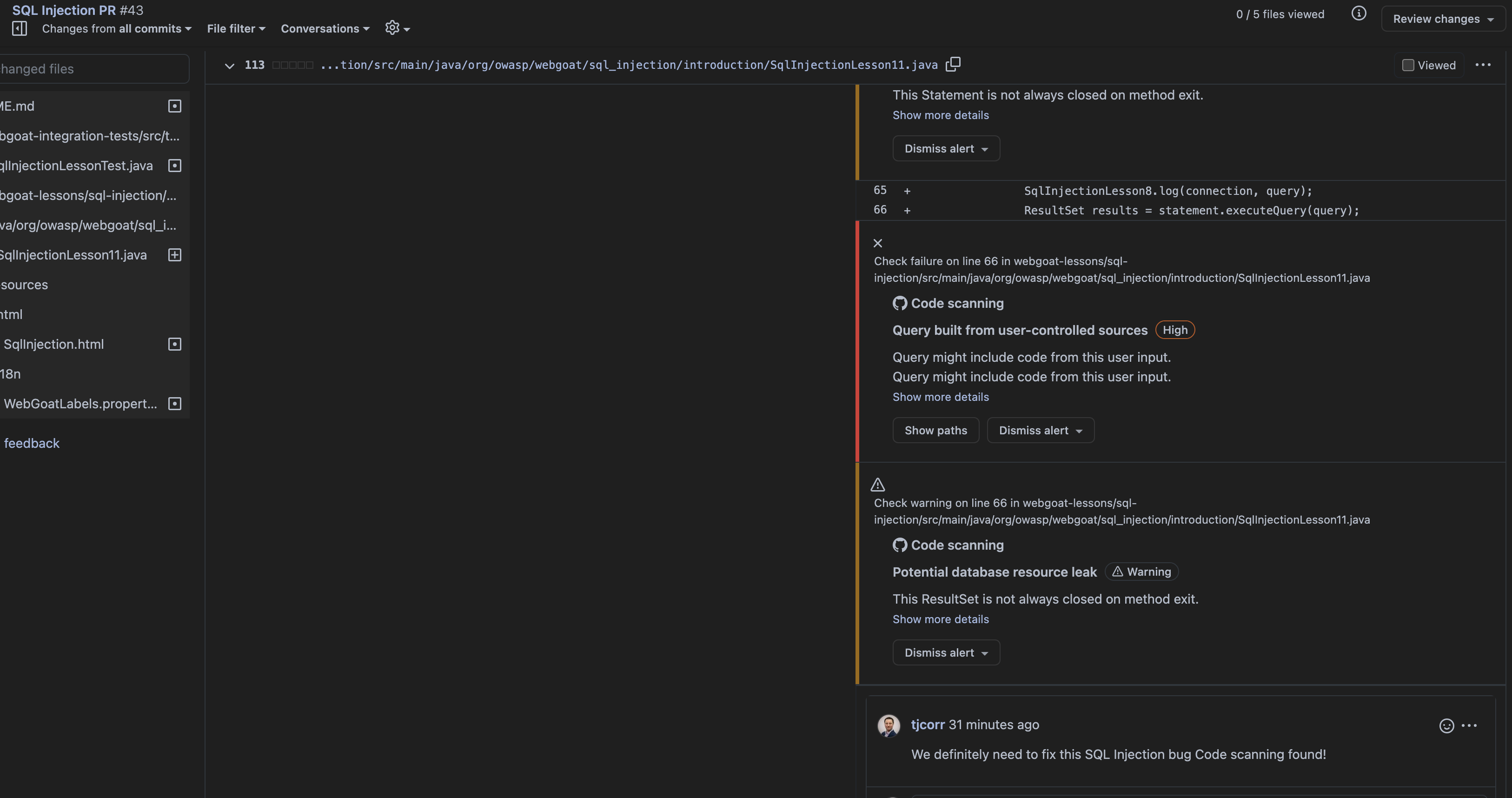
In the GitHub PR UI when looking at the diff view you are able to see both user-generated comments as well as code scanning alerts (see below).
Currently the extensions is able to show only the comments in-line in the editor. It would be great if this functionality could be expanded to also show code scanning alerts to make it easier for VS Code users to see where there are potential security bugs to be fixed.
Contributor guide
No contributing guide indexed for this repository
First steps
- Read the whole issue, then the project's contributing guide.
- Comment on the issue to say you are picking it up — it saves two people doing the same work.
- Fork the repository and make your change on a branch.
- Open a pull request that references the issue number.
Research direction
Start with the extension's GitHub pull request diff view and the existing inline comment rendering path; the issue provides no file or test names. Trace how pull request review data is loaded, then determine how code scanning alerts can be shown alongside comments. Done means code scanning findings appear inline for the relevant pull request changes in VS Code.
Written by the indexing model from the issue text.
Assessment
- Tech stack
- github, typescript
- Domain
- devtools, security
- Issue type
- Feature
- Difficulty
- 4/5
- Estimated time
- 3-5 days
- Activity status
- Stale
- Clarity
- Mostly clear
- Newbie friendliness
- 35/100