microsoft / microsoft/vscode-java-dependency
How to sort Java project elements?
Open
Nobody has claimed this yet.
enhancement
- Dominant language
- TypeScript
- Stars
- 199
- Forks
- 105
- Avg merge
- 1d 22h
- Merged PRs (30d)
- 27
Description
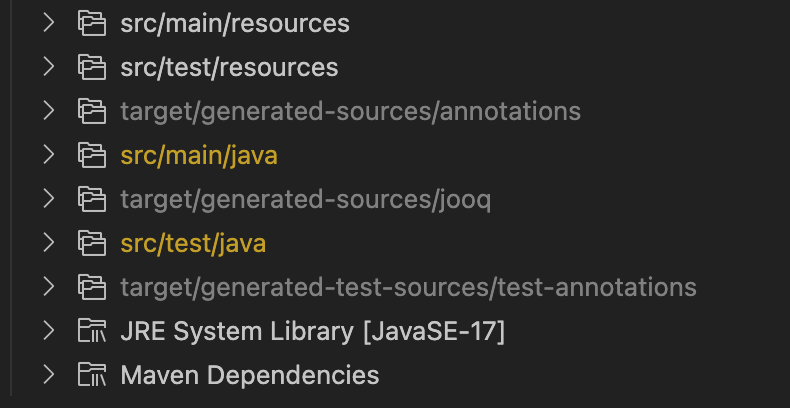
After using the Project Manager for Java extension, after opening a Java project, the vscode interface shows a JAVA PROJECTS panel, but how can I custom order the elements?
It can be adjusted manually in eclipse, but there seems to be no related settings in vscode, nor can it be adjusted manually.
Contributor guide
First steps
- Read the whole issue, then the project's contributing guide.
- Comment on the issue to say you are picking it up — it saves two people doing the same work.
- Fork the repository and make your change on a branch.
- Open a pull request that references the issue number.
Research direction
No source file or test is named. Start by locating the code that builds the JAVA PROJECTS panel in the Project Manager for Java extension, then trace how project elements are ordered. Done means users can customize that order in VS Code, with the behavior covered by an appropriate test.
Written by the indexing model from the issue text.
Assessment
- Tech stack
- java, typescript
- Domain
- developer-experience, tooling
- Issue type
- Feature
- Difficulty
- 4/5
- Estimated time
- 3-5 days
- Activity status
- Stale
- Clarity
- Mostly clear
- Newbie friendliness
- 35/100