microsoft / microsoft/vscode-java-debug
"Launch External Terminal" not working
@testforstephen 已经在做这个了。
开始于 2021年11月15日。
- 主要语言
- TypeScript
- 星标
- 591
- 派生
- 429
- 平均合并
- 1 天 9 小时
- 30 天内合并 PR
- 19
描述
[provide a description of the issue]
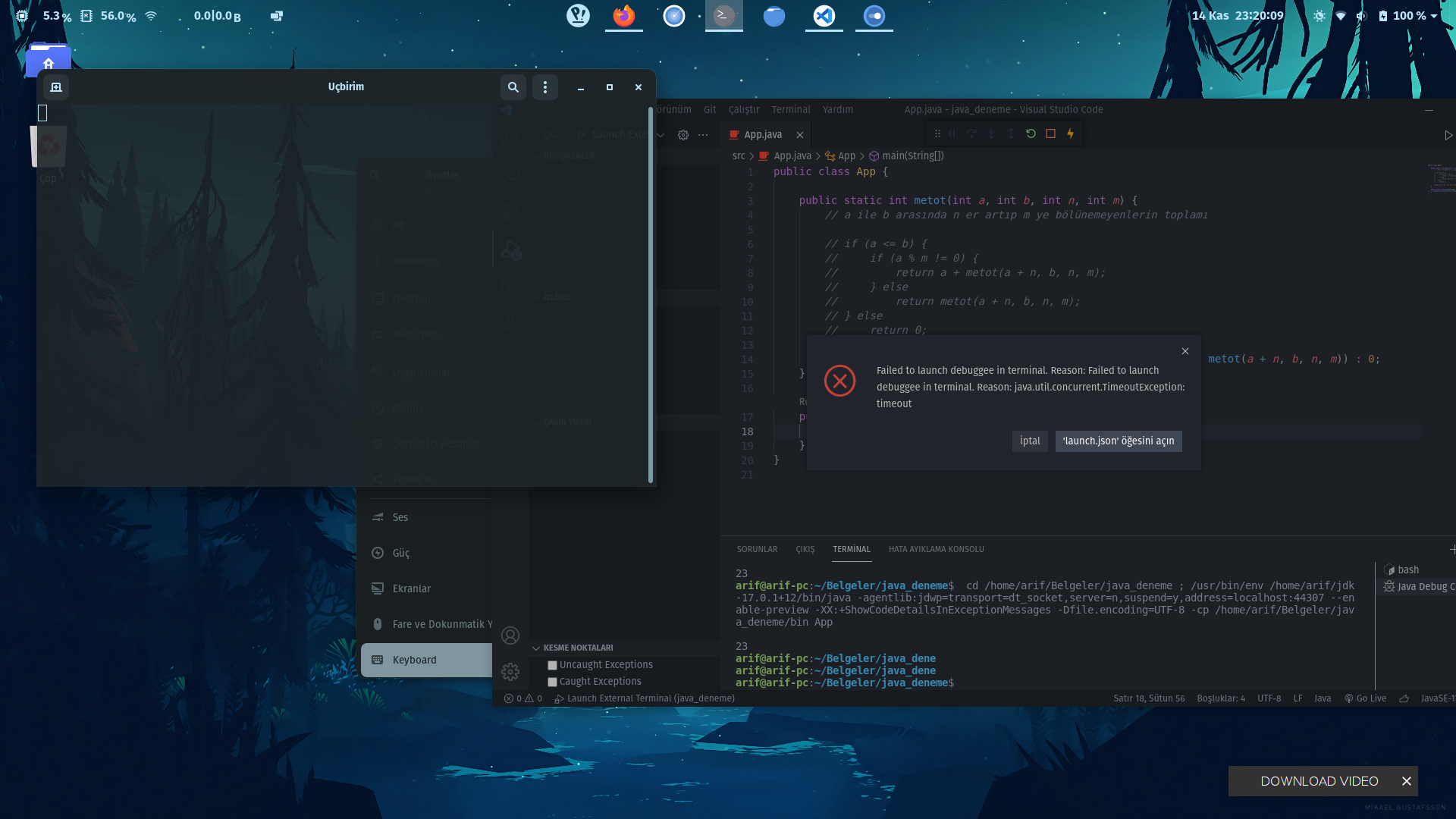
in vscode a blank terminal screen opens and the error in the picture comes.
Environment
- Operating System: Pop!_OS 21.04
- JDK version: 17.0.1+12
- Visual Studio Code version: 1.62.2
- Java extension version: v0.18.6
- Java Debugger extension version: v0.36.0
!ENTRY java-debug 4 0 2021-11-14 23:02:30.289
!MESSAGE [error response][launch]: Failed to launch debuggee in terminal. Reason: Failed to launch debuggee in terminal. Reason: java.util.concurrent.TimeoutException: timeout
!STACK 0
com.microsoft.java.debug.core.DebugException: Failed to launch debuggee in terminal. Reason: Failed to launch debuggee in terminal. Reason: java.util.concurrent.TimeoutException: timeout
at com.microsoft.java.debug.core.adapter.handler.LaunchWithDebuggingDelegate.lambda$launchInTerminal$0(LaunchWithDebuggingDelegate.java:157)
at java.base/java.util.concurrent.CompletableFuture.uniWhenComplete(CompletableFuture.java:863)
at java.base/java.util.concurrent.CompletableFuture$UniWhenComplete.tryFire(CompletableFuture.java:841)
at java.base/java.util.concurrent.CompletableFuture.postComplete(CompletableFuture.java:510)
at java.base/java.util.concurrent.CompletableFuture.completeExceptionally(CompletableFuture.java:2162)
at com.microsoft.java.debug.core.protocol.AbstractProtocolServer$1.run(AbstractProtocolServer.java:192)
at java.base/java.util.TimerThread.mainLoop(Timer.java:566)
at java.base/java.util.TimerThread.run(Timer.java:516)
Current Result
Expected Result
Additional Informations
贡献指南
从这里开始
- 先读完整个 Issue,再读项目的贡献指南。
- 在 Issue 下留言说明你要接手 —— 这能避免两个人做同样的事。
- Fork 仓库,在一个分支上完成修改。
- 提交 Pull Request,并在描述里引用这个 Issue 编号。
评估
这个 Issue 还没有评估数据。