microsoft / microsoft/vscode-java-debug
"Launch External Terminal" not working
@testforstephen is already working on this.
Since Nov 15, 2021.
- Dominant language
- TypeScript
- Stars
- 591
- Forks
- 429
- Avg merge
- 1d 9h
- Merged PRs (30d)
- 19
Description
[provide a description of the issue]
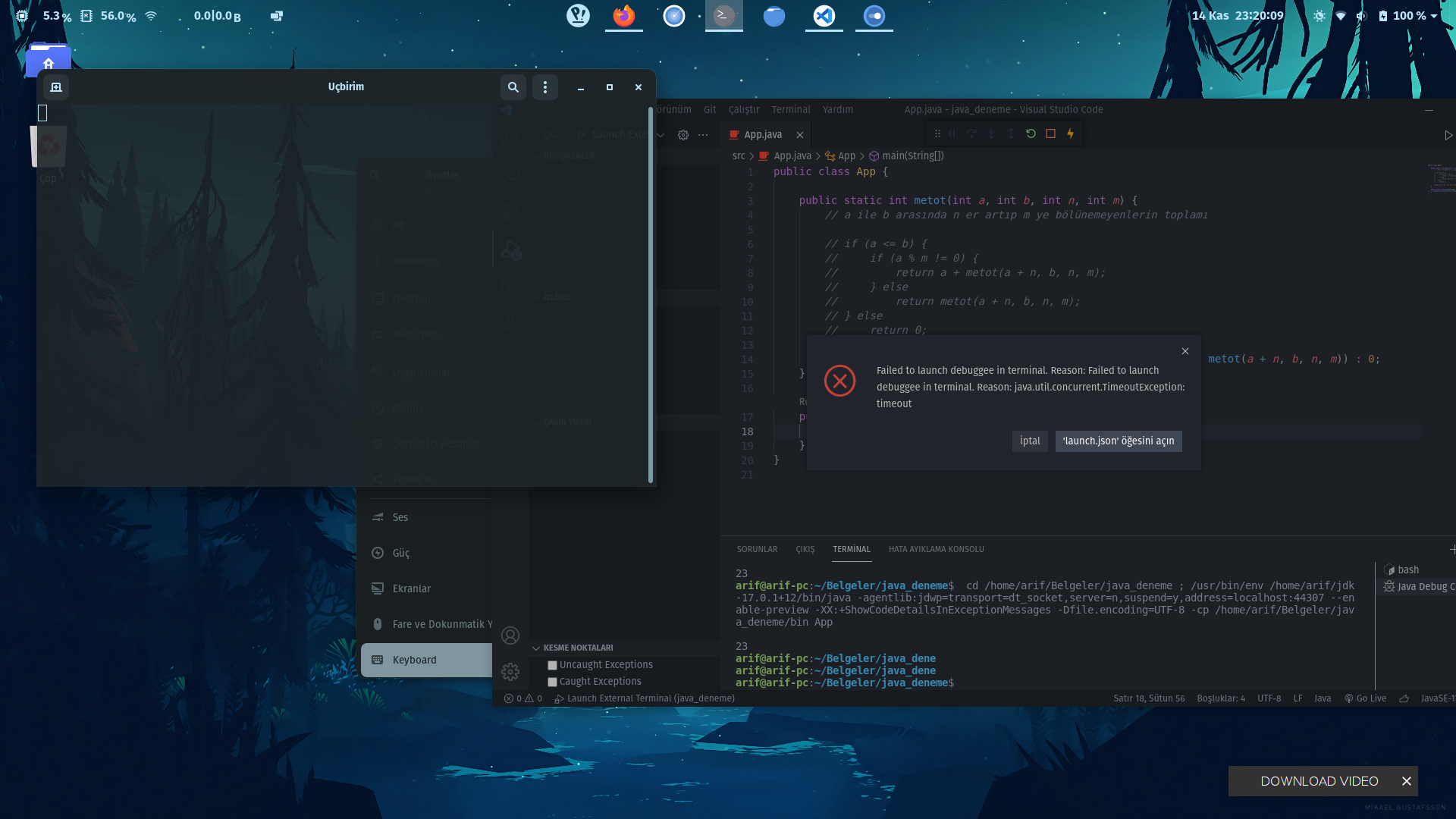
in vscode a blank terminal screen opens and the error in the picture comes.
Environment
- Operating System: Pop!_OS 21.04
- JDK version: 17.0.1+12
- Visual Studio Code version: 1.62.2
- Java extension version: v0.18.6
- Java Debugger extension version: v0.36.0
!ENTRY java-debug 4 0 2021-11-14 23:02:30.289
!MESSAGE [error response][launch]: Failed to launch debuggee in terminal. Reason: Failed to launch debuggee in terminal. Reason: java.util.concurrent.TimeoutException: timeout
!STACK 0
com.microsoft.java.debug.core.DebugException: Failed to launch debuggee in terminal. Reason: Failed to launch debuggee in terminal. Reason: java.util.concurrent.TimeoutException: timeout
at com.microsoft.java.debug.core.adapter.handler.LaunchWithDebuggingDelegate.lambda$launchInTerminal$0(LaunchWithDebuggingDelegate.java:157)
at java.base/java.util.concurrent.CompletableFuture.uniWhenComplete(CompletableFuture.java:863)
at java.base/java.util.concurrent.CompletableFuture$UniWhenComplete.tryFire(CompletableFuture.java:841)
at java.base/java.util.concurrent.CompletableFuture.postComplete(CompletableFuture.java:510)
at java.base/java.util.concurrent.CompletableFuture.completeExceptionally(CompletableFuture.java:2162)
at com.microsoft.java.debug.core.protocol.AbstractProtocolServer$1.run(AbstractProtocolServer.java:192)
at java.base/java.util.TimerThread.mainLoop(Timer.java:566)
at java.base/java.util.TimerThread.run(Timer.java:516)
Current Result
Expected Result
Additional Informations
Contributor guide
First steps
- Read the whole issue, then the project's contributing guide.
- Comment on the issue to say you are picking it up — it saves two people doing the same work.
- Fork the repository and make your change on a branch.
- Open a pull request that references the issue number.
Assessment
This issue has not been assessed yet.